Finally my Freescale TWR-K21F120M board arrived 🙂

TWR-K21F120M on the bench
For the next generation of INTRO Zumo robots I’m evaluating a new ‘brain’: more processing power, more FLASH, more RAM, more of everything 😉

Finally my Freescale TWR-K21F120M board arrived 🙂
TWR-K21F120M on the bench
For the next generation of INTRO Zumo robots I’m evaluating a new ‘brain’: more processing power, more FLASH, more RAM, more of everything 😉
The Freescale Tower boards are very versatile, and there are many different boards you can combine like lego bricks. When I tinker with my own hardware or need to try out something, then I use a special prototype board: the TWR-PROTO.
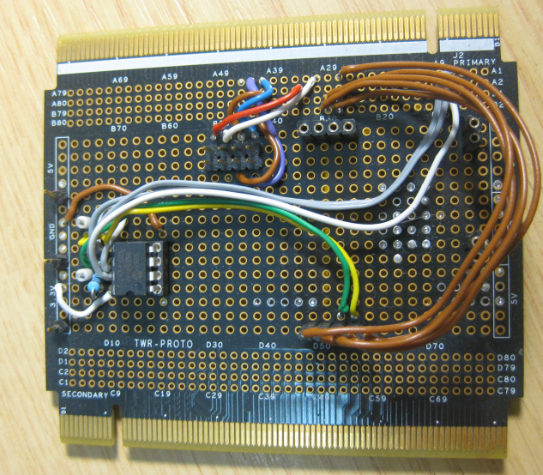
Tower Proto Board Frontside
I have I project which I want to debug on multiple boards the same time. So how can I download and debug the same application to multiple boards/processors, and debug them all the same time from within the same workspace and Eclipse IDE?
This is a typical scenario I have with my RNet stack: the same application runs on multiple boards, and I want to debug all the boards with the same project with the same Eclipse. For example to wireless sensor nodes with the RNet nRF24L01+ stack as in the picture below:

Two FRDM-KL25Z with nRF24L01+ Transceivers
In Part 1 of this series I have covered the SD card on the Arduino Ethernet shield. In Part 2 I’m hooking up the board to the network and will be able to ping it 🙂

Arduino Ethernet Shield with FRDM-KL25Z
Sometimes it takes a very long time to realize a project. Adding the Arduino Ethernet Shield R3 to one of my Freescale FRDM boards is one of it: it took me a year until I have found a few days to work on using the Ethernet Shield with my FRDM-KL25Z.

FRDM-KL25Z with Ethernet Shield
I have not everything in place yet, so I decided to publish things in parts. So this is about part one: using the Micro SD Card on the Shield.
One of my favourite quotes about programming is this one:
“ Programming can be fun, so can cryptography; however they should not be combined. ” – Kreitzberg and Shneiderman
Well, there is truth behind this. But on contrary, there is a lot of fun with the combination of the two: the yearly IOCCC contest has posted the 2013 winners!

As in earlier years, it is amazing to see what can be done with creativity and a programming language like C ;-).
Character based LCD displays are great: they are inexpensive, and it is rather simple to use them compared to graphical displays. Yes, they only can display text and custom symbols, but this is usually what I need. And pretty much all character displays are using the Hitachi HD44780 protocol, so it is a de-facto industry standard.
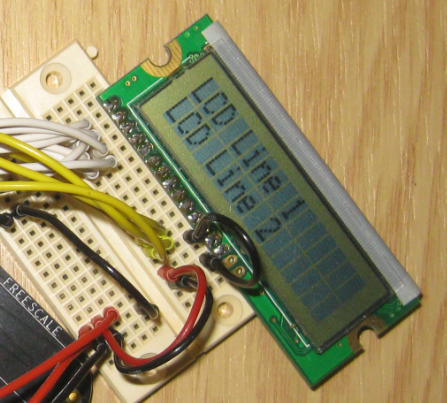
HD44780 compatible Dual Line Character Display
These displays have one big disadvantage: they need to be compatible with the original Hitachi interface and protocol. First display were mostly one line only, and had only few characters, typically up to 16. The protocol worked either with one or two lines on the display. Today’s display have usually two lines, with 16 characters. But what if I need more?
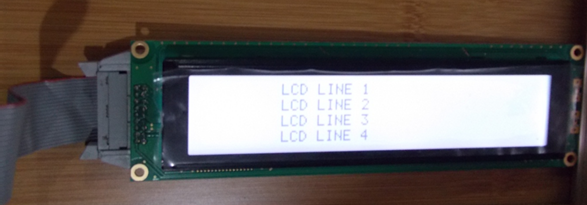
4-Line LCD (Source: Daniela Solorzano)
I probably would have missed the fact that Freescale has released a new Freedom board, if I would not have visited my local distributor site to order a replacement for one of my first FRDM-KL25Z boards. So surprise, surprise: there is a new Freedom board: the FRDM-KL26Z!
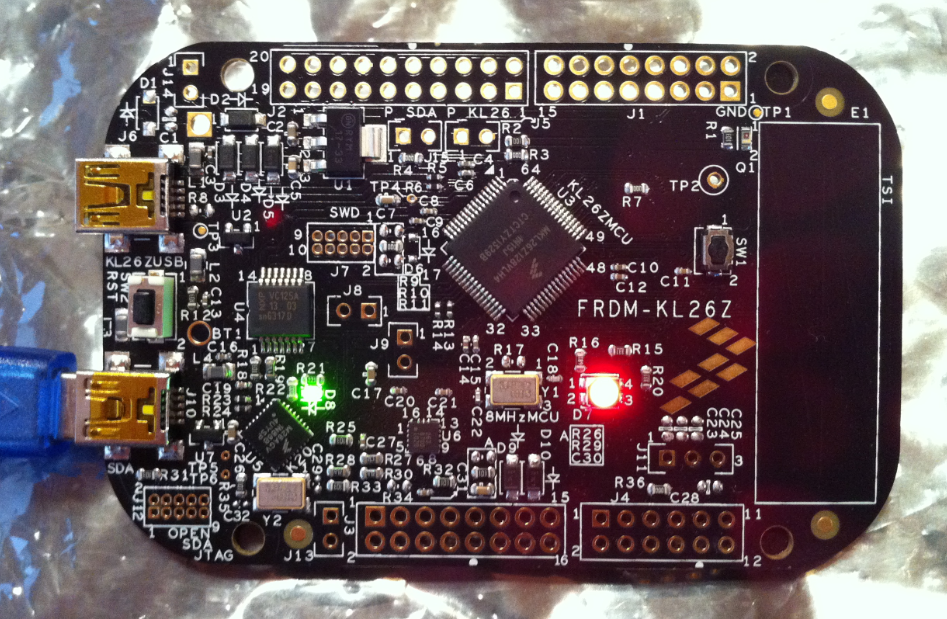
FRDM-KL26Z Board
So instead ordering again a FRDM-KL25Z, I decided to order that new FRDM-KL26Z instead. And it arrived right before Christmas, and now I had time to check it out. Nope, I did *not* use it as a blinking gadget on a Christmas tree, even if that would have been a nice idea ;-).
I admit: I have used ARM Cortex cores a lot in the recent months. Yes, I think with the ‘ARM domination of the world’ over time the ARM core will blast away probably all other cores, except for niche players? Still, there are reasons to use non-ARM cores, and even if it is just that I have a board at hand :-).
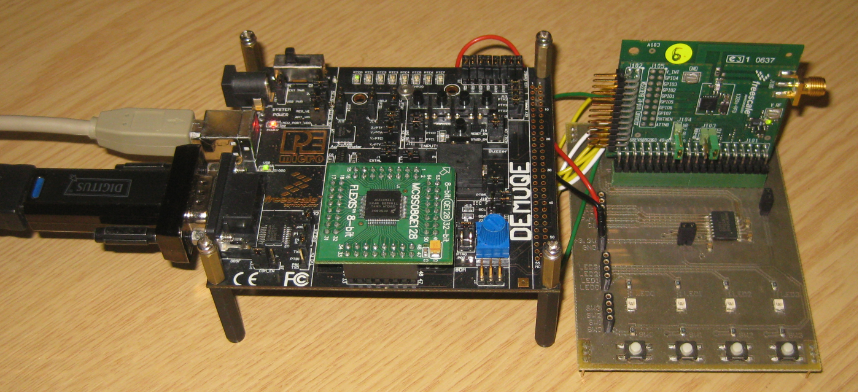
DEMOQE with MC9S08QE128 and MC13201 Transceiver Card
Tired by the tool chains provided by your silicon vendor? Do you want to use a free and open tool chain? Then you probably followed by “DIY Free Toolchain” series already. In “DIY Free Toolchain for Kinetis: Part 2 – Eclipse IDE” I used the standard GNU Eclipse plugins. As mentioned in above post, there is an even better and more powerful plugin available: the GNU ARM Eclipse plug-ins. There is a dedicated blog site which provides excellent documentation and direct access to new and frequent releases. And these days there is a true a Christmas gift for every Eclipse lover: the version 1.1.7 with the addition of J-Link debugger plugin :-).

GNU ARM Eclipse
 MCU on Eclipse