In “Overview: From Snippets to Code Generation” I discussed several tools used in my development process. On tool which helps me a lot to get things done is Processor Expert. In this post I’ll give an overview about this tool and reasoning for the pros and cons of using it.
Category Archives: Eclipse
McuOnEclipse Components: 17-Oct-2015 Release
On SourceForge I have published an update of the McuOnEclipse software components, with following major changes:
- FreeRTOS updated to version V8.2.2 which comes with TLS (Thread Local Storage) support and GDB debug helpers.
- Percepio Trace updated to V3.0.2 with the release of Segger Real Time Terminal (RTT) for continuous trace streaming.
- FSL_USB_Stack with alternate USB initialization to deal with an issue in combination with the Kinetis SDK v1.3.0
- GenericI2C and GenericSWI2C have added support for custom I2C bus handling.
An Introduction to Kinetis Design Studio for Mac OS X
I don’t own a Mac computer, and I try to keep my tutorials as multi-host-platform as possible. So it is always cool to see if someone else posts a nice tutorial on a different host machine: For all Mac (and as well non Mac) users, have a look at this tutorial Nash Reilly has posted: “An Introduction to Freescale’s Kinetis Design Studio.”
It nicely explains downloading and installing KDS with the Kinetis SDK and then run a ‘hello world’ program on the hardware.
And very worthwhile to check out Nash’s other articles here too: http://www.allaboutcircuits.com/author/nash-reilly
Happy Nashing 🙂
FreeRTOS ARM Thread Debugging with Eclipse and GDB
FreeRTOS is probably the most popular RTOS used and I love it: it is efficient, has a lot of features, simple and easy to use. But despite its popularity, debugging it with open source tools as with Eclipse and GDB is really not that user-friendly: debugging threads/tasks is a pain compared to commercial solutions. For my university classes this semester I was looking for something easy to use by my students. Finally I managed to use a GDB helper which makes things easier now: I can switch task threads in Eclipse with GDB now 🙂
Linking additional Object Files with GNU Linker
Sometimes I need to link an object file (e.g. bootloader.o) to my application, and I do not want to build it, or I do not have the sources to build it. There is a simple way with the GNU ARM Eclipse plugins to link extra object files:
Aligning S19 Records to 64-bit Boundaries
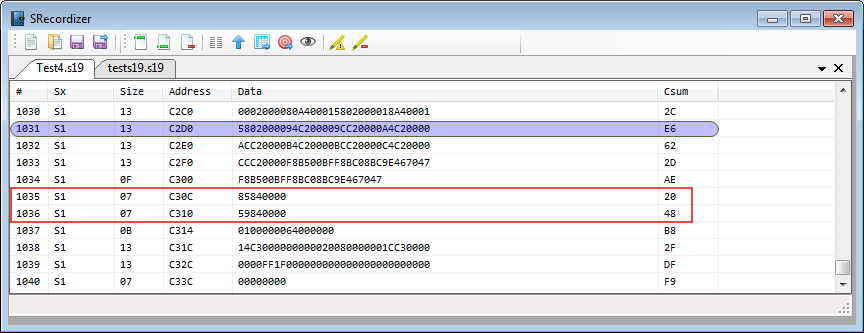
Many tool chains and linker are able to produce S19 files, such as with the GNU tools it is the ‘objcopy‘ which does this job (see “Binary (and S19) Files for the mbed Bootloader with Eclipse and GNU ARM Eclipse Plugins“). But these tools usually cannot handle the special cases. For example on the Freescale Kinetis K64F my serial bootloader (see “Serial Bootloader for the Freedom Board with Processor Expert“) had a problem with these lines in the S19 file:
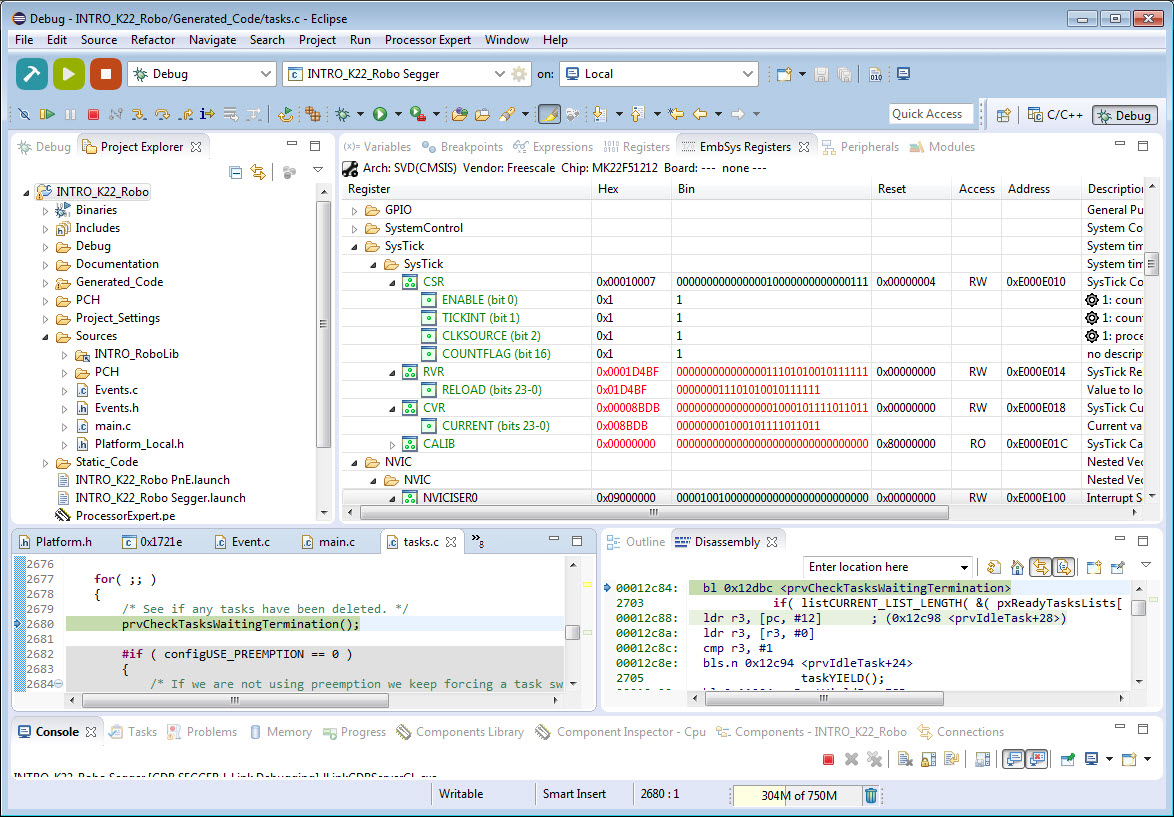
Freescale CMSIS-SVD Register Files with Eclipse MARS and EmbSysRegView
In “How to Add Register Details View in Eclipse” I showed how to add the Register detail support in Eclipse using the EmbSysRegView plugin. This was for Luna/Mars, and for the version v0.2.4 of the plugins.
Since then, there is a new version of Eclipse (MARS, see “Going to Mars: Building a DIY Eclipse IDE for ARM Embedded Microcontrollers“) and the EmbSysRegView plugin has been updated to v2.0.5. Makes everything much simple, so here is an updated post with the details how to add register detail view to Eclipse Mars.
Using Precompiled Headers with GNU gcc in Eclipse
Some of my robotics projects take a rather long time do a full build. When I developed applications with Visual C++ on the host, using precompiled headers gave me a big boost in compilation speed. I was looking for the same in similar with GNU and gcc, and as expected: gcc does support precompiled headers too. And indeed, I was able to cut down compilation time by 30% :-). So this post is about how to use gcc with precompiled headers in Eclipse/CDT to give my builds a boost.
New in Eclipse Mars: Launchbar
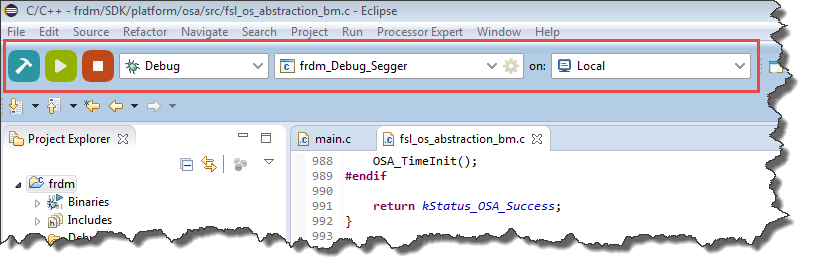
In “Going to Mars: Building a DIY Eclipse IDE for ARM Embedded Microcontrollers” I described how to install an Eclipse based IDE for ARM, based on Eclipse Mars (4.5) and CTD (8.7). There are many great new features in Eclipse Mars which makes that switch worthwhile: the Launchbar:
A dream is are now a reality: a really, really easy way to build, run/debug an application!
Going to Mars: Building a DIY Eclipse IDE for ARM Embedded Microcontrollers
It has been a while since I published my ‘build my own DIY IDE’ (see “DIY Free Toolchain for Kinetis: Part 1 – GNU ARM Build Tools“). I have used that approaches in my classes successfully. Now a new semester is coming up, so time to update the instructions using the latest Eclipse IDE (Mars) and tools (GCC ARM Embedded (launchpad) with GNU ARM Eclipse).