One of the most important aspects of the ‘IoT’ world is having a secure communication. Running MQTT on lwip (see “MQTT with lwip and NXP FRDM-K64F Board“) is no exception. Despite of the popularity of MQTT and lwip, I have not been able to find an example using a secure TLS connection over raw/native lwip TCP :-(. Could it be that such an example exists, and I have not found it? Or that someone implemented it, but has not published it? Only what I have found on the internet are many others asking for the same kind of thing “running MQTT on lwip with TLS”, but there was no answer? So I have to answer my question, which seems to be a good thing anyway: I can learn new things the hard way :-).
Category Archives: CPU’s
MQTT with lwip and NXP FRDM-K64F Board
In the area of IoT (Internet of Things), one obvious need is to have a way to send and receive data with an internet protocol. MQTT (or Message Queue Telemetry Transport) is exactly like that: a light-weight Machine-to-Machine communication protocol. With the MQTT protocol a microcontroller (or ‘client’) can send data and/or subscribe to data. For example to the Adafruit.IO:
MCUXpresso IDE: Installing Processor Expert into Eclipse Neon
In “MCUXpresso IDE: Importing Kinetis Design Studio Projects” I explained how Kinetis Design Studio projects can be imported and used inside the MCUXpresso IDE. Processor Expert projects can be used, but no new components added, modified or new Processor Expert projects created. To fully use Processor Expert, two plugins need to installed, and this is what this article is about.
MCUXpresso IDE: Importing Kinetis Design Studio Projects
Many of my currently active projects are using Kinetis Design Studio (KDS) V3.2.0 from NXP (I have published many of my projects on GitHub). Now with the advent of the MCUXpresso IDE (see “MCUXpresso IDE: Unified Eclipse IDE for NXPs ARM Cortex-M Microcontrollers“), I have migrated several projects from KDS to MCUXpresso. This post is about how to easily get KDS projects ported and running in MCUXpresso IDE.
The Influence of Software and Tools on ARM Cortex-M Microcontroller Vendor Selection
For me, the available software and tools are the primary key decision factor why I select a particular silicon vendor. Without good software and tools, a microcontroller only ‘sand in plastic case’, even if it is the best microcontroller in the world. I do have several probably excellent microcontroller boards, and they are only getting touched by more durst over the months and years.
MCUXpresso IDE: Adding the Eclipse Marketplace Client
One great thing with Eclipse compared to proprietary IDEs are the thousands of available plugins. Yes, not every plugin is probably on the ‘must have’ list (I have listed some in a series starting with “5 Best Eclipse Plugins: #1 (Eclox with Doxygen, Graphviz and Mscgen)“).
The ‘traditional’ approach to install Eclipse plugins is using the menu Help > Install New Software. Using that approach, I have to use or enter an Eclipse update site. An easier way is to use the Eclipse Marketplace plugin which allows me to search and browse for plugins and simplifies installation of it. But as this one does not come installed by default with MCUXpresso. But it is my preferred way to browse and install plugins into Eclipse:
MCUXpresso IDE: S-Record, Intel Hex and Binary Files
This is another article about the NXP MCUXpresso IDE (see “MCUXPresso IDE: Unified Eclipse IDE for NXPs ARM Cortex-M Microcontrollers“), this time it is about Post-build steps. Post-build steps are custom actions which can be executed after the build (or link phase), and are typically used to generate S-Record, Binary or Intel Hex files (see “S-Record, Intel Hex and Binary Files“).
MCUXpresso IDE: Unified Eclipse IDE for NXPs ARM Cortex-M Microcontrollers
There are many mergers going on in the industry, and one of the largest one was in 2016 the integration of Freescale Semiconductor with NXP Semiconductors, with both providing Eclipse based IDE’s to their customer base. Consequently, the company merger triggered a merger of the IDE’s, and last week NXP has released the result: the MCUXpresso IDE.
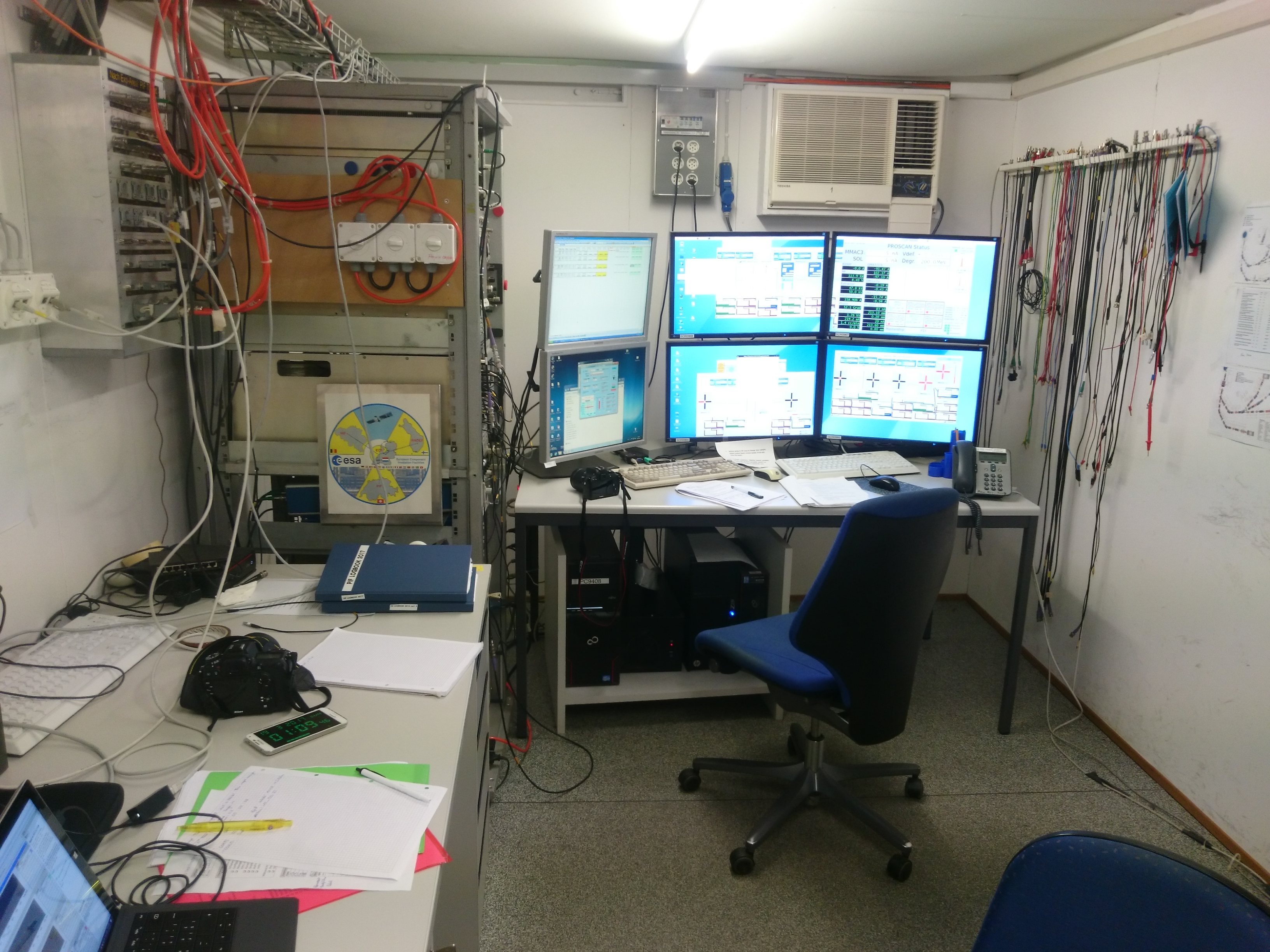
Simulating Space on Earth: Irradiation Tests at the Paul Scherrer Institute
Space is a hostile environment. Sending hardware to space means putting it under irradiation tests: exposing the object to radiation and see what happens :-). For this, under the lead of the ETHZ (Mathematical and Physical Geodesy), we had the opportunity to put the CubETH payload board under a proton beam. The test facility is at the Paul Scherrer Institute (PSI) in Villigen, Switzerland:
Tutorial: Using Eclipse with NXP MCUXpresso SDK v2 and Processor Expert
To me, software and tools are by far more important than the microcontroller. Because the silicon is a ‘one time kind of thing’, where the software has to be maintained and working over a longer time. And at least my software usually needs to be ported to a new device, so portability and available software and tools are critical to me.
The combination of MCUXpresso SDK (formerly Kinetis SDK) and Processor Expert is unfortunately not supported by NXP. But I have found a way to get them work together in a nice way, and this article is about making that combination possible :-).