Sneak Preview: Profiling Bare Metal Microcontroller Applications with GNU gprof

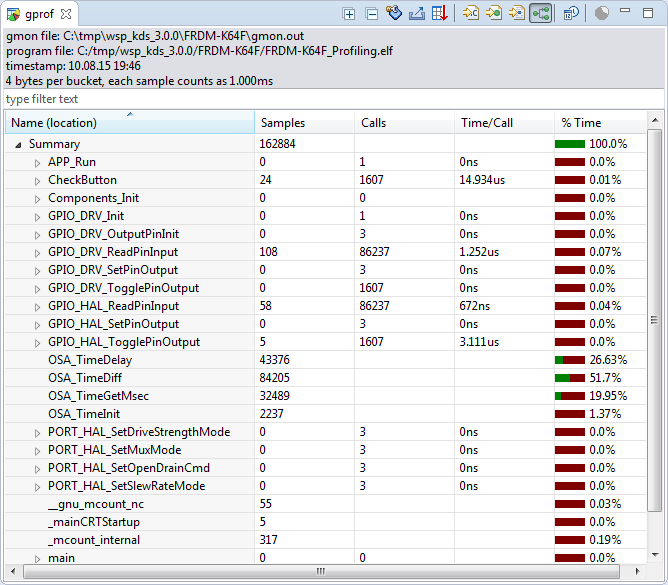
I’m working on a conference paper and presentation, and tonight I had a break-through :-). So how cool is this: Profiling with GNU gprof a bare-metal embedded Cortex-M application (Freescale Kinetis K64F running the Freescale Kinetis SDK) in Eclipse:

Freescale Kinetis Microcontroller Application Profiling

Freescale Kinetis Microcontroller Application Profiling

Continue reading

Unboxing the Freescale FRDM-KL43Z Board

I’m preparing for the next semester at the university starting in September this year. As part of that, I’m currently evaluating the Freescale Kinetis FRDM-KL43Z board:

FRDM-KL43Z Board Unpacked

FRDM-KL43Z Board Unpacked

Continue reading

How to use Kinetis Design Studio!!

Getting the hands on an embedded project has always been exciting for me. So, here I am again with my blog trying to provide you with an easy to use guide for the Kinetis Design Studio 3.0.0 (KDS_3.0.0). Well, as you all know I am an intern at Freescale working for the first time on KDS, I will tell you what all we can do to start working on it with a perspective of a novice. But personally I feel KDS is one of the most encouraging IDE you can work on. So how do I start with my code for our NeoMatrix board? I am currently working with one of the demo codes for the NeoMatrix:

https://mcuoneclipse.com/2015/07/10/lets-play-with-freescale-frdm-k64f/

So, my first task is to write the code in KDS for the NeoMatrix_Demo. How do I do that? After opening the KDS 3.0.0, I need to go to File and select New and then Kinetis Project. You can see that the New Kinetis Project wizard appears once you click the File>New> Kinetis Project. Type a name and click next.

b6f10 Continue reading

Automatic Variable, Expression and Memory Display with GDB and Eclipse

One of the great features in CodeWarrior for MCU10.x is the ability to read memory/variables while running (see “Live View for Variables and Memory“). This technology of ‘live view’ is based on the CodeWarrior debugger engine. How can I do something like this with stock GDB and Eclipse? What I need is a periodic update of variables/expressions/memory while the program on the board is running, without the need to stop the board with the debugger first:

periodic auto-display output

periodic auto-display output

Continue reading

Let’s play with Freescale FRDM-K64F

Hello Again!

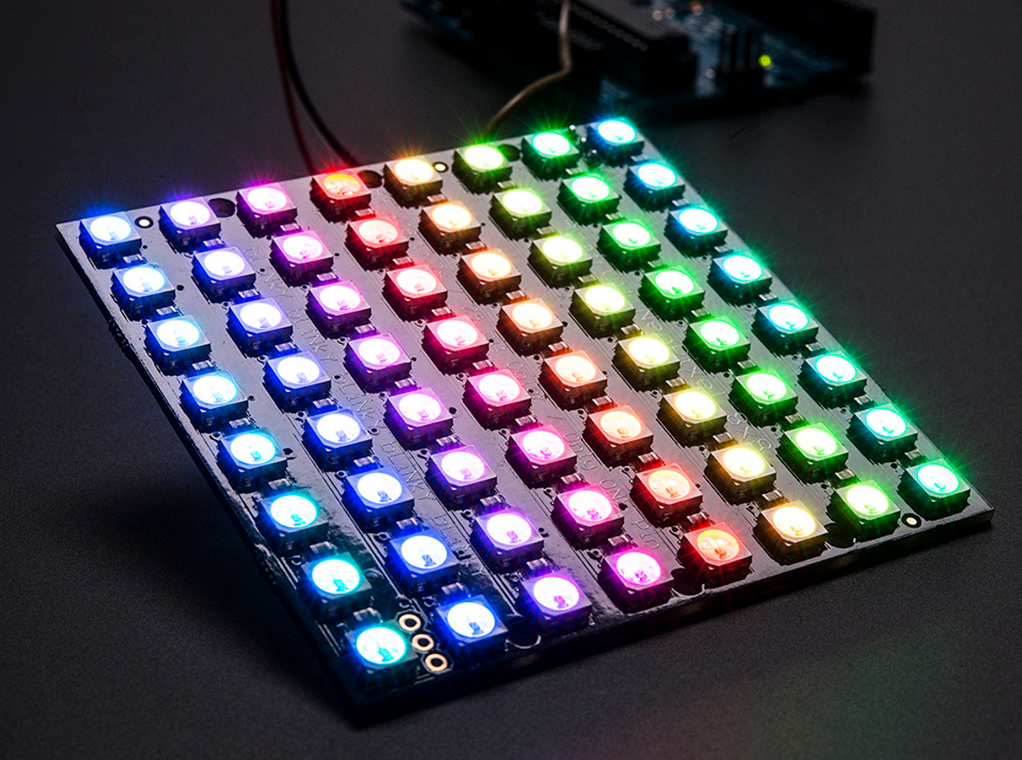
In my previous blog I talked about the new getting started process for Kinetis FRDM-K64F development board. Here I am with my next blog going one step further and introducing you to the target application that I have planned for this summer using the awesome FRDM K-64 development board from Freescale. I am planning to work on some really cool stuff that we can do from this board. And I came up with an idea for making an Adafruit NeoPixel NeoMatrix Signboard!!adafruit LED

Wait….does it sound boring to you? Nah… we are not planning some ordinary signboard. This Adafruit NeoPixel NeoMatrix signboard is really cool. It will display what you want to display and it will change the displayed text with just the movement of your hand. Sounds interesting now?? Continue reading

FreeRTOS Continuous Trace Streaming

Key to successfully implementing embedded applications these days is to have detailed visibility into what is going on with the application on the board. For this, I’m using the FreeRTOS+Trace from Percepio to inspect the runtime behaviour. Stop-Mode debugging is very useful, but visibility into the runtime is even more important. FreeRTOS+Trace is a tool to accomplish this, but it requires to dump the data off the target to the host (see “Updated Percepio Tracealyzer and Trace Library to Version V2.7.0“). Usually, I’m using the GDB debugger for this, and that works for shorter trace sequences like a few seconds. Yes, I can combine them, but it painful to stop, dump and continue. So what if I could collect trace for several minutes or hours without the need to stop the application? Why not stream the data to the host directly?

So here is it: I’m now able to get almost unlimited trace streaming off the target, witout user intervention. I can trace my application for hours 🙂
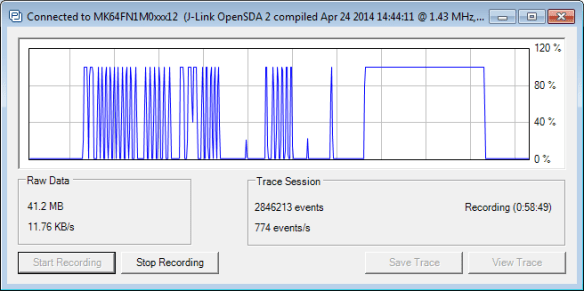
Trace Recording

Trace Recording for almost one hour

Continue reading

Tutorial: Using Processor Expert and FreeRTOS with Kinetis SDK V1.2

Freescale has released the new Kinetis SDK v1.2 back in May. Because of the changes in v1.2, previous applications (or my tutorials) do not work any more :-(. So time to write a new tutorial: how I can use Processor Expert with FreeRTOS for the Kinetis SDK v1.2.

Blinky Task with FreeRTOS and Kinetis SDK in KDS v3.0.0

Blinky Task with FreeRTOS and Kinetis SDK in KDS v3.0.0

Continue reading

Hello World!! :)

Hello to all the amazing viewers of this fantastic blog! I am Manya Rastogi, a Master’s student at Texas A&M University pursuing Electrical Engineering. This summer, I got a wonderful opportunity to intern at Freescale, as a Technical Product Marketer for the Kinetis Microcontrollers.
Freescale gave me the great chance to attend the Freescale Technology Forum 2015, where I met Erich, a very talented engineer and blogger.  I am really grateful to him for giving me the chance to be his guest blogger.

Continue reading

Impressions from Freescale Technology Forum 2015

With Freescale merged into NXP, I guess this was the last FTF (Freescale Technology Forum) after a history of 10 years. Maybe it will transform into a ‘NTF’, at least I hope that such an energizing event and conference will continue in the new NXP area. I was busy with delivering my own sessions, but had time to meet and greet and see a lot of interesting stuff. After visiting the TechLab several times and after all the discussions with other embedded enthusiasts I have now many cool projects in mind :-).

So what I do here is to share some impressions with pictures and videos. It will take me weeks to absorb everything. Not to talk about the huge email backlog I have now ;-). So enjoy:

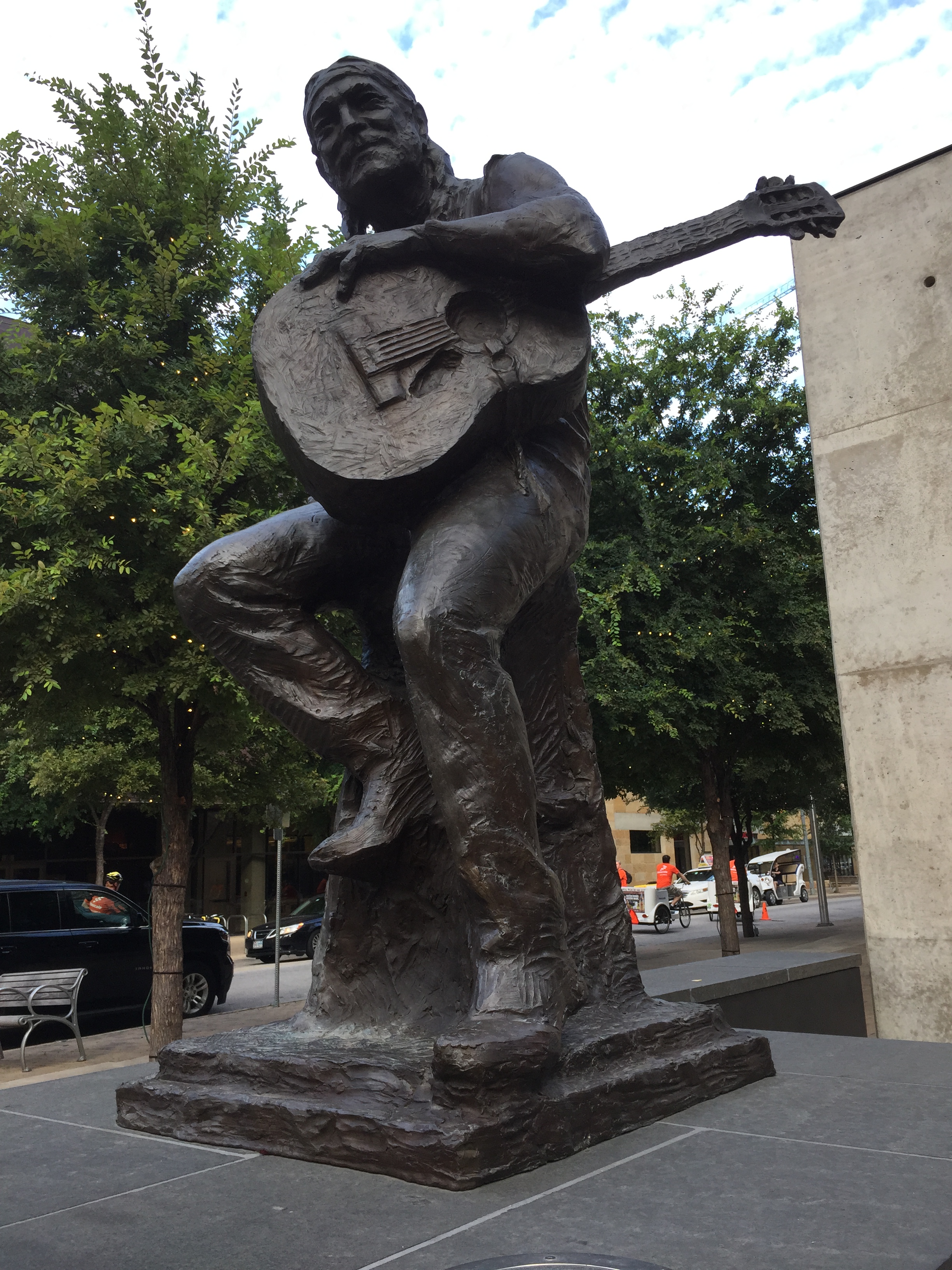
Willie Nelson at ACL (Austin City Limit)

Willie Nelson at ACL (Austin City Limit)

Continue reading

Solving “The connected emulator does not support serial wire output (SWO)” for Segger J-Link

SWO (Serial Wire Output) is a cool feature defined by ARM as part of the CoreSight debug block. However, not every debug connection supports SWO, as it requries extra pins routed from the microcontroller to the debug JTAG/SWD header.

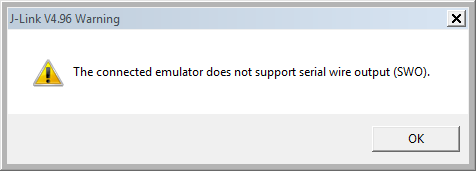
If I’m using the Segger J-Link, and if my hardware does not support SWO, I will get a dialog telling me “The connected emulator does not support serial wire output (SWO).”

The connected emulator does not support serial wire output (SWO)

The connected emulator does not support serial wire output (SWO)

Continue reading