This time, let’s do a similar thing. But instead of GitHub, I use GitLab with VS Code. And I use it for a project where three different MCUs are used: the Raspberry Pi Pico-W, an Espressif ESP32 plus the NXP K22FX512 on the Sumo robot:
Raspberry Pi Pico-W, Espressif ESP32 and Robot with NXP K22FX512Continue reading →
Maybe you are using a multi-core device in your projects, but have not tapped into multi-core usage yet? FreeRTOS V11.0 is out, and the big news is that it has finally Symmetric Multi-Processing (SMP) integrated into the mainline. This greatly simplifies FreeRTOS usage, as I finally can use the same RTOS for my SMP targets and boards, and I can easily switch between single-core and multi-core applications.
I’m working recently on a new lecture module using the Raspberry Pi Pico (RP2040) board, which highlights several aspects of modern software engineering, including DevOps and CI/CD. An important part of any CI/CD pipeline is testing. For a host application, one could pass arguments to the application, e.g. ‘myapp --test=module1‘, or let it read such information from a configuration file which describes the tests. Or write GNU gcov data to a file to collect coverage information.
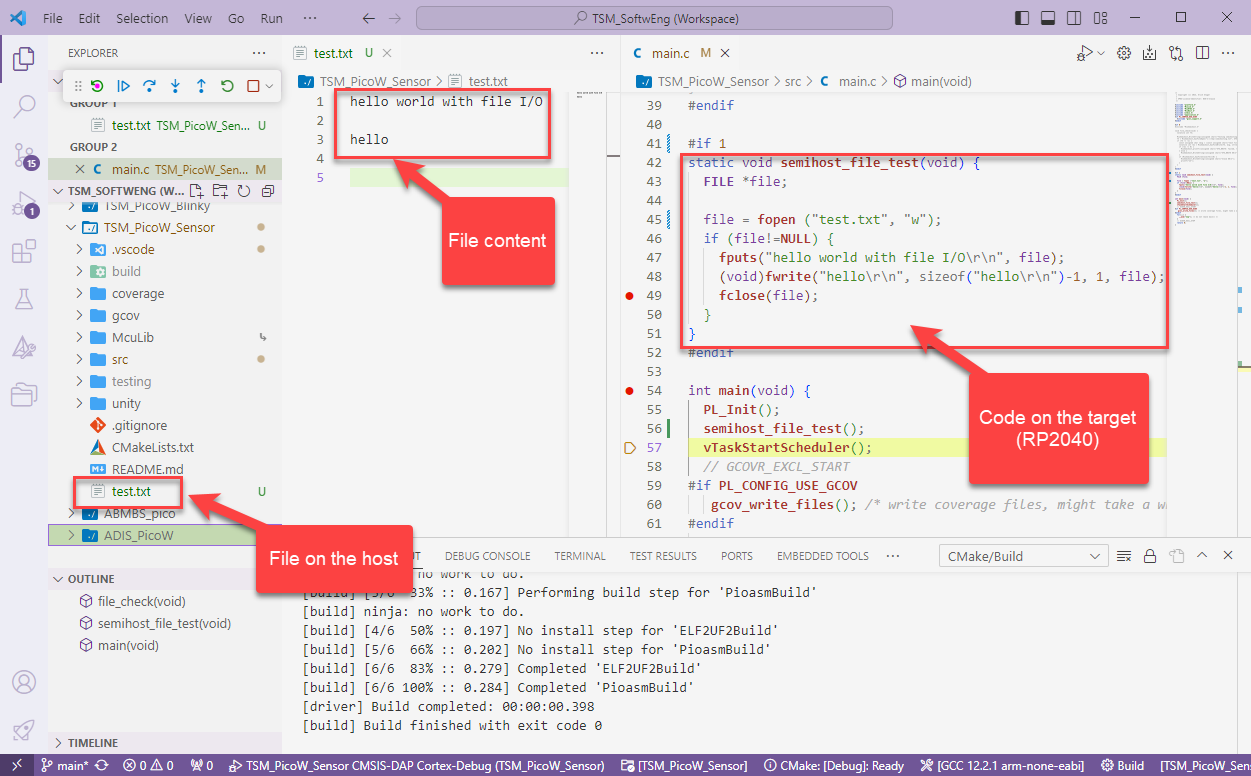
Unfortunately, a normal embedded application has no argv[], and many system have no file system. A solution to this problem would be using semihosting with file I/O. Unfortunately for the Raspberry Pi Pico SDK 1.5.1 for the RP2040, there is no semihosting file I/O implemented :-(.
I have now implemented and added file I/O to the SDK, making it possible for the RP2040 to access and use files on the host, among other things. This greatly extends the capabilities of the device, and is very useful for testing, including gathering test coverage information.
Solar panels and electrical vehicles become more and more common in Switzerland. Ten years ago I installed solar panels. To use the available solar energy, the electrical vehicle charging box has been augmented with an open source charge controller. The controller monitors the building energy usage and adjusts the current using the Modbus connection to the charger.
It is August 1st, and Switzerland is celebrating its National Holiday. Rather cold and rainy, so this gets me some time to catch up on things. The preparation for the coming university semester in September is in full swing, and I have the honor to take over building up a new Master of Science in Engineering education module. In the existing courses I teach on the topic of embedded systems, I do use devices and MCUs from vendors like Broadcom, NXP, STM, Nordic, Raspberry Pi and Espressif. This not only means different SDKs, but different IDEs with different debug probes.
Just a subset of different hardware kits used in different labs
Eclipse has been the common factor in the mix with all these, and with all the pros and cons, it worked very well. With NXP having released support for Visual Studio Code, adding an announcement, and other vendors going into the same direction, I took the decision that I want to migrate my lab and lecture infrastructure to VS Code.
The Raspberry Pi Pico RP2040 is a very versatile microcontroller. It is not the least expensive or the most powerful microcontroller, but it is one which is available and has an excellent software and tool ecosystem.
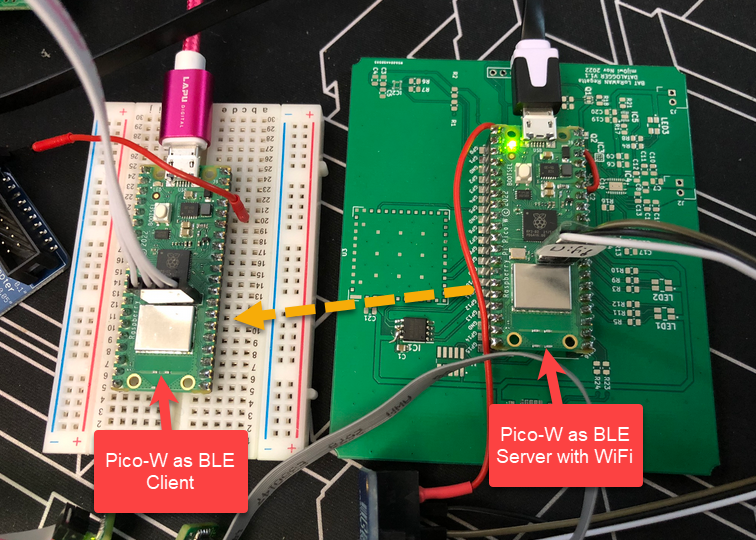
This article shows how to use the Raspberry Pi Pico-W with BLE and optional WiFi, running with FreeRTOS.




 MCU on Eclipse