Some of my robotics projects take a rather long time do a full build. When I developed applications with Visual C++ on the host, using precompiled headers gave me a big boost in compilation speed. I was looking for the same in similar with GNU and gcc, and as expected: gcc does support precompiled headers too. And indeed, I was able to cut down compilation time by 30% :-). So this post is about how to use gcc with precompiled headers in Eclipse/CDT to give my builds a boost.
Tag Archives: software
New in Eclipse Mars: Launchbar
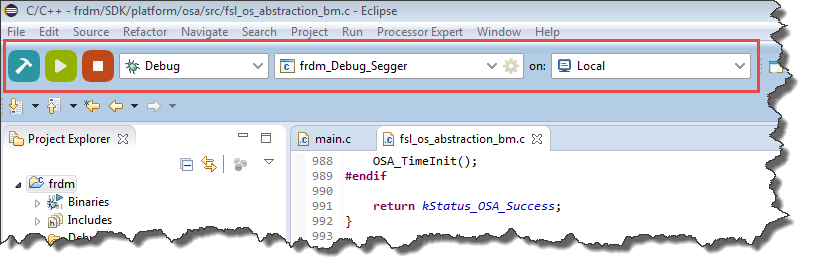
In “Going to Mars: Building a DIY Eclipse IDE for ARM Embedded Microcontrollers” I described how to install an Eclipse based IDE for ARM, based on Eclipse Mars (4.5) and CTD (8.7). There are many great new features in Eclipse Mars which makes that switch worthwhile: the Launchbar:
A dream is are now a reality: a really, really easy way to build, run/debug an application!
Updating Segger Tools in Eclipse Kinetis Design Studio
Segger releases often new application and firmware updates. If I install an IDE like the Freescale Kinetis Design Studio, it comes with that firmware version available at that time. How to take advantage of a new Segger release?
GNU Static Stack Usage Analysis
Stack overflows are a big problem: If I see a system crash, the first thing usually is I try to increase the stack size to see if the problem goes away. The GNU linker can check if my global variables fit into RAM. But it cannot know how much stack I need. So how cool would it be to have a way to find out how much stack I need?
And indeed, this is possible with the GNU tools (e.g. I’m using it with the GNU ARM Embedded (launchpad) 4.8 and 4.9 compilers :-). But it seems that this ability is not widely known?
Overview: From Snippets to Code Generation
To build an application for a modern microcontroller today is not a simple thing. Well, it depends what ‘simple’ means. But compared to the ‘old days of 8bit micro controllers’ (which are still in use!) developing for a complex 32bit device is definitely a different thing. Not only the complexity has changed, but as well the breath of tools and helpers. In my view, the only constant is ‘change’, and I have changed the way how to develop several times in my career. In this post I present several different techniques I’m using in my development.
Board Take-Over: Using Segger J-Link to Debug NXP
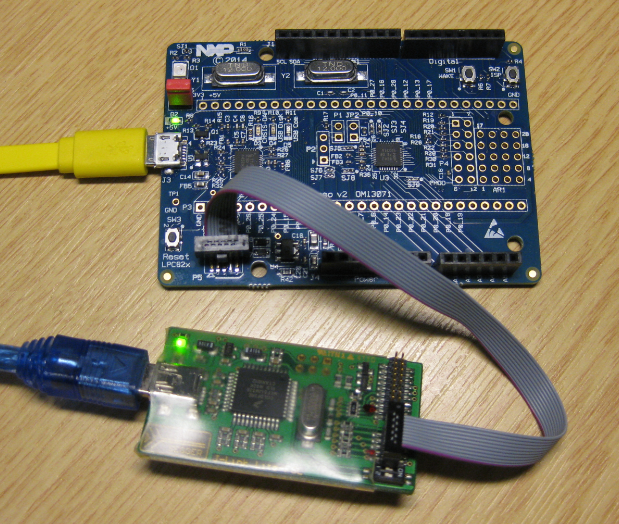
So NXP has announced that they want to take over Freescale (see this press release). In an earlier post I experimented how Freescale tools could be used in NXP tools, see “Merging NXP LPCXpresso IDE with Freescale Kinetis Design Studio, Processor Expert and Kinetis SDK“. Just for fun, I want to do the acquisition the other way round: Using Freescale (now NXP) software and tools to build and debug the LPC824 from NXP :-).
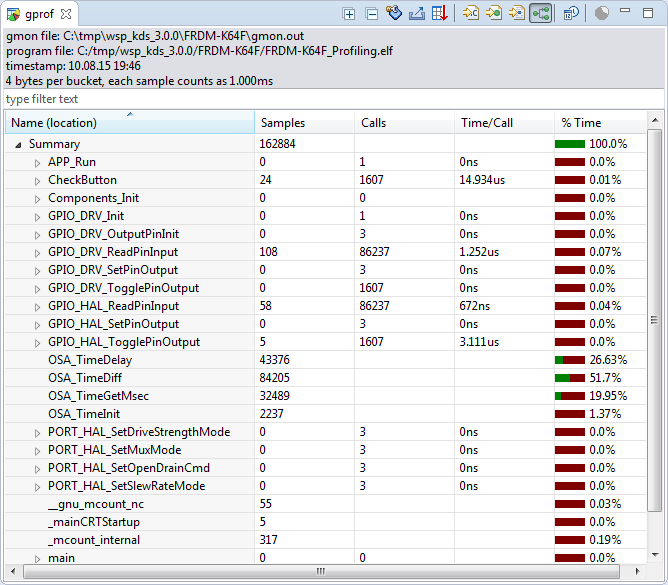
Sneak Preview: Profiling Bare Metal Microcontroller Applications with GNU gprof
I’m working on a conference paper and presentation, and tonight I had a break-through :-). So how cool is this: Profiling with GNU gprof a bare-metal embedded Cortex-M application (Freescale Kinetis K64F running the Freescale Kinetis SDK) in Eclipse:
Revert an Eclipse Update Installation
I’ve been running into an issue with an Eclipse plugin update: I updated a plugin, and then broke a critical functionality. What I usually do is to uninstall the plugin (see “Uninstalling Eclipse Plugins“), and then install it again. However, in this case the uninstall ended with an error too :-(.
What now? How can I revert that plugin installation/update?
Tutorial: Adafruit WS2812B NeoPixels with the Freescale FRDM-K64F Board – Part 5: DMA
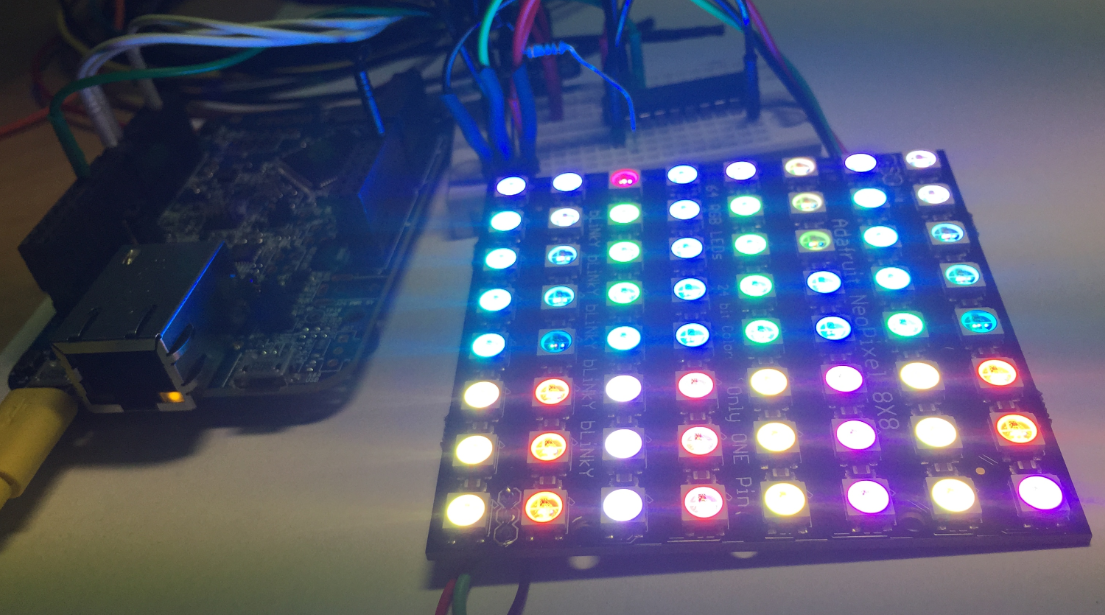
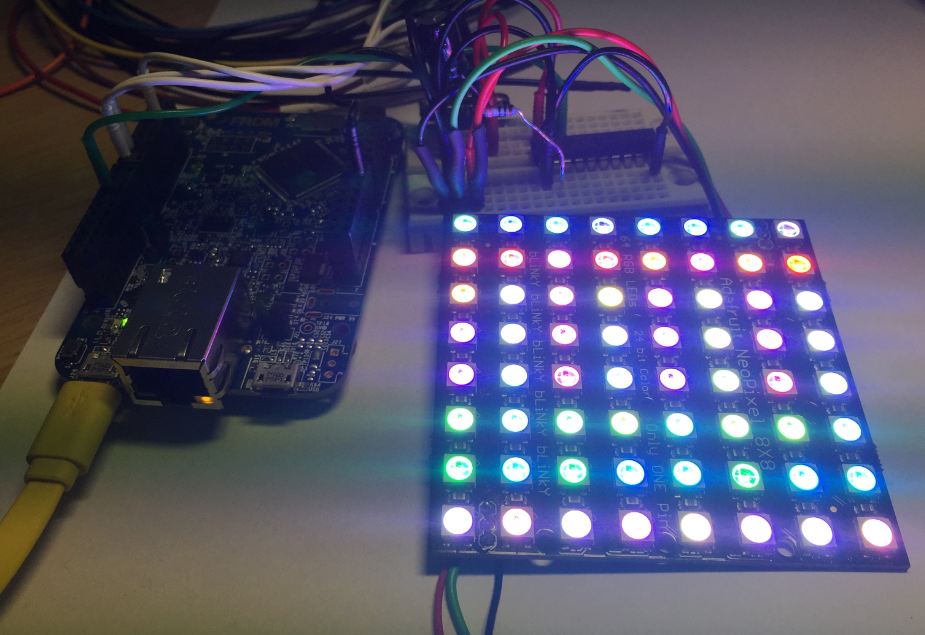
This is Part 5 of a Mini Series. In Part 4, I described how to set up the FTM (Kinetis Flex Timer Module) to generate the required waveforms used for DMA operations (see “Tutorial: Adafruit WS2812B NeoPixels with the Freescale FRDM-K64F Board – Part 4: Timer“). In this post I describe how to use to trigger DMA (Direct To Memory) events. The goal is to drive Adafruit’s NeoPixel (WS2812B) with the Freescale FRDM-K64F board:
Tutorial: Adafruit WS2812B NeoPixels with the Freescale FRDM-K64F Board – Part 3: Concepts
This is Part 3 of a Mini Series. In Part 2, I described how to set up the development tools and to debug the first project (see “Tutorial: Adafruit WS2812B NeoPixels with the Freescale FRDM-K64F Board – Part 2: Software Tools“). Now it is time to look into the software concepts. The goal is to drive Adafruit’s NeoPixel (WS2812B) with the Freescale FRDM-K64F board: