Sneak Preview: Profiling Bare Metal Microcontroller Applications with GNU gprof

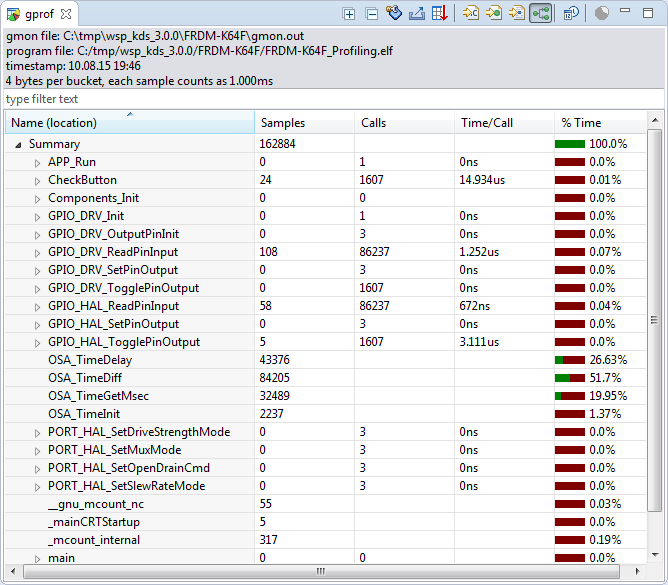
I’m working on a conference paper and presentation, and tonight I had a break-through :-). So how cool is this: Profiling with GNU gprof a bare-metal embedded Cortex-M application (Freescale Kinetis K64F running the Freescale Kinetis SDK) in Eclipse:

Freescale Kinetis Microcontroller Application Profiling

Freescale Kinetis Microcontroller Application Profiling

Continue reading

Tutorial: Adafruit WS2812B NeoPixels with the Freescale FRDM-K64F Board – Part 5: DMA

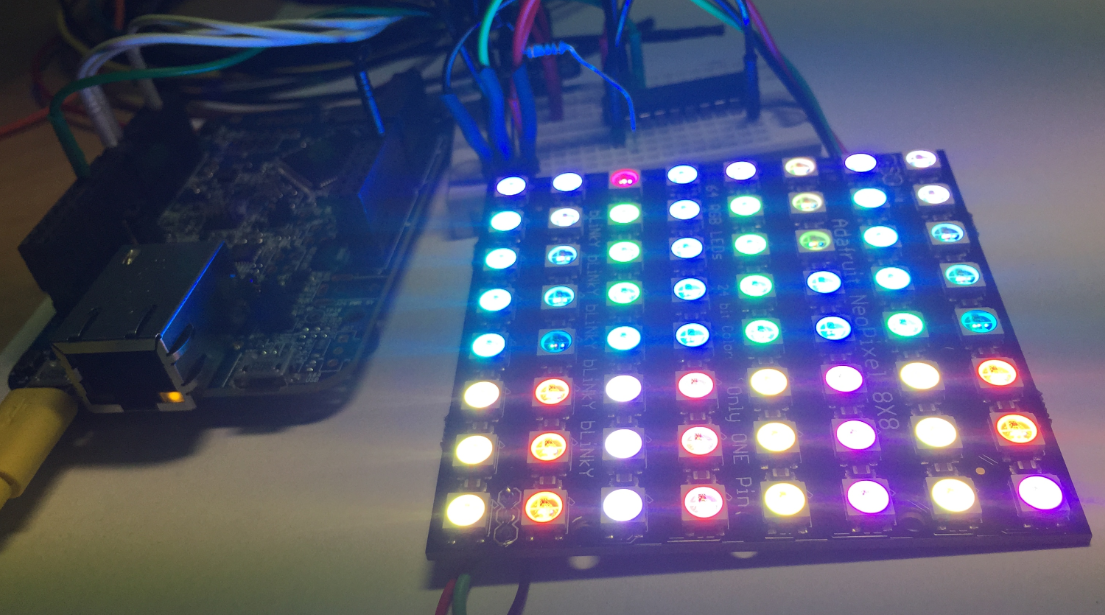
This is Part 5 of a Mini Series. In Part 4, I described how to set up the FTM (Kinetis Flex Timer Module) to generate the required waveforms used for DMA operations (see “Tutorial: Adafruit WS2812B NeoPixels with the Freescale FRDM-K64F Board – Part 4: Timer“). In this post I describe how to use to trigger DMA (Direct To Memory) events. The goal is to drive Adafruit’s NeoPixel (WS2812B) with the Freescale FRDM-K64F board:

FRDM-K64F with Adafruit NeoPixel

FRDM-K64F with Adafruit NeoPixel

Continue reading

Tutorial: Adafruit WS2812B NeoPixels with the Freescale FRDM-K64F Board – Part 4: Timer

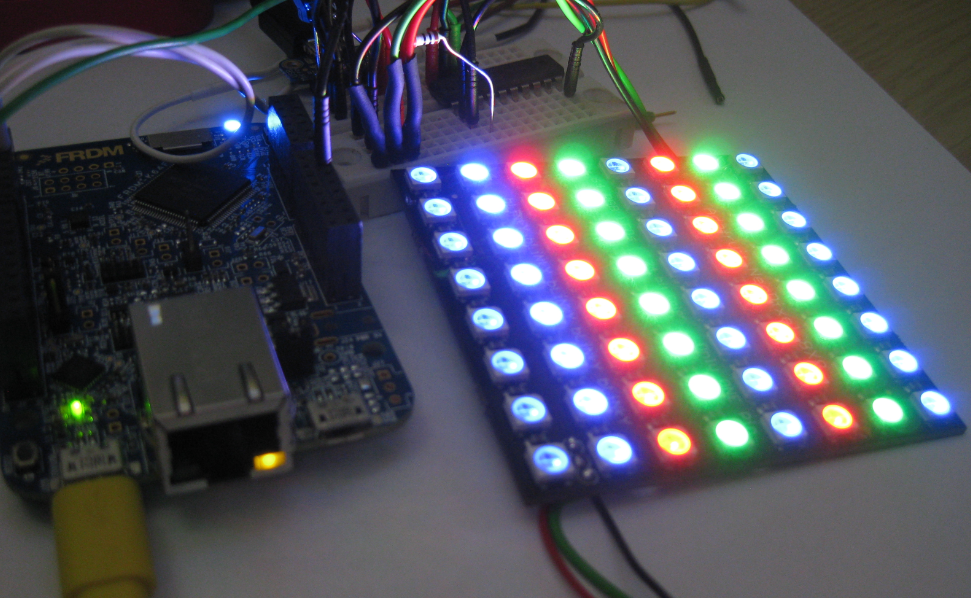
This is Part 4 of a Mini Series. In Part 3, I described the software concepts (see “Tutorial: Adafruit WS2812B NeoPixels with the Freescale FRDM-K64F Board – Part 3: Concepts“). In this post I describe how to set-up the timer to trigger later DMA operations. The goal is to drive Adafruit’s NeoPixel (WS2812B) with the Freescale FRDM-K64F board:

NeoPixels with FRDM-K64F

NeoPixels with FRDM-K64F

Continue reading

Tutorial: Adafruit WS2812B NeoPixels with the Freescale FRDM-K64F Board – Part 3: Concepts

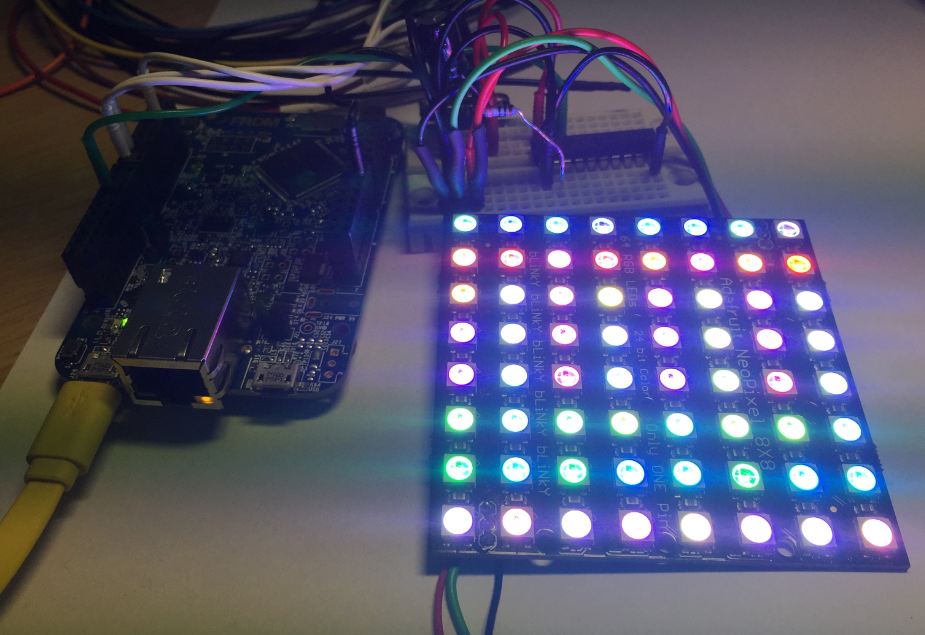
This is Part 3 of a Mini Series. In Part 2, I described how to set up the development tools and to debug the first project (see “Tutorial: Adafruit WS2812B NeoPixels with the Freescale FRDM-K64F Board – Part 2: Software Tools“). Now it is time to look into the software concepts. The goal is to drive Adafruit’s NeoPixel (WS2812B) with the Freescale FRDM-K64F board:

Adafruit 8x8 NeoPixel Shield with Freescale FRDM-K64F Board

Adafruit 8×8 NeoPixel Shield with Freescale FRDM-K64F Board

Continue reading

Tutorial: Adafruit WS2812B NeoPixels with the Freescale FRDM-K64F Board – Part 1: Hardware

This is Part 1 of a Mini Series. Manya has challenged herself to use the Adafruit NeoPixels (WS2812B RBG LEDs) with the Freescale FRDM-K64F board and the Kinetis SDK (see “Let’s play with Freescale FRDM-K64F“). I did a while back that with the FRDM-KL25Z board (see “NeoShield: WS2812 RGB LED Shield with DMA and nRF24L01+“). I used Processor Expert in my project (without the Kinetis SDK), and with this setup it is very easy. However, Manya wanted to do this with the Kinetis SDK and without Processor Expert. No surprise to me, she has found out that this setup with the Kinetis SDK and without the usage of Processor Expert is much more challenging (see “Not done yet!!“). I promised to Manya to give her a helping hand, so here we go! 🙂

Adafruit 8x8 NeoPixel Shield with Freescale FRDM-K64F Board

Adafruit 8×8 NeoPixel Shield with Freescale FRDM-K64F Board

Continue reading

How to use Kinetis Design Studio!!

Getting the hands on an embedded project has always been exciting for me. So, here I am again with my blog trying to provide you with an easy to use guide for the Kinetis Design Studio 3.0.0 (KDS_3.0.0). Well, as you all know I am an intern at Freescale working for the first time on KDS, I will tell you what all we can do to start working on it with a perspective of a novice. But personally I feel KDS is one of the most encouraging IDE you can work on. So how do I start with my code for our NeoMatrix board? I am currently working with one of the demo codes for the NeoMatrix:

https://mcuoneclipse.com/2015/07/10/lets-play-with-freescale-frdm-k64f/

So, my first task is to write the code in KDS for the NeoMatrix_Demo. How do I do that? After opening the KDS 3.0.0, I need to go to File and select New and then Kinetis Project. You can see that the New Kinetis Project wizard appears once you click the File>New> Kinetis Project. Type a name and click next.

b6f10 Continue reading

Tutorial: Using Processor Expert and FreeRTOS with Kinetis SDK V1.2

Freescale has released the new Kinetis SDK v1.2 back in May. Because of the changes in v1.2, previous applications (or my tutorials) do not work any more :-(. So time to write a new tutorial: how I can use Processor Expert with FreeRTOS for the Kinetis SDK v1.2.

Blinky Task with FreeRTOS and Kinetis SDK in KDS v3.0.0

Blinky Task with FreeRTOS and Kinetis SDK in KDS v3.0.0

Continue reading

Open Source Static Code Analysis: Cppcheck with Eclipse

I have a challenge for you: Can you spot the problem in the following source?

TMOUT1_CounterHandle TMOUT1_GetCounter(TMOUT1_CounterType nofTicks)
{
  TMOUT1_CounterHandle handle;
  CS1_CriticalVariable();
  handle = 0;
  if (nofTicks==0) {
    nofTicks = 1; /* wait at least for one tick, otherwise will timeout immediately */
  }
  CS1_EnterCritical();
  while (!TMOUT1_FreeCounters[handle] && handle<TMOUT1_NOF_COUNTERS) {
    handle++;
  }
  if (handle<TMOUT1_NOF_COUNTERS) {
    TMOUT1_FreeCounters[handle]=FALSE;
    TMOUT1_Counters[handle] = nofTicks;
  }
  CS1_ExitCritical();
  if (handle==TMOUT1_NOF_COUNTERS) {
    return TMOUT1_OUT_OF_HANDLE;
  }
  return handle;
}

No? Well, I have not spotted the problem the first time neither. However, a reader of this blog did: he used a cool tool named ‘cppcheck’: that tool reported the following:

Continue reading

Eclipse Project ‘Refresh Policy’: Broken Incremental Build with External Make?

So here is a problem I have observed for a while, and several users have reported that to me: the problem is that for some reasons and only for some projects, when I do a ‘build’ in Eclipse CDT, it does a ‘full’ build. It does not only build the changed files, it builds all or many files in the project.

Building

Building

I expect that only the changed files will be rebuild. Instead, it compiles many files it should not compile/build, with the result that a build takes a very long time. That’s clearly wrong, and not what I expect. So what is causing this problem?

Continue reading