NXP FlexIO Generator for the WS2812B LED Stripe Protocol

The challenge with the selection of a microcontroller for a project is: which one has the required number of UART, I2C, SPI? Combine this with the desired package (48pins, 64pins? LQFN?), the needed FLASH and RAM size and then even the hundreds of available microcontroller shrink to a handful only. And many times I need to make compromises: such as I need two hardware I2C, but the microcontroller matching all my other needs has only one I2C hardware. So I might end up with bit-banging the slower I2C bus. Doable, but not ideal.

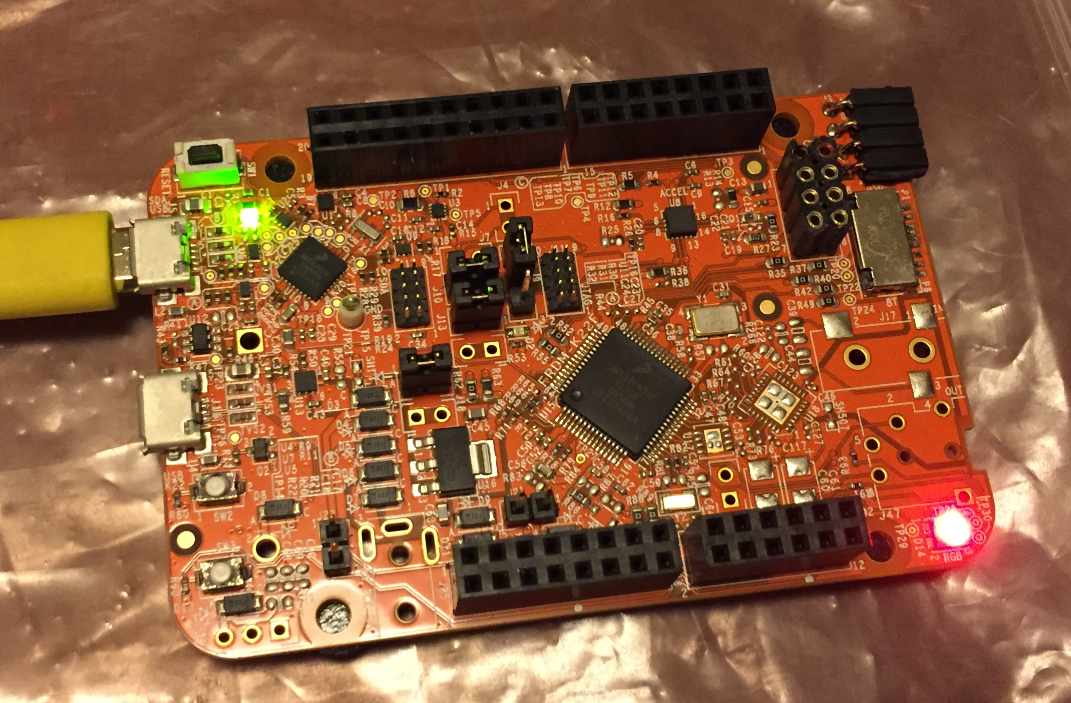
What is cool that some of the newer NXP Kinetis microcontroller come with an interesting hardware: FlexIO. A peripheral hardware which allows me to implement a custom protocol, including driving WS2812B (Adafruit NeoPixel) LEDs with a FRDM-KL43Z board:
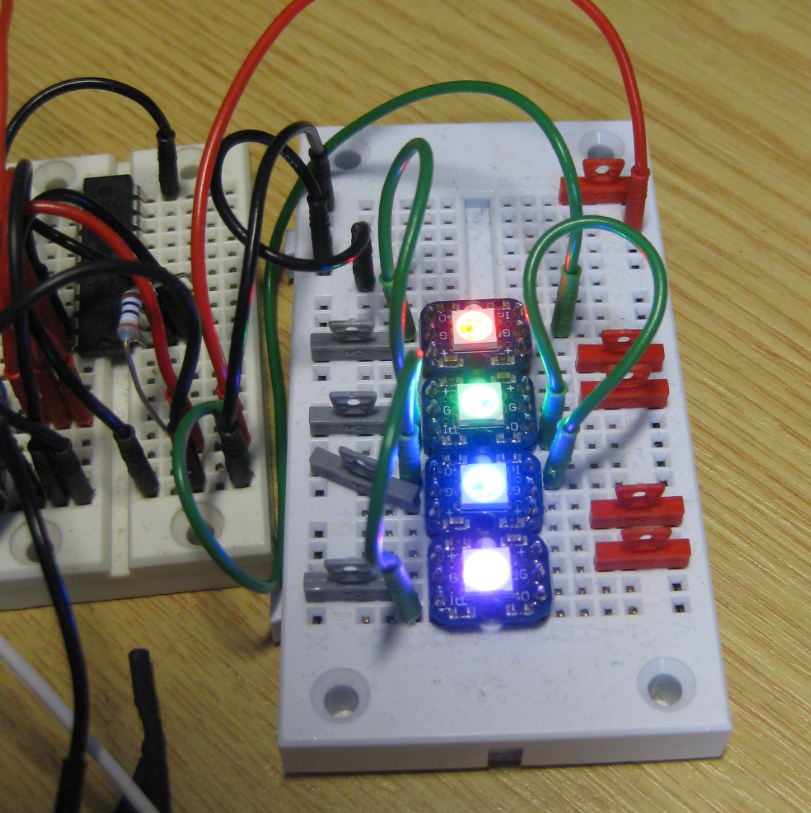
Four NeoPixels with FlexIO
Four NeoPixels with FlexIO

Continue reading

Tutorial: Blinky with NXP Kinetis SDK V2.0 and Processor Expert

In “Mother of Components: Processor Expert with NXP Kinetis SDK V2.0 Projects” I presented an approach how to use Processor Expert components with the NXP Kinetis SDK. This article is a tutorial how to create a blinking LED project with that approach, using McuOnEclipse Processor Expert components and the Kinetis SDK V2.0. As board the FRDM-K22F is used:

Blinky on a FRDM-K22F with SDK V2.0 and Processor Expert

Blinky on a FRDM-K22F with SDK V2.0 and Processor Expert

Continue reading

NXP FTF Hands-On with FreeRTOS Task Aware Debugger

I mentioned the hands-on sessions on FreeRTOS I do this week at NXP FTF Tech Forum in Austin in my previous post. What we are using in the session is an Eclipse plugin in Kinetis Design Studio showing all kinds of FreeRTOS information:

NXP FreeRTOS Plugin in Kinetis Design Studio

NXP FreeRTOS Plugin in Kinetis Design Studio

Continue reading

Mother of Components: Processor Expert with NXP Kinetis SDK V2.0 Projects

Unfortunately, now the NXP Kinetis SDK V2.0 does not include Processor Expert support (see “First NXP Kinetis SDK Release: SDK V2.0 with Online On-Demand Package Builder“). But at the Lucerne University we are using more than 150 different custom Processor Expert components we would like to use with that new SDK. So how to make them working with the Kinetis SDK V2.0? Using a Processor Expert as “the mother of all components”:

NXP Kinetis SDK V2.0 and Processor Expert Side-by-Side under Eclipse

NXP Kinetis SDK V2.0 and Processor Expert Side-by-Side under Eclipse

Continue reading

McuOnEclipse Components: 8-May-2016 Release

Time is passing fast, and many components have been updated to make the compatible with the NXP Kinetis SDK V2.0. As a highlight, besides of FreeRTOS the following components are now usable with the NXP Kinetis SDK:

Components compatible with Kinetis SDK

Components compatible with Kinetis SDK

Continue reading

Changing Heap and Stack Size for NXP Kinetis SDK V2.0 gcc Projects

With Processor Expert projects it is very easy to change the heap and stack size: There is a setting for this in the Cpu component settings, under the ‘Build options’ tab:

Heap and Stack Size with Processor Expert

Heap and Stack Size with Processor Expert

As there is no Processor Expert in the NXP Kinetis SDK V2.0 (see “First NXP Kinetis SDK Release: SDK V2.0 with Online On-Demand Package Builder“), how to do the same in a SDK V2.0 project?

Continue reading

Semihosting with Eclipse and the NXP Kinetis SDK V2.0

The world is changing, and the say is “change is good” :-). In the software and API world, change very often means that a change results into something broken. So I had battled with semihosting working on the NXP Kinetis parts, only to find out that it does not work any more with using the latest version 2.0. The semihosting output e.g. with P&E debug connection remains empty:

No Semihosting output

No Semihosting output

So how to fix this?

Continue reading

McuOnEclipse Components: 3-Apr-2016 Release

It has been already two months after the Feb 2016 release, and so much things are going on, so a new release was overdue. Today I have released a new version of the McuOnEclipse components on SourceForge with the following main changes and features:

  • Kinetis SDK v2 with Processor Expert: Now many components can be used even with the Kinetis SDK v2.0 even with the Kinetis SDK not having Processor Expert included.
  • Updated Segger SystemViewer to v2.32a with post-mortem and static buffer support
  • Updated Segger RTT to v5.10u and fixed an issue with interrupts on Cortex-M4
  • FreeRTOS Thread Awareness with OpenOCD

See readme on SourceForge for the full history.

McuOnEclipse 2016-04-03 Release

McuOnEclipse 2016-04-03 Release

Continue reading

NXP Kinetis Design Studio v3.2.0

For my classes I had so far asked the students to install the Kinetis Design Studio (KDS) v3.0.0 and then apply several updates and upgrades available. NXP has now released the v3.2.0 of their KDS (Kinetis Design Studio):

Kinetis Design Studio v3.2.0

Kinetis Design Studio v3.2.0

The v3.2.0 is including all the 3.x.x updates in a single installation which makes things easier to start with. And it now works for Mac OS X “El Capitan” and the latest GNU ARM Eclipse plugins :-).

Continue reading

Tutorial: Blinky with the FRDM-KL27Z and Kinetis SDK v2

I’m using the FRDM-KL25Z in my classes, and that board is very popular: low price (<$15), reasonable features (48 MHz ARM Cortex M0+, 128 KByte of FLASH, 16 KByte of RAM), and many tutorials elsewhere and on McuOnEclipse :-).

For the next (Fall) semester I’m looking for alternative boards, and one is the Freescale (now NXP) FRDM-KL27Z:

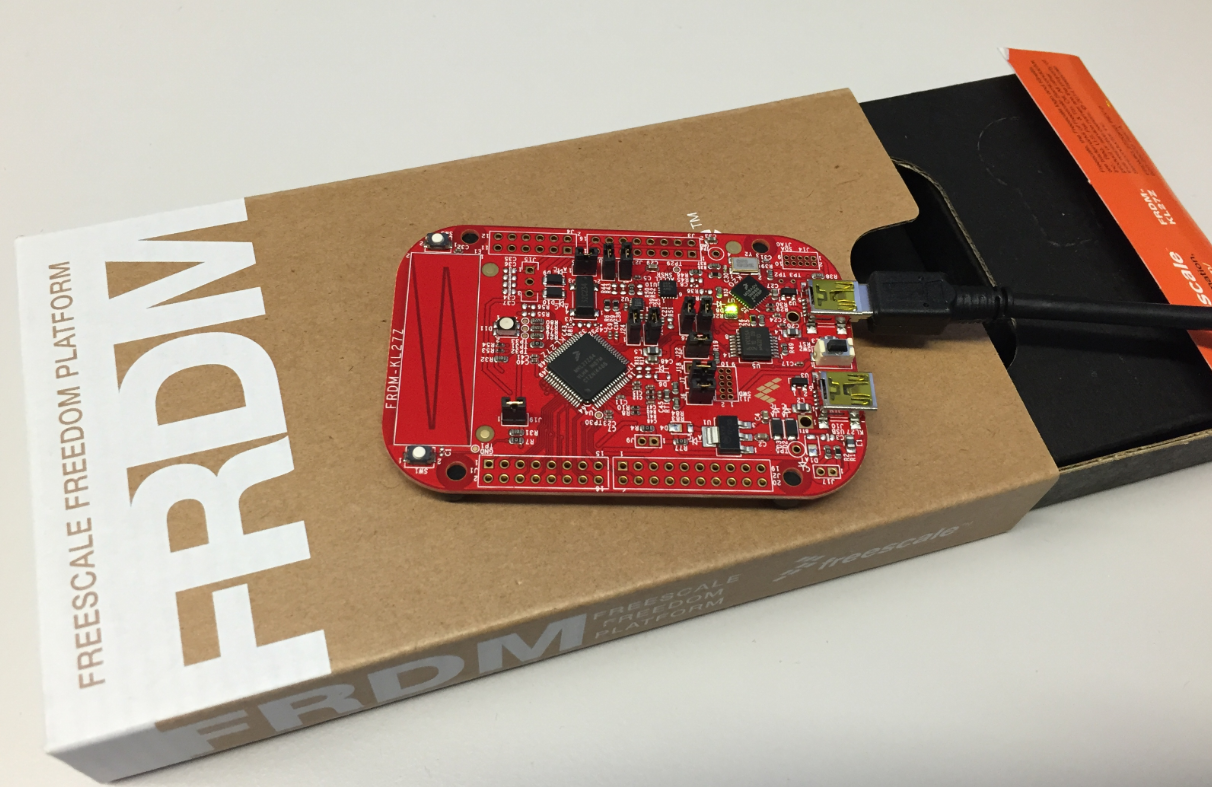
FRDM-KL27Z with Box

FRDM-KL27Z with Box

Continue reading