The EmbSysReg Viewer (http://embsysregview.sourceforge.net/) has been updated with even more Freescale SVD (System View Description) files, with a current count of 96 devices.
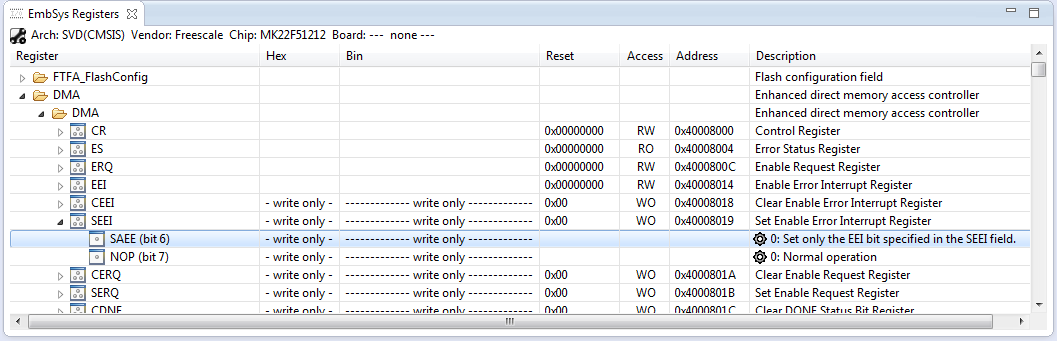
Eclipse EmbSysRegViewer

The EmbSysReg Viewer (http://embsysregview.sourceforge.net/) has been updated with even more Freescale SVD (System View Description) files, with a current count of 96 devices.
Eclipse EmbSysRegViewer
P&E has just released a new version of their Eclipse plugins for the set of GNU ARM Eclipse debug plugins. The GNU ARM Eclipse plugins from Liviu support OpenOCD and Segger J-link, so with this update or extension it adds P&E support to it. With this, I can use the P&E debug devices (P&E Multilink, Tracelink) or as well the Freescale OpenSDA with it.
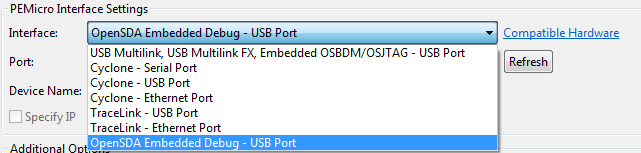
PnE Debug Interfaces
One really cool thing with Processor Expert is: it does not only generate the source code for me, it generates as well documentation :-). I’m a believer of the ‘single source’ approach: if I have to document a software project, then the software itself shall be the source of the documentation. And for this I love Doxygen: see “5 Best Eclipse Plugins: #1 (Eclox with Doxygen, Graphviz and Mscgen)“. Doxygen is a compiler which compiles my source files, and instead of object files it creates documentation files for me :-).

Pin Allocation Report
In my earlier post (“Adding the CAM8000-D Camera Module to the RIoT Board“) I was running into the ‘single camera’ trap of the current RIoT Android OS image: with only one camera attached, and switching between front/back camera, Android is stuck and needs to be flashed again to the board. Because this is so painful and can happen easily, I ordered a USB camera for the RIoT board: with this that problem should go away, and I would have a front and a back camera.
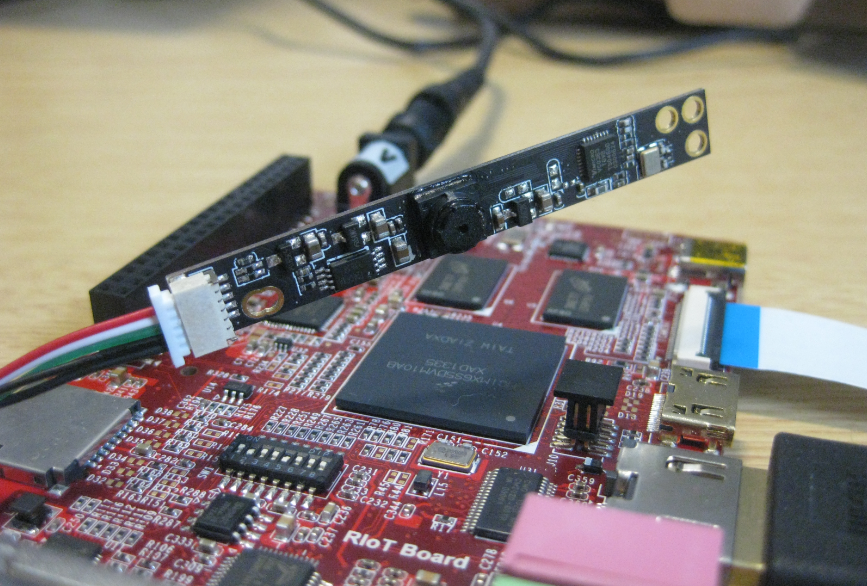
CAM8100-U Camera Module with RIoT Board
I *love* the Freescale Freedom boards, and you probably recognized that with all my projects using them. The Freedom boards are small, inexpensive and can be easily extended with Arduino shields which makes them a great platform for prototyping. But sometimes I just need an ARM microcontroller with some headers, and then the 85mm x 55mm size of the Freedom board is not ideal. That’s nothing new, but I realized that yet again when I did my Adafruit NeoPixel clock: the FRDM board was rather bulky, even if hidden behind that clock. I need something much smaller: the Teensy board!
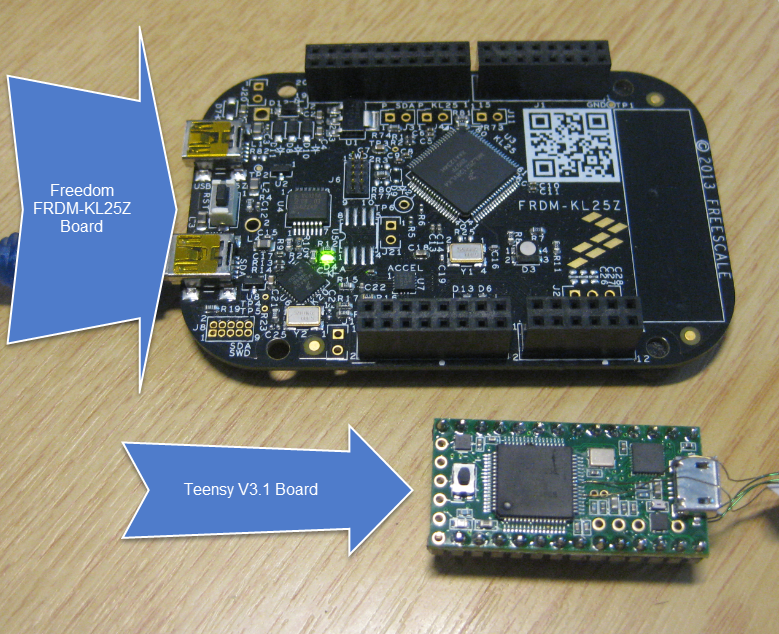
Size Comparison FRDM vs. Teensy
Typically I can create with my build the file I usually need (like an S19). See “S-Record Generation with gcc for ARM/Kinetis” how to do this in CodeWarrior, or “Binary Files for the mbed Bootloader with Eclipse and GNU ARM Eclipse Plugins” how this works in Kinetis Design Studio. The basis of all this is the GNU objcopy utility (see “S-Record Manipulation with GNU objcopy and Burner Utility”). So what if I just have an S19 (S-Record) file and need it in a different format, e.g. as .bin (binary) file for the mbed bootloader which only accepts .bin (raw binary) files?
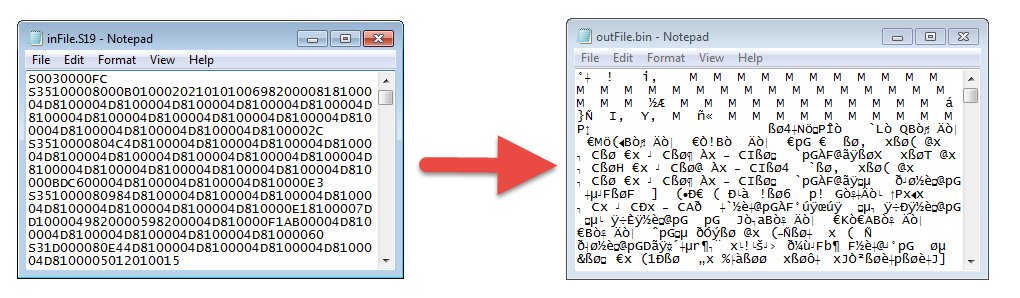
Converting S19 to BIN
When I showed my 60 NeoPixel LED clock prototype to my daughter and her girlfriend, and they both wanted to have one right away :-). Well, that clock was just a proof of concept, with lots of temporary wiring. So I decided this week-end to beautify it and to make it look nice and clean(er). There is nothing like a week-end project with adding a few more LEDs and features :-).

Adafruit Neopixel Clock with 60+24+12 LEDs
It always takes longer than expected: actually 4 weeks from the first board out of the reflow oven (“First New Zumo Board out of the Reflow Oven“), until I have it working on the Pololu chassis. But now I have a mobile Robot with WiFi, GPS, Bluetooth, nRF24L01+ and all the stuff I have dreamed off 🙂

New Zumo Robot
The wired Ethernet connectivity works out of the box with the Freescale RIoT board :-). But to make it more ‘IoT’ capable, a WiFi connection would be a big plus. The element14 site did not tell which WiFi dongles are supported, and a thread in the element14 forum on that topic has not really provided much information. With some risks I decided to order the Wi-Pi WiFi dongle which seems to be popular in the Raspberry Pi community (thus that Wi-Pi name?). And as I anyway have a Raspy, my thinking was that if it does not work with the RIoT board, I still can use it with the Raspy 🙂
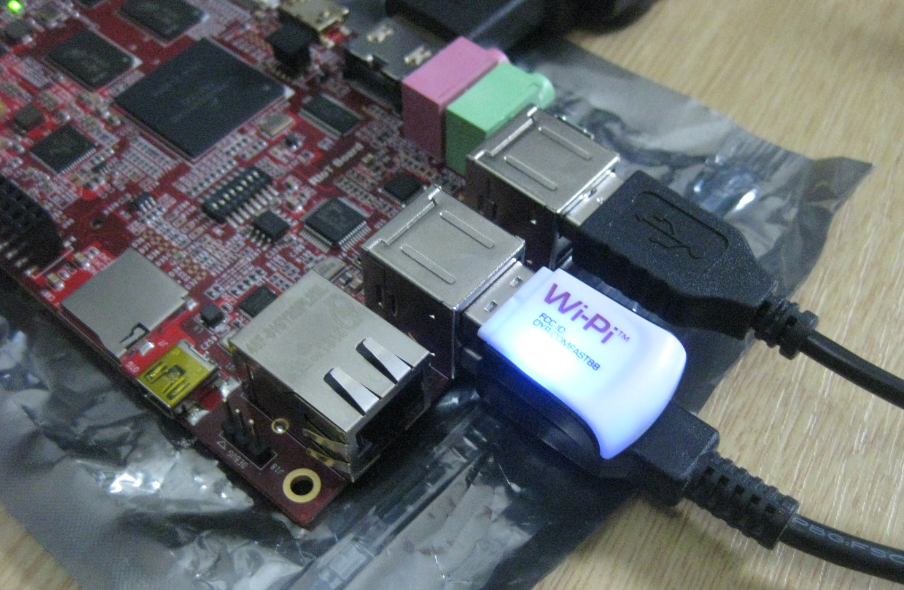
Wi-Pi WiFi with the RIoT Board
I understand the challenges of board vendors: they produce many boards, and typically they have an early/first firmware version on it. And when that board gets shipped to customers, that firmware typically is old and outdated :-(. Same for the RIoT board I have received: I was desperately trying some advanced features, only to realize that the firmware on the board is an older one from this year. So time to update the Android on that board.

Freescale RIoT Board
 MCU on Eclipse