If using a bootloader with an application, one thing is to to merge the bootloader with the application into a single file. I do this with the ‘SRecord’ tool like this:
srec_cat bootloader.s19 application.s19 -o merged.s19

Combining S19 Files

If using a bootloader with an application, one thing is to to merge the bootloader with the application into a single file. I do this with the ‘SRecord’ tool like this:
srec_cat bootloader.s19 application.s19 -o merged.s19
Combining S19 Files
I’m using Processor Expert components for nearly every Freescale (now NXP) projects: for S08, S12, ColdFire, DSC and especially all the different NXP Kinetis devices. Not only because it makes software development fast and easy and allows re-use of software, but as well because Processor Expert has a good way to pack and distribute software components. Unfortunately Processor Expert is not any more included for the new Kinetis devices (see “First NXP Kinetis SDK Release: SDK V2.0 with Online On-Demand Package Builder“). So I have looked into an alternative and hopefully vendor neutral way to build and distribute software packages using CMSIS-Pack.
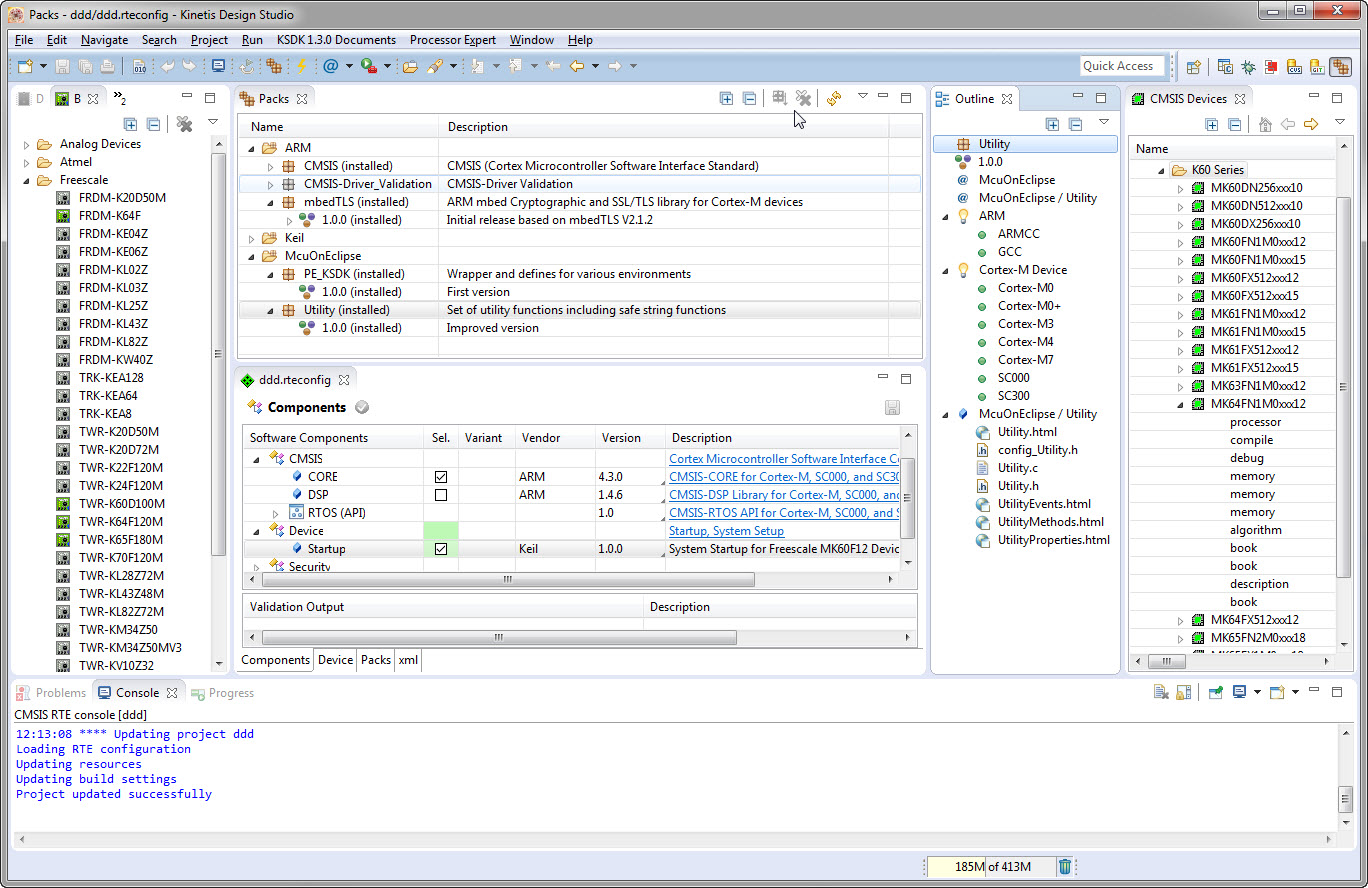
CMSIS-Pack in Eclipse
When I create a project in Eclipse (e.g. in Kinetis Design Studio with the GNU ARM Eclipse plugins), I have to specify the name of the project during creation time:

Project Name in Eclipse
But what if I change my mind later on and want to use a different name? How to rename the project?
In case there are problems with the C/C++ preprocessor, it is useful to generate the compiler preprocessor listing. Here is how to create a preprocessor listing with GNU gcc compiler and the GNU ARM Eclipse plugins in Eclipse:

Preprocessor Listing in Eclipse
Readers of my blog know: I’m not a fan of printf(), and I think for many good reasons. Still printf() is widely used, and the GNU gcc tries to optimize things. This is observed with a simple example: If I’m writing
printf("a");
Then the code produced (ARM Cortex-M0+ with GNU ARM Embedded 4.9 2015q2 gives:
movs r0, #97    ; 0x61
bl 0xa98
Instead of calling printf(), it is calling putchar()! Why is that?

PutChar instead of Printf
One of the most important aspects for developing complex realtime applications is get insights into what is going on the target. Segger just has released a free tool which gives an incredible useful insight view and visualization:

Segger System View for FreeRTOS
Good news for all the Eclipse and ARM lovers: Atollic have announced this week at ARM TechCon 2015 in Santa Clara that their TrueSTUDIO ‘Lite’ is now free of charge with unlimited code size. 🙂

atollic TrueSTUDIO
How about to use the Freescale FRDM-KL43Z board (see “Unboxing the Freescale FRDM-KL43Z Board“) to play a Tetris game?
I don’t own a Mac computer, and I try to keep my tutorials as multi-host-platform as possible. So it is always cool to see if someone else posts a nice tutorial on a different host machine: For all Mac (and as well non Mac) users, have a look at this tutorial Nash Reilly has posted: “An Introduction to Freescale’s Kinetis Design Studio.”

It nicely explains downloading and installing KDS with the Kinetis SDK and then run a ‘hello world’ program on the hardware.
And very worthwhile to check out Nash’s other articles here too: http://www.allaboutcircuits.com/author/nash-reilly
Happy Nashing 🙂
Sometimes I need to link an object file (e.g. bootloader.o) to my application, and I do not want to build it, or I do not have the sources to build it. There is a simple way with the GNU ARM Eclipse plugins to link extra object files:

Other Objects for GNU Linker
 MCU on Eclipse