MCUXpresso tutorial: I2C using the Pins/Clocks/Peripherals Config tools and lpcxpresso55s69 SDK

I selected the Bosch BME280 environmental sensor as the heart of my OKdo E1-based weather station. It is convenient to use, and I can prototype with the Mikroe Weather Click board MIKROE-1978. But the sensor is accessed over I2C, and that is my least favourite of the communication interfaces. In this short tutorial, I show you how the MCUXpresso Config tools (Pins, Clocks, Peripherals) are used to set up the I2C driver from the MCUXpresso lpcxpresso55S69 SDK. And very quickly, I am able to communicate with the BME280 sensor.

Reading BME280 “ID” register via I2C
Continue reading

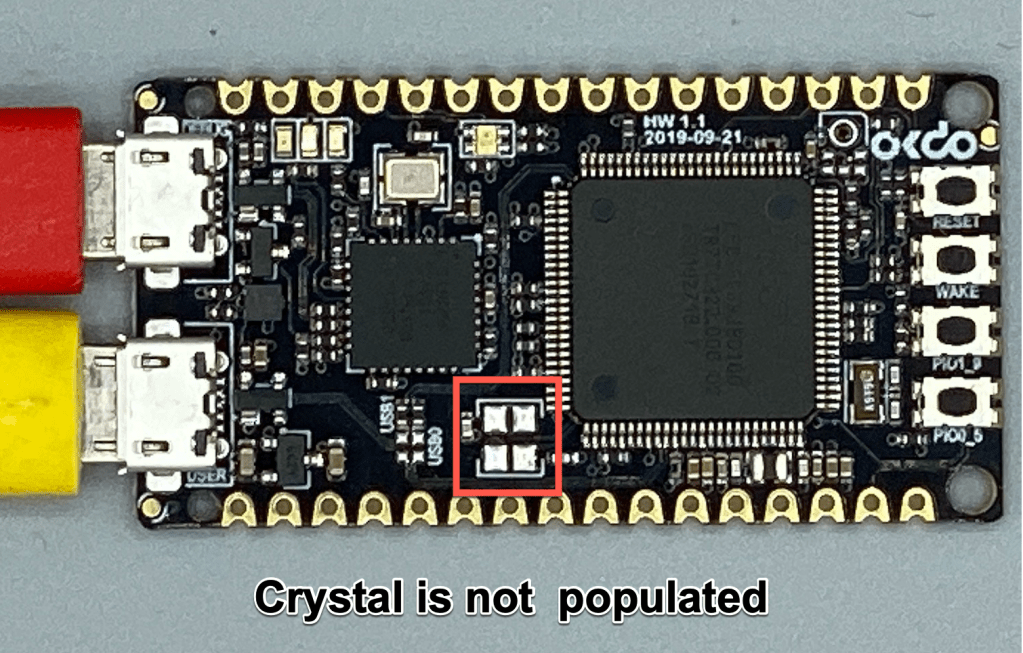
Fast. Easy. Tiny. Introducing OKdo’s E1 board

I spend a lot of my time writing software to run on manufacturers’ evaluation (or development) boards. Here on Erich’s site, my blogs have been based on Cortex M33, using NXP’s LPC55S69-EVK and LPC55S16-EVK. Development boards are great – firstly you know that the suppliers’ software should run without issues, and secondly: many of the pin functions are brought out to headers, transceivers, codecs, switches and LEDs. So, whilst it is easy to get started, by definition the boards can be large physically, power hungry, and expensive.

What do you do if you need to embed a high performance microcontroller into your prototype or small production run and don’t have time (or the inclination) to spin out a PCB?

The answer is the OKdo E1 board, based on NXP’s LPC55S69 Cortex-M33 microcontroller.

Continue reading

LPC55S16-EVK: how fast does it go? How much current does it take?

I will always take the same approach when I receive a new embedded board: firstly I want to see how quickly I can get it up-and-running, then I want to see what it does “out-of-the-box” and finally I want to find out if the board is “useful”. Does it have some features that will inspire me for new projects??

The NXP LPC55S16-EVK has some great features – CAN-FD, dual USB and a high performance Cortex M33 microcontroller, running at 150 MHz. I have an idea to use the LPC55xx series as the basis for a Weather Station. But this is only feasible if the chip has a low power consumption and can run for weeks on a small battery.

Time to run some test code and get my digital multimeter out…

Continue reading

Investigating ARM Cortex® M33 core – WiFi with Mikroe WiFi 10 click board

For this last blog in the series Investigating ARM Cortex® M33 core I decided to explore the expansion features of the LPC55S69-EVK. This board has three expansion ports (PMOD, Arduino Duo, Mikroe click) and I picked the Mikroe expansion port. Why? Only because I had good experience with these boards with the Hexiwear project.

And because I have been doing some work this month with AWS IOT I wanted to get my LPC55S69-EVK onto my office WiFi network for the Christmas holidays. I know that the MCUXpresso SDK for lpcxpresso55s69 version 2.6.3 has a built-in WiFi example named qca_demo, and so that is what I am investigating today.

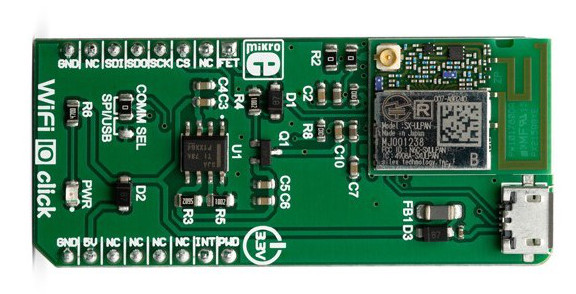
That WiFi example supports three WiFi shield boards, and I picked the Mikroe WiFi 10 click board. It’s part number MIKROE-3432 and available from all of the usual catalogue distributors.

WiFi 10 click board from Mikroelektronika
Continue reading

Investigating ARM Cortex® M33 core – Dual Core debug tutorial

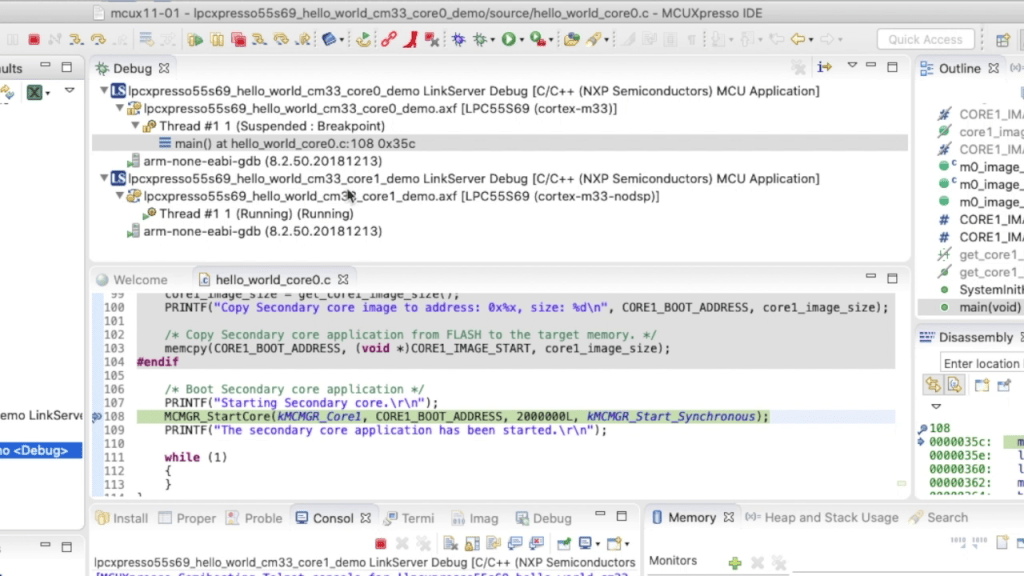
In last week’s blog I explained that the LPC55S69 microcontroller from NXP has two Cortex® M33 cores, named core0 and core1. There was a lot of theory, and so this week I put it all into practice and show you how to debug 2 cores with MCUXpresso IDE.

Multicore Debugging Interface in MCUXpresso IDE showing 2 different projects
Continue reading

Investigating ARM Cortex® M33 core – NXP LPC55S69 has *two* M33 cores.

Throughout this series I’ve been using the LPC55S69 microcontroller from NXP as a platform to investigate the ARM Cortex® M33 core. NXP designed the LPC55S69 with two Cortex M33 cores and so this week I’m investigating these in more detail.

You’ll remember that when ARM launch a processor core it will have a number of optional features. This is shown very clearly on the LPC55S69. The 150 MHz primary core – cpu0 – is a full implementation of Cortex® M33 and includes the optional components FPU, MPU, DSP, ITM and the TrustZone® features.

Continue reading

Investigating ARM Cortex® M33 core – DSP Acceleration 3 (PowerQuad FFT Tutorial)

I’ve always felt that the Fourier Transform (and in particular the embedded implementation Fast Fourier Transform) is the GOAT* of the DSP algorithms. The ability to convert a time-domain signal into a frequency-domain signal is invaluable in applications as diverse as audio processing, medical electrocardiographs (ECGs) and speech recognition.

So this week I’ll show you how to use the Transform engine in the PowerQuad on LPC55S69 to calculate a 512-point FFT. All of the difficult steps are very easily managed and the PowerQuad does all of the very heavy lifting.

Data from PowerQuad – 512-point real FFT on 400 Hz input signal with 1200 Hz harmonic
Continue reading

Investigating ARM Cortex® M33 core – DSP Acceleration 2 (PowerQuad Matrix Engine Tutorial)

Last week I showed you how to use the Coprocessor interface of PowerQuad to calculate (mostly) unary functions. As an example the natural logarithm ln(x) takes just one operand, whilst the floating divide in PowerQuad requires two operands (x1)/(x2). PowerQuad is very efficient accelerating these functions, requiring just 6 clock cycles for the ln(x) and 6 clock cycles for the float (x1)/(x2). In comparison the single-precision floating point unit in Cortex® M4F and M33F requires 13 clock cycles to perform the same float divide.

But there are two ‘sides’ to the PowerQuad:

  • The Coprocessor interface, using ARMv8-M coprocessor instructions;
  • The AHB bus interface, where we address PowerQuad as a peripheral.

So this week… operating the PowerQuad as a peripheral. I’ll show you how to use the PowerQuad SDK driver in MCUXpresso in a new project, and use the Matrix Engine in the PowerQuad to solve simultaneous equations.

Continue reading

Investigating ARM Cortex® M33 core with TrustZone® – DSP Acceleration 1

If you ask your colleagues about ARM Cortex® M33 core, they’ll most likely remember that the ARMv8-M architecture adds the (optional!) TrustZone® security extension. But one, overlooked but significant new feature in ARMv8-M is the new coprocessor interface.

ARMv8-M adds many new features to the core architecture, including Co-processor interface

With the LPC55S69 microcontroller, NXP decided to add an extremely powerful DSP Accelerator onto this coprocessor interface, named PowerQuad. In this week’s video series I’m investigating the PowerQuad, and the functions that it provides.

Continue reading