One of the ‘goodies’ of the FRDM-KL46Z is the Freescale MAG3110 magnetometer. The MAG3110 is a tiny 2×2 mm device:
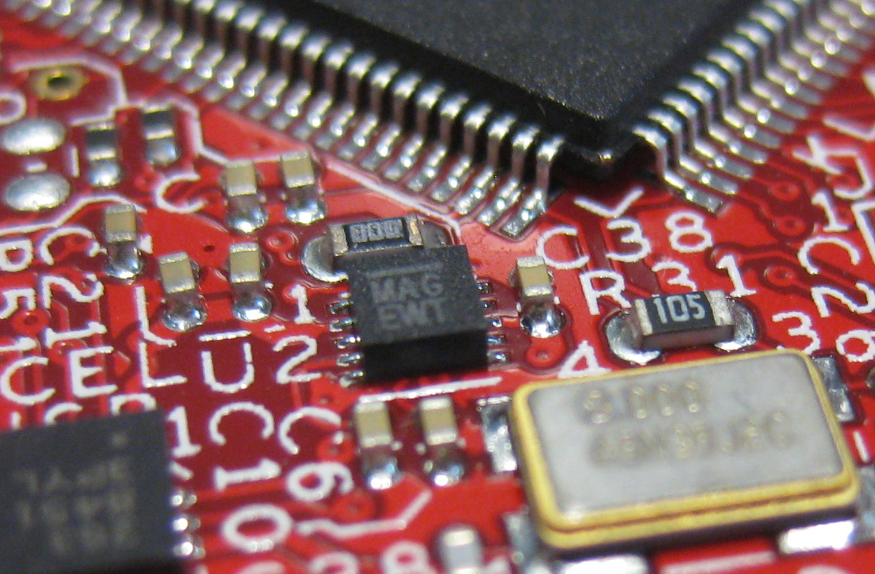
MAG3110 on FRDM-KL46Z
What was missing so far is a Processor Expert component for it. This post is about closing this gap…

One of the ‘goodies’ of the FRDM-KL46Z is the Freescale MAG3110 magnetometer. The MAG3110 is a tiny 2×2 mm device:
MAG3110 on FRDM-KL46Z
What was missing so far is a Processor Expert component for it. This post is about closing this gap…
Freescale has added a new Freedom board: the FRDM-KL46Z:

FRDM-KL46Z with Box
My opinion? The best Freedom board so far, I love it!
For everyone who wants to build a Do-It-Yourself toolchain for Kinetis on Linux, I recommend to read the following excellent post by Karibe:
Setting up Linux opensource build and debug tools for freescale freedom board FRDM-KL25Z
He describes how to get OpenOCD with CMSIS-DAP working with Eclipse on Ubuntu to debug the FRDM-KL25Z board.
Happy Linuxing 🙂
So far I have covered in this tutorial series how to install ARM GNU gcc, adding Eclipse, followed by adding GNU GDB debugger, and then adding Processor Expert. I’m using FreeRTOS a lot in my projects, and luckily there is a Kernel Awareness Plugin available for FreeRTOS for GDB in Eclipse. This tutorial is about how to install and use it.

Queues and Tasks
I covered in a previous tutorial how add ARM gcc to Kepler Eclipse to build a DYI toolchain. I’m using Processor Expert a *lot* in my project, because it simplifies and speeds up the development of my embedded applications. What is missing so far is how Processor Expert can be added to Eclipse. As Kepler is as of this writing the latest Eclipse version, this tutorial is using that version.
❗ Eclipse Luna is *NOT* supported in Processor Expert 10.4! Eclipse Luna is expected to be supported in Processor Expert 10.5 coming out in 2015! So if you are using Processor Expert 10.4, then make sure you are using Eclipse Kepler.

Processor Expert Project in Kepler Eclipse
I finally completed my project turning the FRDM-KL25Z board into a USB mouse device :-). The form factor and the capabilities of the Freedom board makes it a great board for implementing it as a ‘custom mouse’. All what I need is the USB stack running on it and have it acting as USB HID Mouse device.
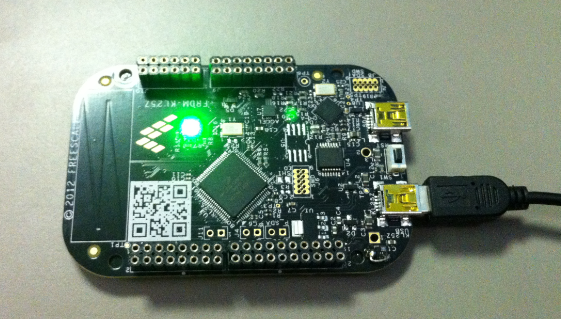
FRDM-KL25Z enumerated as USB HID Mouse Device
 MCU on Eclipse