How to Add Existing Files to Eclipse Projects

This Tip sounds very basic, but still: I get asked about this about once a week. So it must be something non-obvious in Eclipse then ;-): how to add existing files to an Eclipse project. As with many things in Eclipse, there is not a single way to do something. There are two basic ways to do this:

  1. Import
  2. Drag & Drop
  3. Copy & Paste

The first is the ‘official’ way in Eclipse, the other two are much faster and easier :-).

1. Import

To import one or multiple files, select the folder/project where I want to add the files, then use the menu File > Import:

Menu File Import

Menu File Import

Continue reading

Building Projects with Eclipse from the Command Line

Eclipse has a great user interface (UI). But what if I want to do things from the command line, without the GUI? For example to build one or more projects in the workspace without using the Eclipse UI? With this, I can do automated check-outs and do automated builds.

Performed a command line project build with Eclipse

Performed a command line project build with Eclipse

Continue reading

Semihosting with GNU ARM Embedded (LaunchPad) and GNU ARM Eclipse Debug Plugins

In “Semihosting with Kinetis Design Studio” I used printf() to exchange text and data between the target board and the host using the debug connection. Kinetis Design Studio (KDS) has that semihosting baked into its libraries. What about if using the GNU ARM Embedded (launchpad) tools and libraries (see “Switching ARM GNU Tool Chain and Libraries in Kinetis Design Studio“)? Actually it requires two more steps, but is very easy too.

Semihosting Output

Semihosting Output

Continue reading

Automatic Documentation Generation: Doxygen with Processor Expert

One really cool thing with Processor Expert is: it does not only generate the source code for me, it generates as well documentation :-). I’m a believer of the ‘single source’ approach: if I have to document a software project, then the software itself shall be the source of the documentation. And for this I love Doxygen: see “5 Best Eclipse Plugins: #1 (Eclox with Doxygen, Graphviz and Mscgen)“. Doxygen is a compiler which compiles my source files, and instead of object files it creates documentation files for me :-).

Pin Allocation Report

Pin Allocation Report

Continue reading

GNU Libs with Debug Information: Rebuilding the GNU ARM Libraries

With my DIY tool chain (see “Constructing a Classroom IDE with Eclipse for ARM“) I get a complete tool chain. I do not need to build that tool chain from the sources for Windows, as all the binaries are nicely pre-compiled and made available. But there is one issue I face from time to time: as the libraries provided by ARM do not come with sources and debug information enabled, I end up with that “No source available for …” message in the debugger:

No Source Available

No Source Available

The solution is to grab the C/C++ library sources from the ARM launchpad site and get it built locally the way I need it.

Continue reading

XFormat, a Lightweight printf() and sprintf() Alternative

Frequent readers of this blog know that I do not like printf (see “Why I don’t like printf()“), because the standard printf() adds a lot of overhead and only causes troubles. But like small kids, engineers somehow get attracted by troubles ;-). Yes, printf() and especially sprintf() are handy for quick and dirty coding. The good news is that I have added a lightweight printf() and sprintf() implementation to my set of components: the XFormat component. And best of all: it supports floating point formatting :-).

XFormat Component

XFormat Component

Continue reading

Eclipse Performance Improvement Tip: Close Unused Projects

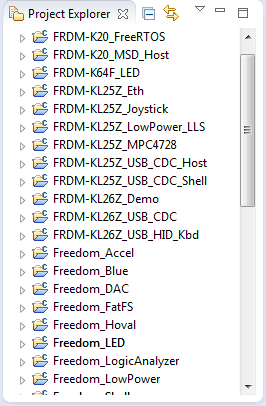
Eclipse is not the fastest and snappiest IDE of the world, but in my view the most versatile and open one. And as with any tool: using it the wrong way does not make it better. Sometimes I have students in my classes which complain that Eclipse is slow, even on a decent machine. Looking at their notebook screens and Eclipse workspace usually tells me right away what they are doing ‘wrong’: there are many, many projects open in the workspace, the most I have seen was more than 50 projects (yikes!!!)!

Many many projects open

Many many projects open

Continue reading

Link to Files and Folders in Eclipse

Eclipse projects have the nice features that they can link to files and folders: so instead of having the physical file, it is just a pointer to a file. This is very cool as that way I can point to shared files, or keep files in a common place referenced from projects, and so on.

Linked Folder and File in Eclipse

Linked Folder and File in Eclipse

As with most things in Eclipse, there is not a single way how to do things. So I’m showing in this post several ways how to link to files and folders.

Continue reading

Overwriting Symbols in the GNU Linker File

I start liking the GNU linker (ld) more and more. Yes, that linker command file syntax needs some time to learn, but it is very powerful. I stumbled over an interesting way how to define linker symbols:

/* Linker file for GNU C Compiler */

/* Entry Point */
ENTRY(Reset_Handler)

HEAP_SIZE  = DEFINED(__heap_size__)  ? __heap_size__  : 0x00000400;
STACK_SIZE = DEFINED(__stack_size__) ? __stack_size__ : 0x00000400;

The interesting part is how the HEAP_SIZE and STACK_SIZE symbols are defined.

It checks if e.g. __heap_size__ is DEFINED, and if so, it uses that symbol, otherwise it is using 0x400. Very similar to the C/C++ ‘?’ operator. So I can overwrite the default of 0x400 with my value or symbol. The questions is: from where does the symbol come from?

Continue reading