Sometimes it is all about knowing the simple tricks in Eclipse which make life easier. Like this one: how to have a split editor view so I can edit multiple different sections of a source file:

Split Editor View in Eclipse

Sometimes it is all about knowing the simple tricks in Eclipse which make life easier. Like this one: how to have a split editor view so I can edit multiple different sections of a source file:
Split Editor View in Eclipse
I don’t know if it is the same for you. But for me, configuring the pins on these new ARM microcontroller is a challenge: Most pins can do multiple functions, such as be used as I²C, UART or GPIO pins.
Configuring the pins ‘by hand’ is difficult, error-prone and usually the first thing I need to do for a new project/device. NXP developed a new tool for this task and previewed it at FTF 2016. It is available now both as web (online) and desktop (locally installed) tool. At FTF it was possible to play with an engineering release: time to get my hands on the public release :-). And as more and more student projects will start using that tool for their boards, I better have a tutorial for it :-).

Desktop Version of Pins Tool
One goal of this blog is to inspire engineers, in one way or another. And when I get reports back that things were useful, I like to share it :-).
So here is something what a team of young undergraduates (Przemyslaw Brudny, Marek Ulita, Maciej Olejnik) did for theirs Master Thesis work at the Politechnika Wroclawska, Poland: a very cool flying machine controlled by two Kinetis K66, having many sensors (on own designed boards) with a custom debug/programmer board similar to the tinyK20, developed with the NXP Kinetis Design Studio:

UAV (Source: Thesis of Przemyslaw Brudny)
“Learning-by-doing” is one of the core principles of my embedded systems and robotics course at the Lucerne University. For this the students apply what they learned using a robotics platform. In earlier semesters we did a Sumo battle at the end. This time the challenge was to build a remote controller plus to add the ability to explore and solve a line maze:

maze solving robots
Major changes in this new release:

Segger SystemViewer V2.36a
I’m using FreeRTOS in most of my applications. There were only a few exceptions where an RTOS has to be used in safety critical systems: there usually it is not permitted to use any dynamic memory allocation because this adds the risk that a memory allocation could fail at runtime because of memory fragmentation or memory leak. And FreeRTOS uses a dynamic memory (heap) for the task stacks and the RTOS resources including semaphore, mutex and queues.
This is now a thing of the past. This week a new FreeRTOS Version 9 was released which does not need any dynamic memory allocation anymore: it is possible now to build completely statically allocated systems with FreeRTOS :-).
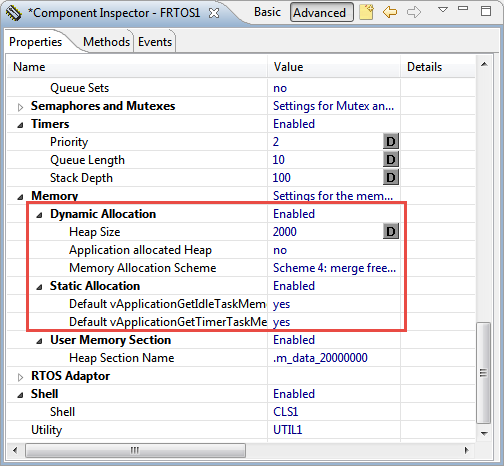
Dynamic and Static Memory Allocation in FreeRTOS V9.0.0
Sometimes it is very useful to clean or build a selected set of files. For this I select the file(s) in the Eclipse Project Explorer and use the context menu:

Build Selected Files
The challenge with the selection of a microcontroller for a project is: which one has the required number of UART, I2C, SPI? Combine this with the desired package (48pins, 64pins? LQFN?), the needed FLASH and RAM size and then even the hundreds of available microcontroller shrink to a handful only. And many times I need to make compromises: such as I need two hardware I2C, but the microcontroller matching all my other needs has only one I2C hardware. So I might end up with bit-banging the slower I2C bus. Doable, but not ideal.
What is cool that some of the newer NXP Kinetis microcontroller come with an interesting hardware: FlexIO. A peripheral hardware which allows me to implement a custom protocol, including driving WS2812B (Adafruit NeoPixel) LEDs with a FRDM-KL43Z board:
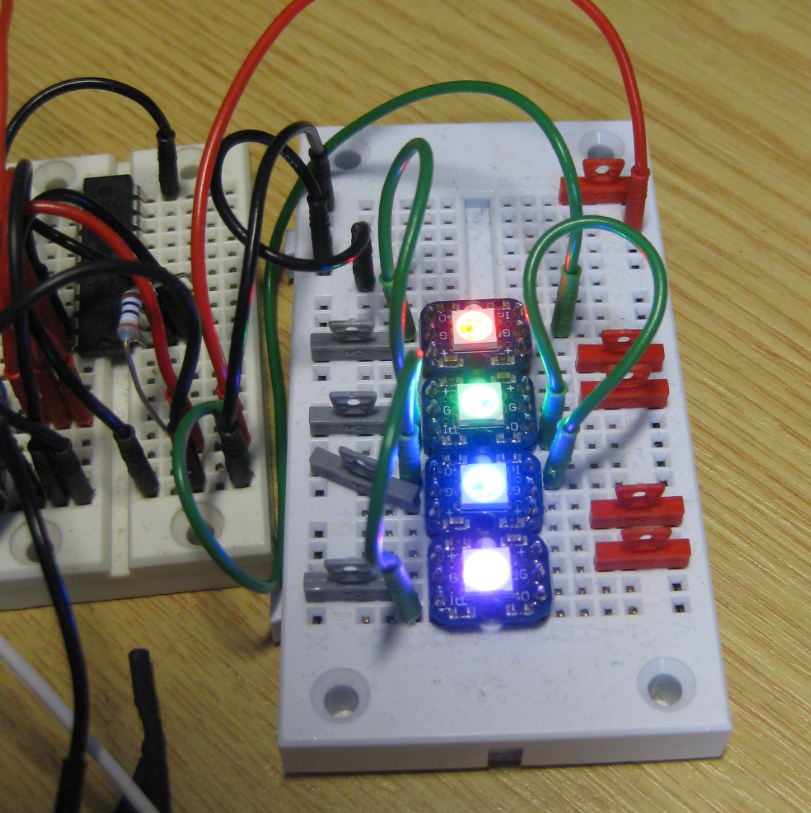
Four NeoPixels with FlexIO
In “Tutorial: Blinky with NXP Kinetis SDK V2.0 and Processor Expert” I used Processor Expert components with the NXP Kinetis SDK to blink some LEDs. This tutorial extends the earlier project and adds FreeRTOS.

FreeRTOS running on a NXP FRDM-K22F Board
In “Mother of Components: Processor Expert with NXP Kinetis SDK V2.0 Projects” I presented an approach how to use Processor Expert components with the NXP Kinetis SDK. This article is a tutorial how to create a blinking LED project with that approach, using McuOnEclipse Processor Expert components and the Kinetis SDK V2.0. As board the FRDM-K22F is used:
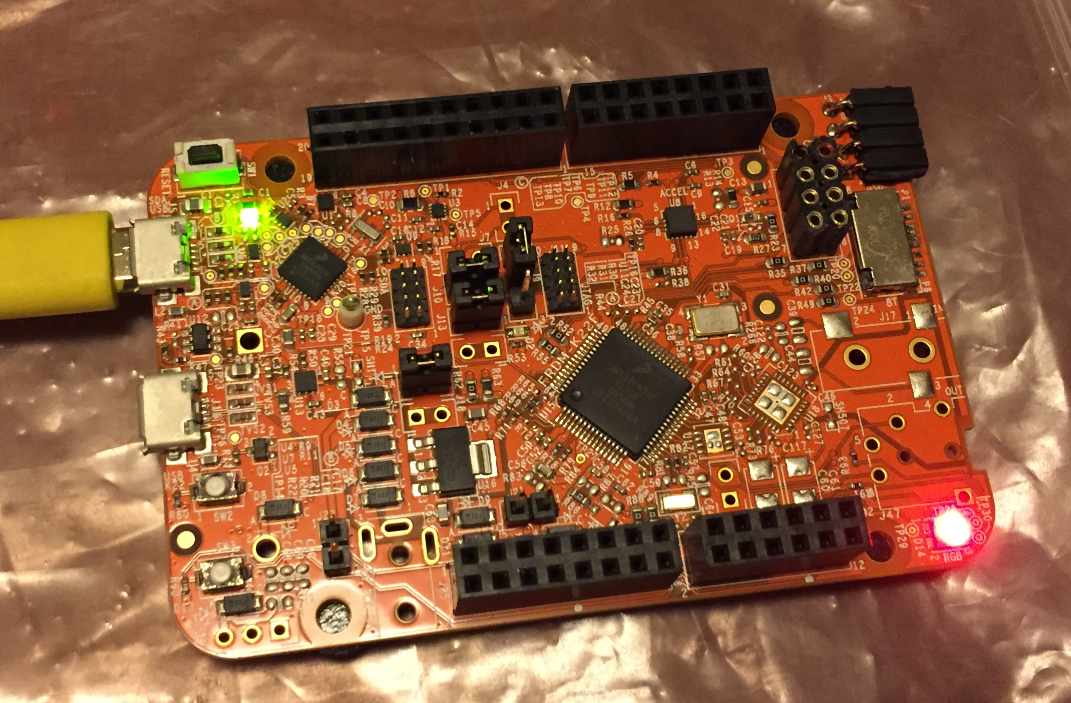
Blinky on a FRDM-K22F with SDK V2.0 and Processor Expert
 MCU on Eclipse