Using the Reset Button on the Freedom Board as User Button

Processor Expert is a great tool: it lets me configure all the complexities of that ARM Cortex-M0+ core. But today it has fooled me and I lost several hours of my week-end time :-(. I need a user interface like push button for my project. Yes, the FRDM-KL25Z has touch area, but honestly: that kind of stuff never worked out well for me. It is probably just me having it not properly set up. The touch slider is working as in my earlier simple example, but in my other project with more hardware around it, it is working sometimes, sometimes not. Ahrg! I can blame my ignorance, my lack of understand how to configure it properly, or the extra noise by the hardware around it. Result is: I wasted a lot of time, and I give up :-(.
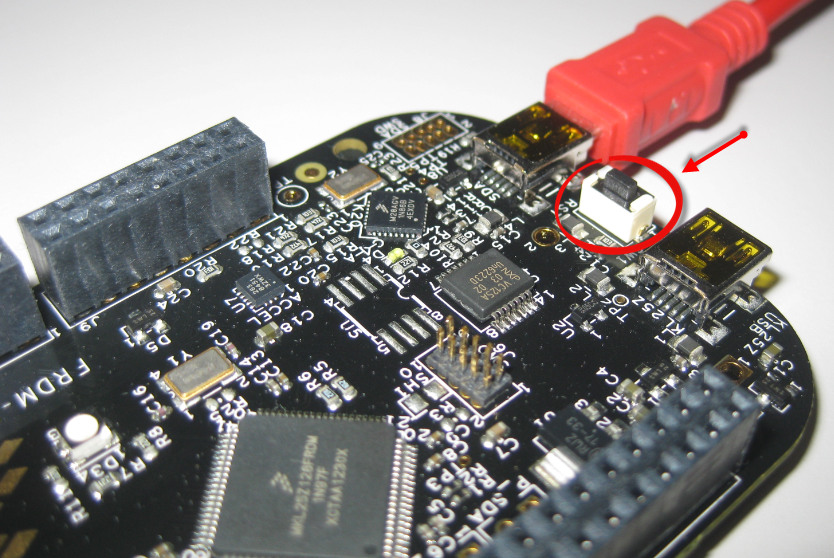
SW1 on the FRDM-KL25Z Board

Reset button on the FRDM-KL25Z Board

Continue reading

Bluetooth with the Freedom Board

I’m working now on a lecture robot project using my Freedom Board. And for this I need a wireless communication. I already have IEEE802.15.4 (SMAC) working, but I wanted to add Bluetooth as a low-cost option. I have found an inexpensive Bluetooth module which is available for only around $4-8 which we use in another university class project. The module is an AT command module: that means the microcontroller communicates with AT serial commands with the module, and the Bluetooth stack itself runs on the module. In a minimal configuration I only need 3.3V, GND, TX and RX plus a CMD (Command) pin:

Bluetooth Module

Bluetooth Module

Continue reading

Tutorial: Using the ARM CMSIS Library

One of the great advantage of using an ARM core as on my FRDM-KL25Z board is that I can leverage a lot of things from the community. And one big thing around ARM is CMSIS (Cortex Microcontroller Software Interface Standard). It is an industry wide software library for the ARM Cortex microcontroller. Using the CMSIS libraries and interfaces will make it easier to port applications within the ARM Cortex family.

CMSIS Version 3 Block Diagram (Source: Arm.com)

CMSIS Version 3 Block Diagram (Source: Arm.com)

Continue reading

Creating and using Libraries with ARM gcc and Eclipse

In ‘A Library with ARM gcc and Eclipse’ I was using the CodeWarrior MCU10.3 beta version to create a library project. At that time I had to do things manually. Now with the final MCU10.3 there is an option in the New Project Wizard which makes things easier:

Library Creation

Library Creation

This will create a library (or better: an archive) with gcc for me. But how to use it from another project?

Continue reading

Tutorial: ADC with the Freedom Board

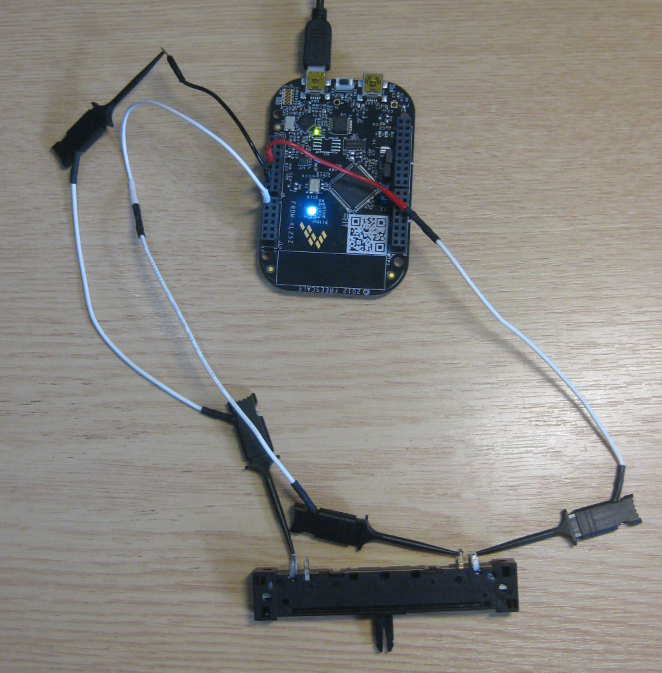
Unlike other boards from Freescale, the FRDM-KL25Z has no potentiometer or analog components on it. But in many applications an ADC conversion is needed, so here we go with a tutorial reading in an external potentiometer with Eclipse, CodeWarrior and Processor Expert. For this tutorial I have a 10k Ohm linear potentiometer connected to the Freedom board:

Linear potentiometer with the FRDM-KL25Z

Linear potentiometer with the FRDM-KL25Z

Continue reading

Tutorial: Printf() with (and without) Processor Expert

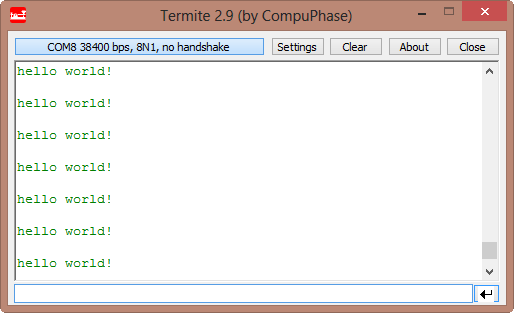
In this post I tapped into how to print messages to a console using  the Kinetis/Freedom board. I’m not a fan of printf() for multiple reasons: It is simply a bad thing for embedded systems programming. But as many have asked for it, here is how to say “hello” from the Freedom Board using printf():

Hello World on the Terminal

Hello World on the Terminal

Continue reading

Eclipse Workspace Tips

Usually, one of the first things I see if I launch Eclipse is this dialog:

Select a Workspace Dialog

Select a Workspace Dialog

Actually, that ‘workspace’ thing is one of the most important things in Eclipse to understand. To mess around it can cause a lot of pain. So I have collected some ‘lessons learned’ around workspaces.

Continue reading

Eclipse Spell Checker

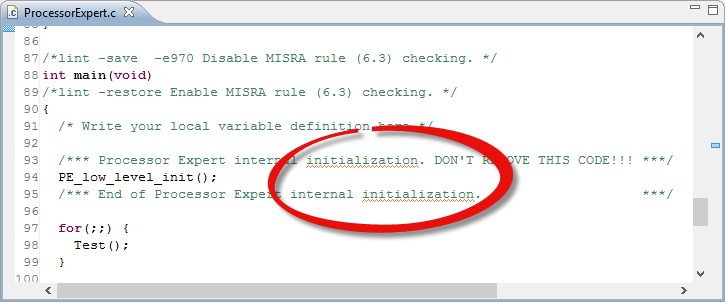
One of the nice things of modern IDE’s are: they offer many extras for free. Many times it is related to programming and coding. But I love as well the ones which makes things easier and better which is not directly related to the executed code. One thing Eclipse offers is an on-the-fly spell-checking, similar to Microsoft Word:

Spellchecked Sources

Spellchecked Sources

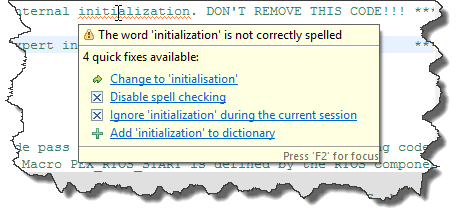
Hovering over the text offers me to correct the flagged error:

Initialization vs. Initialisation

Initialization vs. Initialisation

But wait: is that example not spelled correctly?

Continue reading