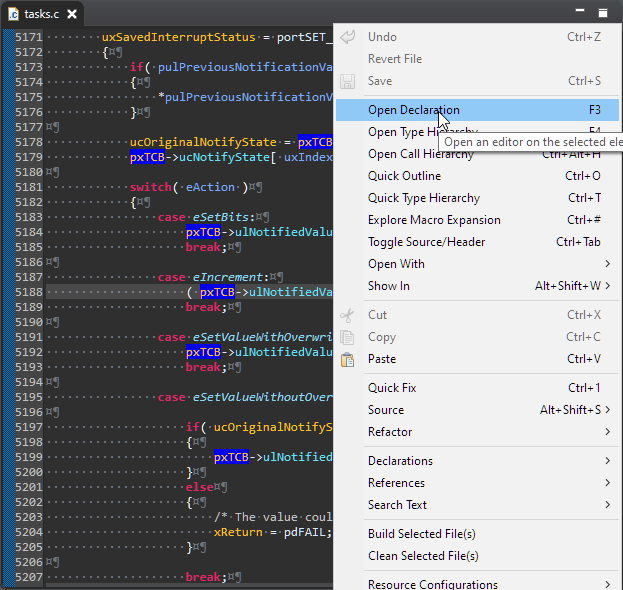
Eclipse has a great built-in source code parser and browser (aka ‘Indexer’). It is basically a built-in compiler which parses the source files and assists the user with code completion and navigation help, making Eclipse this awesome productivity tool. On the downside this background parsing could potentially slow down things, and therefore Eclipse has some default settings to prevent this. Unfortunately, the FreeRTOS Kernel ‘tasks.c’ file is above-and-beyond of a ‘sane’ source file and will hit the default limits: as a result the ‘tasks.c’ file is not indexed and things like ‘Open Declaration‘ might not work for the file ‘tasks.c’.
Category Archives: Tips & Tricks
Grouping Eclipse Projects with Working Sets
Typically I have many, many projects listed in the Eclipse Project Explorer, usually more than 100 projects: from example projects, projects on git, lecture module projects, research projects or just some hobby projects I’m working on. With the default Eclipse settings, all these projects are listed in a ‘linear’ list. What I found really useful is the ability to group them into ‘Working Sets‘:
Tweaking MCUXpresso IDE Black Theme
‘Dark’ or ‘Black’ themes are on vogue: some love it, some do not care. The good thing is that we all have a choice. Things are getting improved on the host OS (Windows/Linux) side, but the challenge is still on the application side, but things are getting better. This is true for the Eclipse based IDEs too, with the NXP MCUXpresso IDE V11.2.1 just recently released: it comes with improved Dark Theme support:
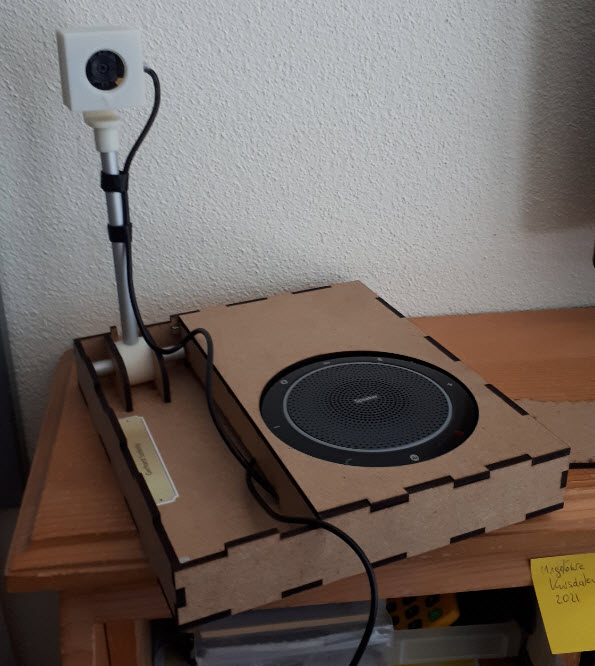
Mobile Teacher Tool, Rev 2 by Gerhard
It is always great to see if someone is picking up my work and produces something even better :-). In this case, Gerhard Székely took my DIY Portable Video Conference, Sharing and Teaching Device and created an awesome version of it:
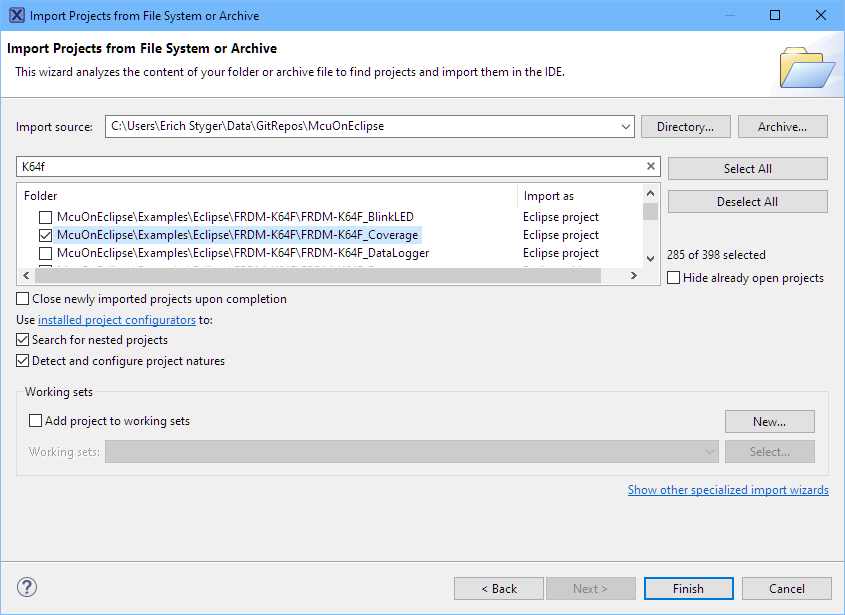
Import Projects from git into Eclipse
As a VCS (Version Control System) I’m using git in all my projects. And not only for software or firmware projects: I’m using it for hardware design (KiCAD, FreeCAD, …) or for documentation (LaTeX, …) too.
The nice thing with the Eclipse IDE is that it supports nice git integration, making importing projects from git repositories easy.
Eclipse Gems, Tips & Tricks: Code Folding
This article is part of a ‘mini series’ about hidden gems, tips and tricks around Eclipse.
The topic of this one is how to ‘fold’ text in the editor.
Eclipse Gems, Tips & Tricks: Working Sets
This article is part of a ‘mini series’ about hidden gems, tips and tricks around Eclipse.
The topic of this one is how to organize projects in the workspace with ‘Working Sets’.
Eclipse Gems, Tips & Tricks: Block Comments
This article is part of a ‘mini series’ about hidden gems, tips and tricks around Eclipse.
The topic of this one is how to comment and un-comment a block of source code.
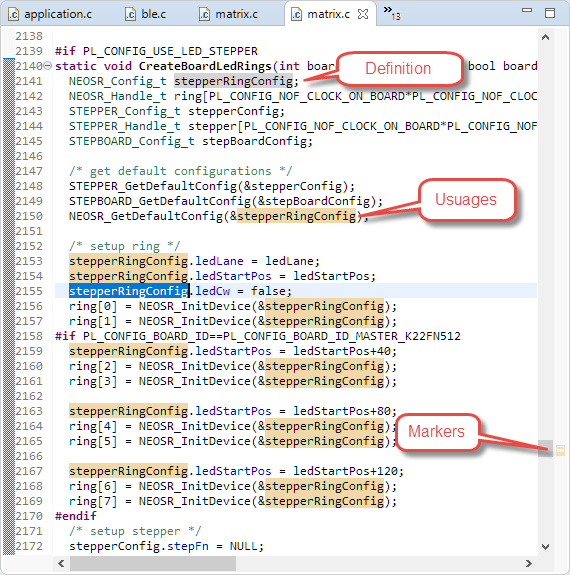
Eclipse Gems, Tips & Tricks: Highlight Usage and Definition
This article is part of a ‘mini series’ about hidden gems, tips and tricks around Eclipse.
The topic of this one is how to quickly mark and show where a variable is used and defined in the code.
Eclipse Gems, Tips & Tricks: Code Completion
This article is part of a ‘mini series’ about hidden gems, tips and tricks around Eclipse.
The topic of this one is how use Code Completion in the editor.