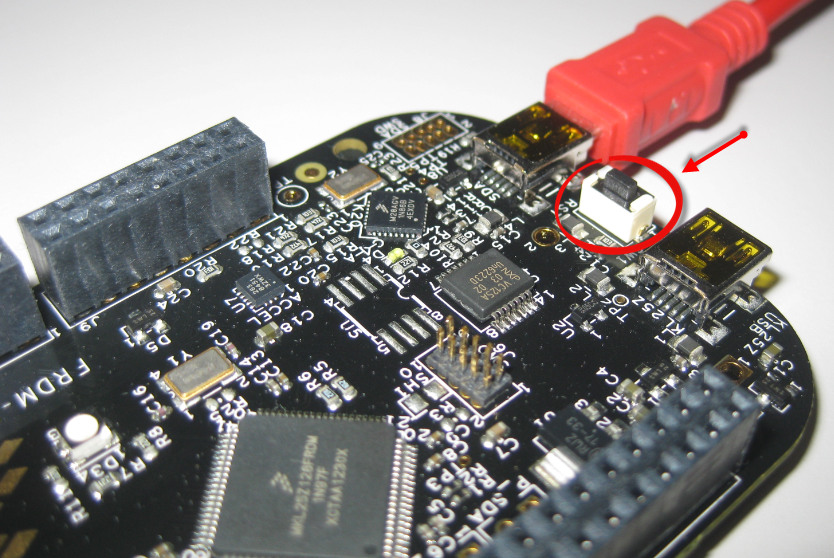
Processor Expert is a great tool: it lets me configure all the complexities of that ARM Cortex-M0+ core. But today it has fooled me and I lost several hours of my week-end time :-(. I need a user interface like push button for my project. Yes, the FRDM-KL25Z has touch area, but honestly: that kind of stuff never worked out well for me. It is probably just me having it not properly set up. The touch slider is working as in my earlier simple example, but in my other project with more hardware around it, it is working sometimes, sometimes not. Ahrg! I can blame my ignorance, my lack of understand how to configure it properly, or the extra noise by the hardware around it. Result is: I wasted a lot of time, and I give up :-(.
Category Archives: Embedded
Bluetooth with the Freedom Board
I’m working now on a lecture robot project using my Freedom Board. And for this I need a wireless communication. I already have IEEE802.15.4 (SMAC) working, but I wanted to add Bluetooth as a low-cost option. I have found an inexpensive Bluetooth module which is available for only around $4-8 which we use in another university class project. The module is an AT command module: that means the microcontroller communicates with AT serial commands with the module, and the Bluetooth stack itself runs on the module. In a minimal configuration I only need 3.3V, GND, TX and RX plus a CMD (Command) pin:
Tutorial: Using the ARM CMSIS Library
One of the great advantage of using an ARM core as on my FRDM-KL25Z board is that I can leverage a lot of things from the community. And one big thing around ARM is CMSIS (Cortex Microcontroller Software Interface Standard). It is an industry wide software library for the ARM Cortex microcontroller. Using the CMSIS libraries and interfaces will make it easier to port applications within the ARM Cortex family.
Zumo Line Following with FRDM-KL25Z
With the Zumo I have a base platform for cool robotics applications. So why not build a line following robot with this? Especially as Pololu offers a reflectance sensor array for it. The result is: I have a line following robot 🙂
It turned out that things were not working out of the box with the FRDM-KL25Z board. So if you want to do the same thing, here are some tips how to make it working with the Freedom board.
Tutorial: Printf() with (and without) Processor Expert
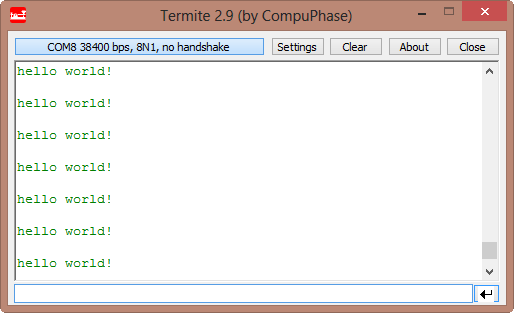
In this post I tapped into how to print messages to a console using the Kinetis/Freedom board. I’m not a fan of printf() for multiple reasons: It is simply a bad thing for embedded systems programming. But as many have asked for it, here is how to say “hello” from the Freedom Board using printf():
Turning the Freedom Board into a Logic Analyzer
I think the most important tool for a firmware engineer is a Logic Analyzer. I always have one on my desk. Working in different locations, sometimes I forget to carry it with me. And for sure I would need it. To buy another one to compensate my laziness? Or maybe there is another solution? And here I stumbled over an article about the Logic Sniffer project recently: it is about an open source logic analyzer hardware and firmware project. What a cool idea! Why not using my FRDM-KL25Z Freedom board as a Logic Analyzer? Heck, that would be awesome 🙂
The Freedom Zumo Robot
The cool thing with the Freedom board is: there are many exciting Arduino boards out there which want to be used with the FRDM-KL25Z. I have spent most of my last week-end with creating a little black beauty:
Live View for Variables and Memory
Debugging is usually a ‘stop-inspect-continue’ process. That does not work very well for watching a system which continuously changes its state. For this usually I toggle an LED, or write things to the console to watch with a human eye what is going on. But there is something very powerful in the CodeWarrior debugger too: to display variables and memory content while the target is running.
First Steps with Avnet’s Wi-Go Board
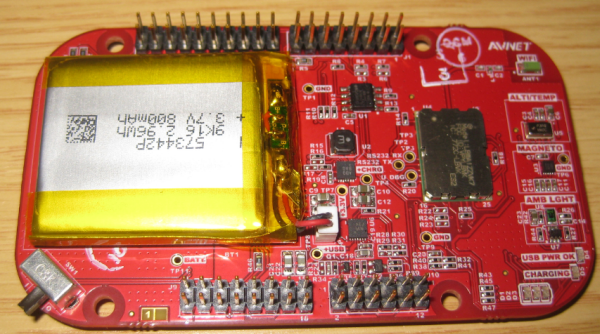
It is already two weeks into 2013, and not to late to mention Christmas: I have received another gift :-). It did not make it for Christmas itself: Because of the overloaded postal service and because the Swiss customs wanted to deeply inspect the board (they probably wanted to try the board too 😉 ). So it had it finally in my hands last week: The Avnet Wi-Go Board:
Debugging ARM Cortex-M0+ Hard Fault with MTB Trace
And here it is again: a Hard Fault exception raised by the ARM Cortex-M0+ on my Freedom board:
A reason for hard faults are for example dereferencing a NULL pointer. The issue with the ARM Cortex hard fault exception stack is: it is not easy to find out where in the code the problem is.I have created a Processor Expert component to help me to find the location of such an exception. With the Eclipse based CodeWarrior for MCU10.3 there is another way: Trace with the MTB (Micro Trace Buffer)!