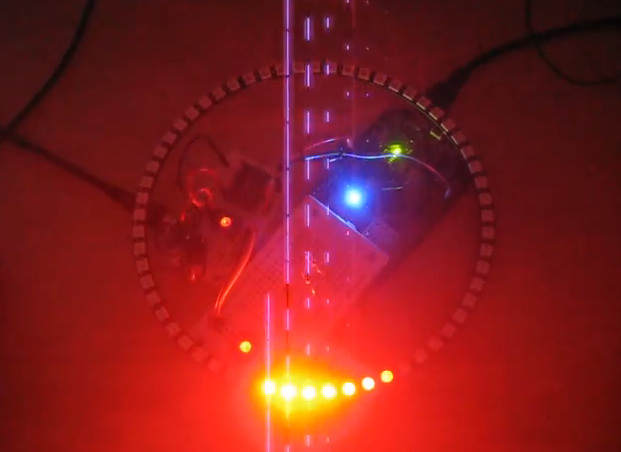
When I showed my 60 NeoPixel LED clock prototype to my daughter and her girlfriend, and they both wanted to have one right away :-). Well, that clock was just a proof of concept, with lots of temporary wiring. So I decided this week-end to beautify it and to make it look nice and clean(er). There is nothing like a week-end project with adding a few more LEDs and features :-).
Category Archives: Embedded
Zumo Robot with WiFi and GPS
It always takes longer than expected: actually 4 weeks from the first board out of the reflow oven (“First New Zumo Board out of the Reflow Oven“), until I have it working on the Pololu chassis. But now I have a mobile Robot with WiFi, GPS, Bluetooth, nRF24L01+ and all the stuff I have dreamed off 🙂
Adding the CAM8000-D Camera Module to the RIoT Board
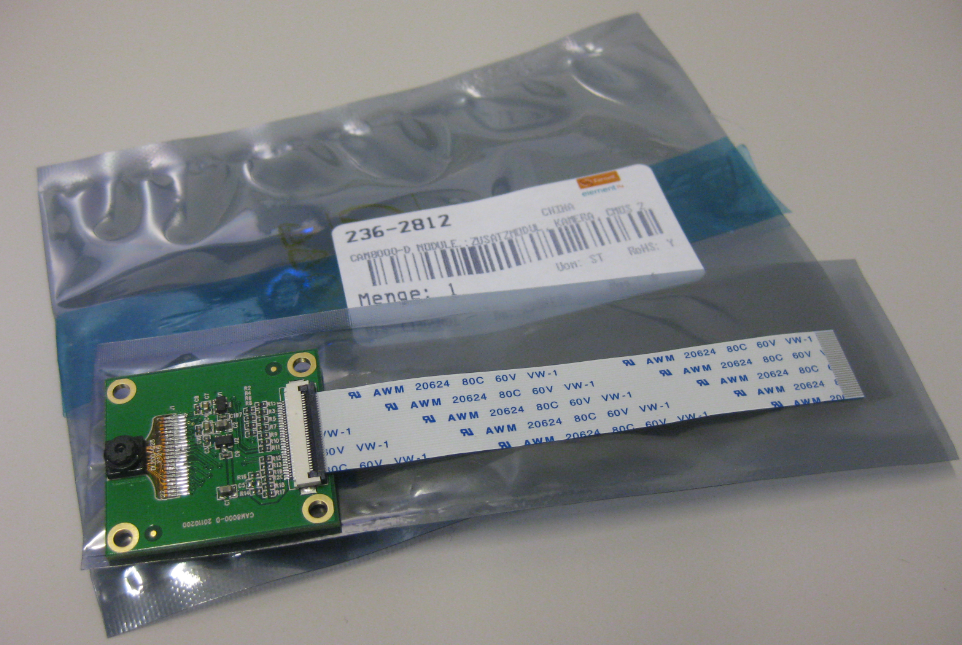
One reason for me to buy the RIoT board was that it has a camera connector. So I had ordered the CAM8000-D module from Farnell (part number 2362812). The Farnell product page was not clear if it comes with the 30pin FPC cable, but luckily, it shipped with it:
Exclude Source Files from Build in Eclipse
Sometimes I have source files in my project which I do not want to get compiled (or excluded from build). Because as I’m using the ‘managed make’, all source files matching certain extensions (like *.c) are automatically included into the build.
To exclude a file from build, I right-click on it to get to the properties. There I can select a check box to have it excluded from the build:
Terminal Connection to the RIoT Board
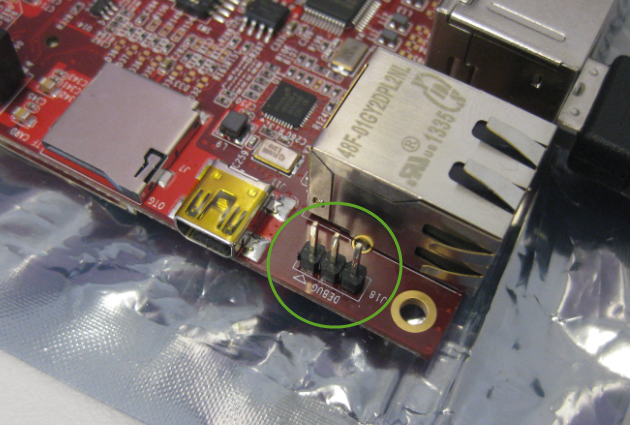
I admit: I love command line interfaces. Because that gives me usually much more control than any GUI (Graphical User Interface). I like the fact that they have put a UART interface on the RIoT board:
Adafruit NeoPixel Clock with 60 LEDs
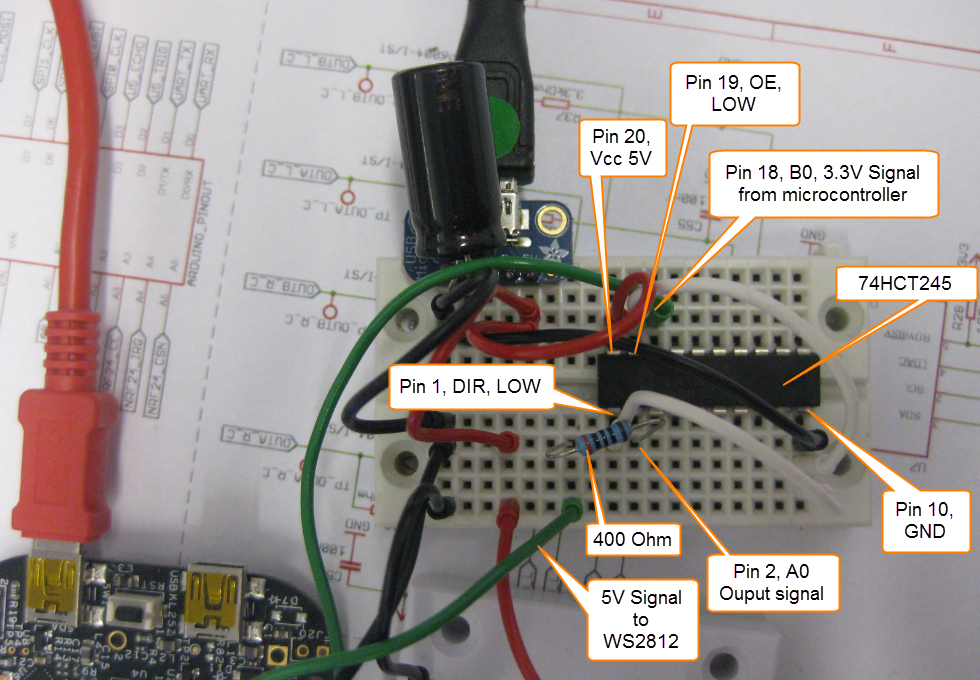
After the problems with level shifters (see “First Adafruit NeoPixel Blinks with the FRDM Board“) I received the ordered 74HCT245N. Put it on a bread board, wired it up, … only to find out that the device gets very hot… turned off power, and realized that had the device put in with a wrong orientation 😦 oh darn! That’s why I always order things like that in quantities of 3 or more :-). Corrected the mistake, and things are running (or blinking) again 🙂
Preserving Memory Ranges with Eclipse and P&E GDB Server
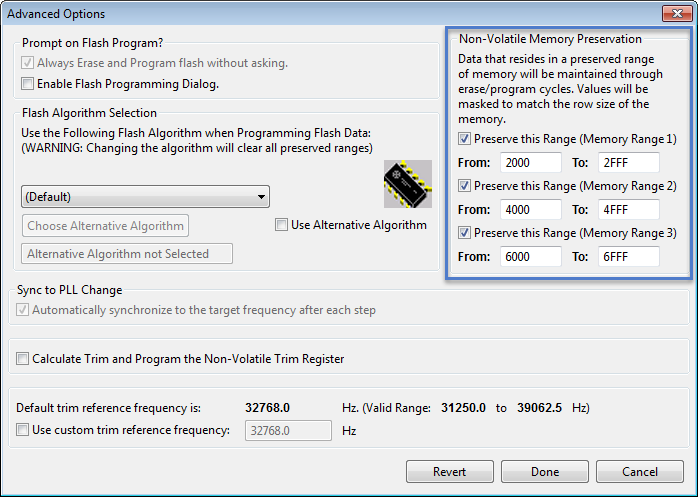
For my boot loaders I need the functionality that I can keep memory ranges from being erased while downloading the rest of the application. P&E provides a GDB server which interfaces with their probes (P&E Universal Multilinks, Tracelinks, …) and as well with the OpenSDA present on many of the Freescale evaluation boards. In CodeWarrior there is an option for ‘Advanced Programming Options’ which allows to preserve memory of the microcontroller FLASH (see “Programming part of flash“). However, that option or button is not present in the Eclipse version of the P&E GDB server (e.g. in Kinetis Design Studio). So how can I preserve some areas of FLASH in Eclipse with GDB?
First Adafruit NeoPixel Blinks with the FRDM Board
LEDs are getting smarter these days. An amazing example are the WS2812(B) or ‘NeoPixels’ from Adafruit: RGB LEDs with a built-in constant current controller and shift register! With a single wire data wire hundreds of RGB LEDs can be controlled. Exactly what I need for a project I had in mind for a very long time. So I ordered a bunch of different LEDs from Adafruit to experiment. Exactly the right thing on dark and rainy week-end. And the result is, well: bright and colorful 🙂
Listing Code and Data Size for each Source File with GNU and Eclipse
I have used the ‘classic’ CodeWarrior IDE for years, before I moved over to Eclipse some years ago. And as with any IDE or tool switch, things are different in the ‘new world’. In summary, I don’t want to go back anyway, and Eclipse is my development tool of choice now. But from time to time I get challenged about something like “hey, this was possible in the previous tool, so how can I do the same in Eclipse?”. As a fan of Eclipse, this then gets my attention as I feel that Eclipse can do it, and it can do it better. 😉
So what about this one: In CodeWarrior the project view lists code and data size for each source file:
Multi-Drive Support with FatFS
I admit: I’m sometimes a lazy person. In my projects, I only needed one ‘disk drive’ with the FatFS Processor Expert component: either a SD card or a USB MSD drive. But a reader of this blog wanted to use FatFS with multiple drives: using it with an SD card and a USB MSD drive. And actually FatFS does support this, I just had no need for it, thus I did not add anything special for it. But that reader let me think that I better add Multi-Drive support. Even if I do not need it now, that could be very handy in the future 🙂

FatFS Drive System (Source http://elm-chan.org/fsw/ff/en/appnote.html)