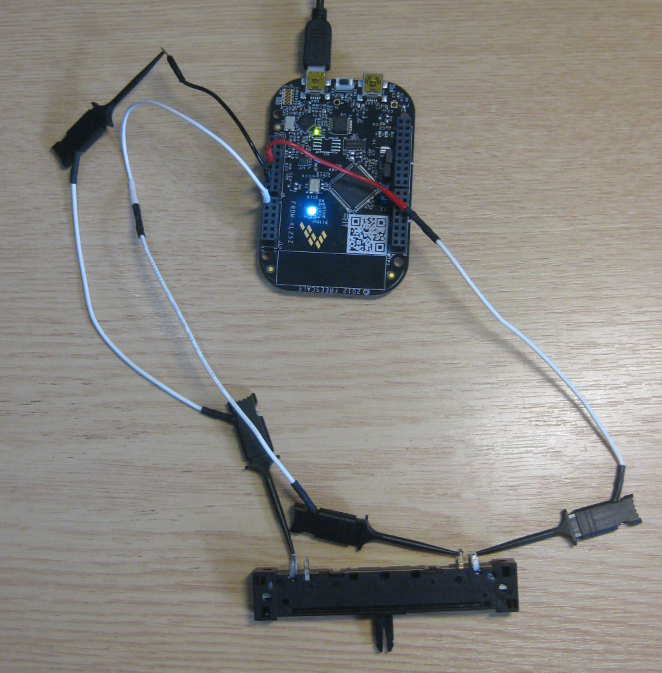
Unlike other boards from Freescale, the FRDM-KL25Z has no potentiometer or analog components on it. But in many applications an ADC conversion is needed, so here we go with a tutorial reading in an external potentiometer with Eclipse, CodeWarrior and Processor Expert. For this tutorial I have a 10k Ohm linear potentiometer connected to the Freedom board:
Monthly Archives: February 2013
Zumo Line Following with FRDM-KL25Z
With the Zumo I have a base platform for cool robotics applications. So why not build a line following robot with this? Especially as Pololu offers a reflectance sensor array for it. The result is: I have a line following robot 🙂
It turned out that things were not working out of the box with the FRDM-KL25Z board. So if you want to do the same thing, here are some tips how to make it working with the Freedom board.
Tutorial: Printf() with (and without) Processor Expert
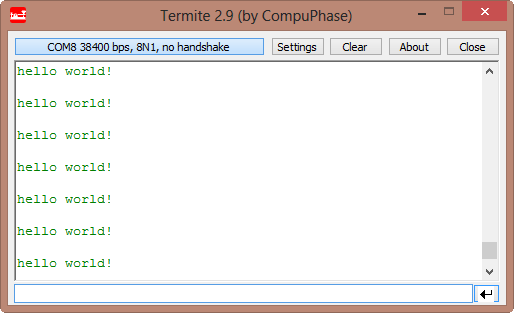
In this post I tapped into how to print messages to a console using the Kinetis/Freedom board. I’m not a fan of printf() for multiple reasons: It is simply a bad thing for embedded systems programming. But as many have asked for it, here is how to say “hello” from the Freedom Board using printf():
Top 10 Customization of Eclipse Settings
The great thing with Eclipse is that you can configure a lot. In general, I’m happy with most of the defaults in Eclipse and CodeWarrior. Here are my top 10 things I change in Eclipse to make it even better:
Turning the Freedom Board into a Logic Analyzer
I think the most important tool for a firmware engineer is a Logic Analyzer. I always have one on my desk. Working in different locations, sometimes I forget to carry it with me. And for sure I would need it. To buy another one to compensate my laziness? Or maybe there is another solution? And here I stumbled over an article about the Logic Sniffer project recently: it is about an open source logic analyzer hardware and firmware project. What a cool idea! Why not using my FRDM-KL25Z Freedom board as a Logic Analyzer? Heck, that would be awesome 🙂
Line Numbers in Eclipse
Either you hate it, or you love it: Line numbers in the Eclipse Editor:
Personally, I love it!
Eclipse Workspace Tips
Usually, one of the first things I see if I launch Eclipse is this dialog:
Actually, that ‘workspace’ thing is one of the most important things in Eclipse to understand. To mess around it can cause a lot of pain. So I have collected some ‘lessons learned’ around workspaces.