Debugging STM32F103RB NUCLEO Board with Segger J-Link

The STMicroelectronics STM32F103 (ARM Cortex-M3) Nucleo boards include the on-board ST-Link v2 circuit which allows to debug the board. This circuit is similar to the OpenSDA circuit found on Freescale boards. Unlike the Freescale OpenSDA, the ST-Link is only the ST-Link: it is not possible to load a P&E Multilink or Segger J-Link or firmware on it. Luckily, the ST-Link has a SWD connector, but this connector is a non-standard one. So how can I debug that board with an Eclipse based environment with GNU ARM Eclipse plugins and a Segger J-Link?

Connected J-Link with Nucleo Board

Connected J-Link with Nucleo Board

Continue reading

GNU Static Stack Usage Analysis

Stack overflows are a big problem: If I see a system crash, the first thing usually is I try to increase the stack size to see if the problem goes away. The GNU linker can check if my global variables fit into RAM. But it cannot know how much stack I need. So how cool would it be to have a way to find out how much stack I need?

Static Stack Usage Analysis with GNU

Static Stack Usage Analysis with GNU

And indeed, this is possible with the GNU tools (e.g. I’m using it with the GNU ARM Embedded (launchpad) 4.8 and 4.9 compilers :-). But it seems that this ability is not widely known?

Continue reading

Using the Freescale Freedom (FRDM-KL43Z) to Debug other Boards

In “Unboxing the Freescale FRDM-KL43Z Board” I was using the FRDM-KL43Z board the first time. The FRDM-KL43Z board has an on-board debug interface (Kinetis K20, OpenSDA). In this post I show how to use the FRDM-KL43Z board to debug another ARM board.

FRDM-KL43Z Board debugging custom (tinyK20) Board

FRDM-KL43Z Board debugging custom (tinyK20) Board

Continue reading

Board Take-Over: Using Segger J-Link to Debug NXP

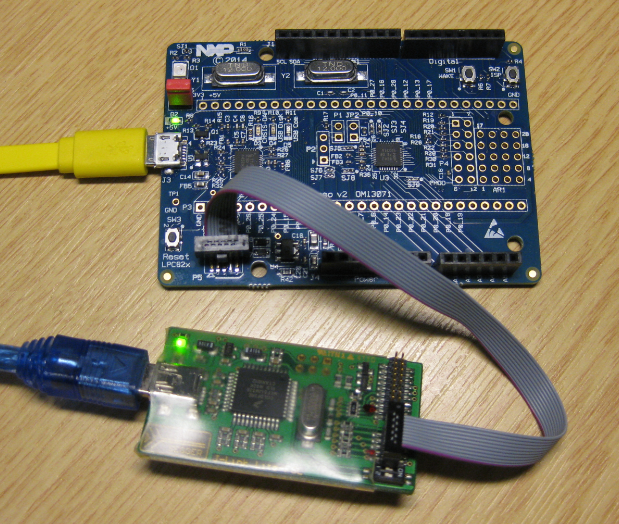
So NXP has announced that they want to take over Freescale (see this press release). In an earlier post I experimented how Freescale tools could be used in NXP tools, see “Merging NXP LPCXpresso IDE with Freescale Kinetis Design Studio, Processor Expert and Kinetis SDK“. Just for fun, I want to do the acquisition the other way round: Using Freescale (now NXP) software and tools to build and debug the LPC824 from NXP :-).

Debugging the NXP LPC824 with Freescale J-Link Lite

Debugging the NXP LPC824 with Freescale based J-Link Lite

Continue reading

Translating for the world …

English is not my first language, but I use it in this blog because that way I can reach a broader audience. If I would use Swiss German, only a few would be able to understand what I write about: “Wänn I würd schwiizerdütsch bruuche, dänn chönt wohl chuum öpper das hie läse” ;-).

Google Translate is not prefect, but still it does a fair job of translating web pages. I have added now a Google translate button to this blog side bar. Click on it and have the web page translated to the language of your choice. Try it out:

GoogleTranslate

💡 If you are speaking Portuguese and want to learn about the Freescale FRDM-KL25Z board, then check out https://hardwarizando.wordpress.com/2015/08/11/introducao-a-kl25z-codewarrior-processor-expert-e-interrupcoes-periodicas/

Happy Translating 🙂

PS: some of the translations by Google are sooooo funny 🙂

Revert an Eclipse Update Installation

I’ve been running into an issue with an Eclipse plugin update: I updated a plugin, and then broke a critical functionality. What I usually do is to uninstall the plugin (see “Uninstalling Eclipse Plugins“), and then install it again. However, in this case the uninstall ended with an error too :-(.

Uninstall failed

Uninstall failed

What now? How can I revert that plugin installation/update?

Continue reading