In “Using the Reset Button on the Freedom Board as User Button”, I had the problem to find out why a setting did not make it into my generated code. There is the fundamental question: “How does a setting impact my microcontroller register settings?”. There is an answer to that question: The Configuration Registers view:
Tag Archives: Processor Expert
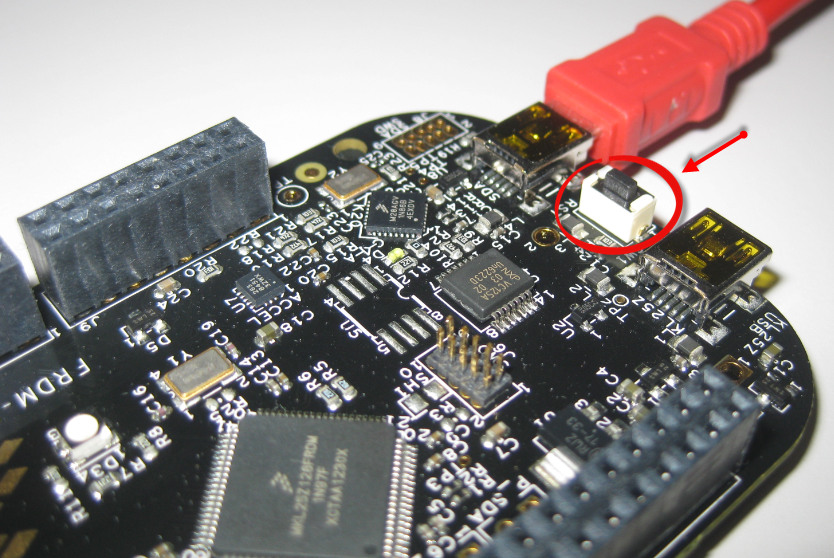
Using the Reset Button on the Freedom Board as User Button
Processor Expert is a great tool: it lets me configure all the complexities of that ARM Cortex-M0+ core. But today it has fooled me and I lost several hours of my week-end time :-(. I need a user interface like push button for my project. Yes, the FRDM-KL25Z has touch area, but honestly: that kind of stuff never worked out well for me. It is probably just me having it not properly set up. The touch slider is working as in my earlier simple example, but in my other project with more hardware around it, it is working sometimes, sometimes not. Ahrg! I can blame my ignorance, my lack of understand how to configure it properly, or the extra noise by the hardware around it. Result is: I wasted a lot of time, and I give up :-(.
Bluetooth with the Freedom Board
I’m working now on a lecture robot project using my Freedom Board. And for this I need a wireless communication. I already have IEEE802.15.4 (SMAC) working, but I wanted to add Bluetooth as a low-cost option. I have found an inexpensive Bluetooth module which is available for only around $4-8 which we use in another university class project. The module is an AT command module: that means the microcontroller communicates with AT serial commands with the module, and the Bluetooth stack itself runs on the module. In a minimal configuration I only need 3.3V, GND, TX and RX plus a CMD (Command) pin:
Tutorial: ADC with the Freedom Board
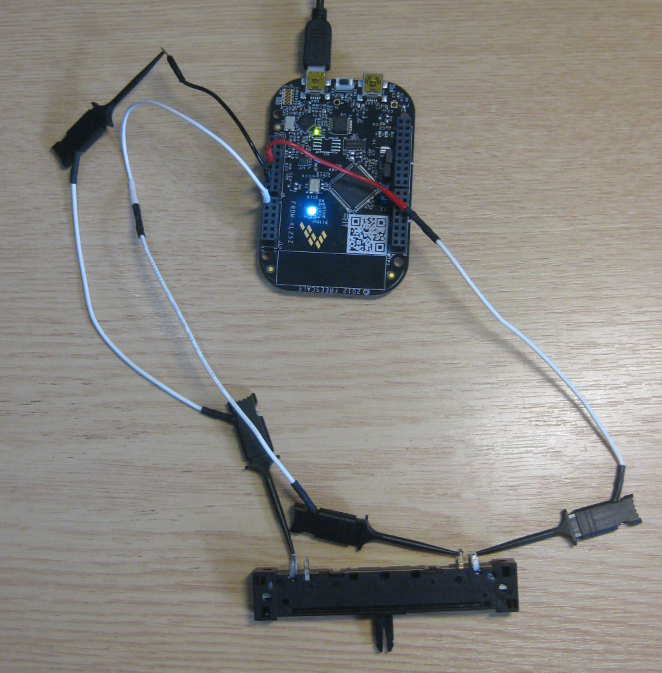
Unlike other boards from Freescale, the FRDM-KL25Z has no potentiometer or analog components on it. But in many applications an ADC conversion is needed, so here we go with a tutorial reading in an external potentiometer with Eclipse, CodeWarrior and Processor Expert. For this tutorial I have a 10k Ohm linear potentiometer connected to the Freedom board:
Zumo Line Following with FRDM-KL25Z
With the Zumo I have a base platform for cool robotics applications. So why not build a line following robot with this? Especially as Pololu offers a reflectance sensor array for it. The result is: I have a line following robot 🙂
It turned out that things were not working out of the box with the FRDM-KL25Z board. So if you want to do the same thing, here are some tips how to make it working with the Freedom board.
Tutorial: Printf() with (and without) Processor Expert
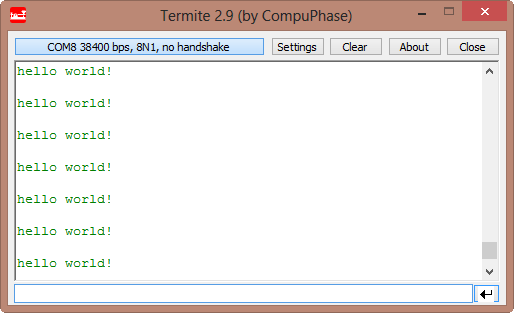
In this post I tapped into how to print messages to a console using the Kinetis/Freedom board. I’m not a fan of printf() for multiple reasons: It is simply a bad thing for embedded systems programming. But as many have asked for it, here is how to say “hello” from the Freedom Board using printf():
Tutorial: IAR + FreeRTOS + Freedom Board
Maybe Eclipse is ‘too much’, and you are looking for something different? The cool thing with Processor Expert is that while this is Eclipse based, you can use it easily with other tool chains like IAR Embedded Workbench. So you have the choice, and I have explored things a little with porting FreeRTOS for Cortex-M0+ to IAR :-).
In this tutorial I’m showing how use IAR with FreeRTOS and the Freedom FRDM-KL25Z Board, using Processor Expert components.
Enabling the Expert Level in Processor Expert
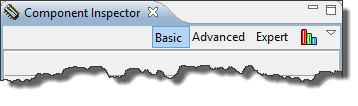
Processor Expert in Eclipse and CodeWarrior is cool thing, and acts as the ‘expert’ for anything around the microcontroller used. But by default, it is acting in the ‘Basic’ level only.
But there are ways to get it to the Expert level :-).
Resolving Processor Expert Bogus Errors
Some times, especially after making some clock/timing changes in Processor Expert, I have an error showing up in the Processor Expert components:
Many times Processor Expert is right. But not always: It is possible that Processor Expert is stuck on the error, and there seems no way out. But there is a trick to resolve it….
Tutorial: Ultrasonic Ranging with the Freedom Board
Question: What makes 8 times ‘beep’, but I cannot hear it?
Answer: My ultrasonic range finder 🙂
What I have added to my FRDM-KL25Z board is an ultrasonic distance sensor, measuring distances up to 4 meters.