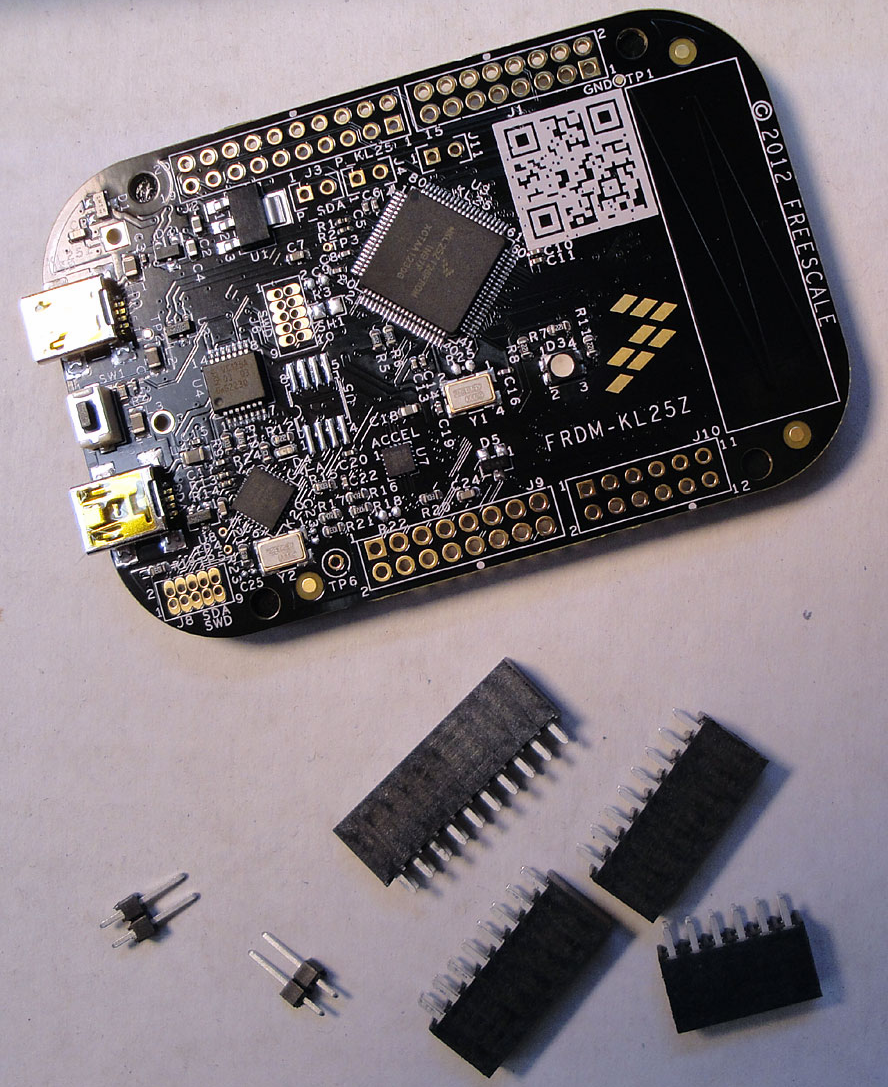
Tutorial: printf() and “Hello World!” with the Freedom KL25Z Board

Sometimes I show to much in a tutorial: only writing something to the UART? Sounds boring, so why not adding tasks, LEDs and a full shell implementation to the mix as in this post? Yes, definitely too much to start with at the beginning :-(. So less is more, and if it is just about the UART. And I promise: it is doable with around 50 lines of application code :shock:.

AND: I admit, this post title is a trap ;-). It is not about printf(). But it *is* about using the UART on the KL25Z Freedom board and to do things like printf(), and even more. Trust me. It is about how to write *and* read from the UART. While I’m using here the Kinetis-L ARM Cortex-M0+ KL25Z Freedom board, it is applicable to any other Kinetis device.

Continue reading

Fixing the USB Drivers

USB has two sides: if it works, it is great :-). If it does not, it is really bad :-(. It took a while in the desktop and PC world until USB for common devices (mouse, keyboard, memory sticks, …) was working without issues. But ‘non-standard’ devices like a USB debugging probe/cable are not of that kind of category.

Occasionally I run into USB driver issues in my class. So this post is about identifying the different USB driver parts for the P&E OpenSDA, P&E OSBDM/OSJTAG and P&E Multilinks. And how to install the drivers manually if something is not going well.

Continue reading

Tutorial: USB CDC with the KL25Z Freedom Board

Question: What to do on a rainy Sunday?
Answer: Having fun with USB and the KL25Z Freedom board! :-).

In “A shell for the Freedom board” I used the UART-to-USB OpenSDA capability of the KL25Z Freedom board: The KL25Z processor uses the OpenSDA K20 microprocessor as Serial-to-USB converter. But this only works because of the P&E OpenSDA USB CDC (Communication Device Class) implementation. If I create my board without OpenSDA, I need a different approach: I want to do USB CDC with the KL25Z :twisted:.

USB CDC Device on COM22

USB CDC Device on COM22

Continue reading

Processor Expert, gcc C++ and Kinetis-L with MQXLite

The Kinetis-L is a 32bit microprocessor family, based on ARM Cortex M0+. It comes with ARM gcc in CodeWarrior. Although the Kinetis-L does not have much RAM, it is very possible to use gcc with C++, especially as a programmer I keep the limited RAM amount in mind. So I thought I try C++ and Processor Expert for my Kinetis-L KL25Z Freedom board.

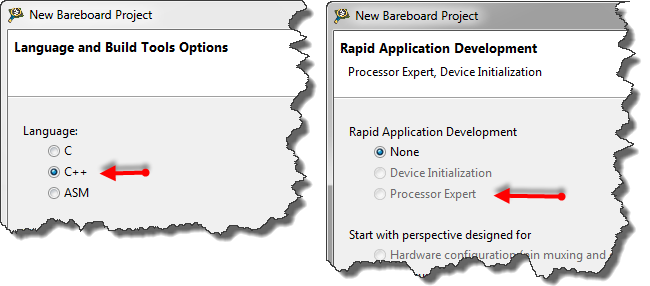
If I select C++ as language in the New Bareboard Project Wizard of CodeWarrior, then I cannot select Processor Expert or Device Initialization:

C++ in the New Project Wizard

C++ in the New Project Wizard

That makes somewhat sense, as Processor Expert creates normal C code and C files, but no C++. Still, what if I need C++? This is doable, but with anything advanced, I need to know exactly what I want and what I do. Here is the ‘How to use C++ with Processor Expert’.

Continue reading

Tutorial: Touching the Freedom KL25Z Board

I have covered several aspects of the Freescale KL25Z Freedom board with a tutorial: LED, Accelerometer and RTOS. One peripheral on the board is missing so far: the touch slider area:

Freedom KL25Z Board Touch Slider Area

Freedom KL25Z Board Touch Slider Area

Continue reading

Tutorial: Freedom with FreeRTOS and Kinetis-L

In my earlier tutorials “Enlightning the Freedom KL25Z Board” and “Accelerating the KL25Z Freedom Board” I have not used an RTOS. In this one I’m creating a project from scratch and run it with the open source FreeRTOS operating system, using the FRDM-KL25Z Freedom board. MCU10.3 comes with gcc, and is nicely integrated with Eclipse and CodeWarrior. With this tutorial, it is possible to get an RTOS up and running on a Kinetis device very quickly.

I have a KL25Z which has 128 KByte FLASH and 16 KByte of RAM. What I want to explore is if things could fit as well to the KL0 family where the smallest device has only 8 KByte of FLASH and 1 KByte of RAM. Can this work?

Continue reading

A Seminar, and Freedom with it

Today I attended the regional ‘Design with Freescale’ seminar. It had a part with a hands-on training using PEG for the Tower K60 + TWR-LCD board. It was the first time I had my hands on PEG which is a good learning experience. I learned that it is possible to fill more than 200 KByte of Flash with a simple LCD Touchscreen application which only has two screens, two buttons, a static text and two small bitmaps ;-).

Continue reading

Tutorial: Accelerating the KL25Z Freedom Board

In “Tutorial: Enlightning the Freedom KL25Z Board” I used the RGB LED on the FRDM-KL25Z board. This tutorial extends it to use the MMA8451Q inertial sensor on the board which is connected through I2C to the KL25Z processor:

Freedom Board Block Diagram

Freedom Board Block Diagram with MMA8451Q (lower right corner)

The goal is show the accelerometer x, y and z-axis on the RGB LED.

Continue reading

OpenSDA on the Freedom KL25Z Board

P&E has released information and firmware instructions for using the OpenSDA, see pemicro.com/opensda. Future has posted a very useful article about using OpenSDA here. So time to upgrade OpenSDA bootloader and firmware v10.1. My FRDM-KL25Z board is a pre-production board, and I assume the production boards expected next week will have the new firmware on it. But it is always useful to know how to change/upgrade the firmware, as I expect there will be new versions of it in the future.

Continue reading