Either you hate it, or you love it: Line numbers in the Eclipse Editor:

Line Numbers in Eclipse Editor View
Personally, I love it!

Either you hate it, or you love it: Line numbers in the Eclipse Editor:
Line Numbers in Eclipse Editor View
Personally, I love it!
Usually, one of the first things I see if I launch Eclipse is this dialog:

Select a Workspace Dialog
Actually, that ‘workspace’ thing is one of the most important things in Eclipse to understand. To mess around it can cause a lot of pain. So I have collected some ‘lessons learned’ around workspaces.
Maybe Eclipse is ‘too much’, and you are looking for something different? The cool thing with Processor Expert is that while this is Eclipse based, you can use it easily with other tool chains like IAR Embedded Workbench. So you have the choice, and I have explored things a little with porting FreeRTOS for Cortex-M0+ to IAR :-).

IAR Embedded Workbench with FreeRTOS
In this tutorial I’m showing how use IAR with FreeRTOS and the Freedom FRDM-KL25Z Board, using Processor Expert components.
The cool thing with the Freedom board is: there are many exciting Arduino boards out there which want to be used with the FRDM-KL25Z. I have spent most of my last week-end with creating a little black beauty:

FRDM Zumo Robot
One of the nice things of modern IDE’s are: they offer many extras for free. Many times it is related to programming and coding. But I love as well the ones which makes things easier and better which is not directly related to the executed code. One thing Eclipse offers is an on-the-fly spell-checking, similar to Microsoft Word:
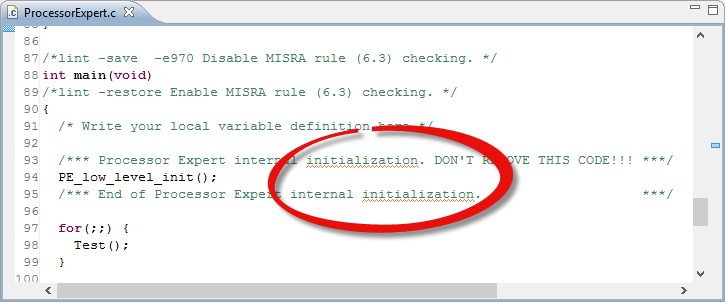
Spellchecked Sources
Hovering over the text offers me to correct the flagged error:
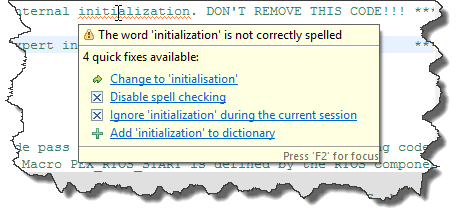
Initialization vs. Initialisation
But wait: is that example not spelled correctly?
CodeWarrior for MCU10.3 comes with the ARM GNU 4.6.2 installed:

gcc 4_6_2 in MCU10.3 layout
What about switching to a different (newer) gcc?
Processor Expert in Eclipse and CodeWarrior is cool thing, and acts as the ‘expert’ for anything around the microcontroller used. But by default, it is acting in the ‘Basic’ level only.
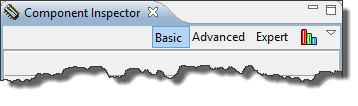
Component Inspector Levels
But there are ways to get it to the Expert level :-).
Debugging is usually a ‘stop-inspect-continue’ process. That does not work very well for watching a system which continuously changes its state. For this usually I toggle an LED, or write things to the console to watch with a human eye what is going on. But there is something very powerful in the CodeWarrior debugger too: to display variables and memory content while the target is running.

Variable Live View
In my view: the world needs more engineers to solve all the problems.
Question: How to recruit future engineers?
Answer: Show young people that engineering is a lot of fun!
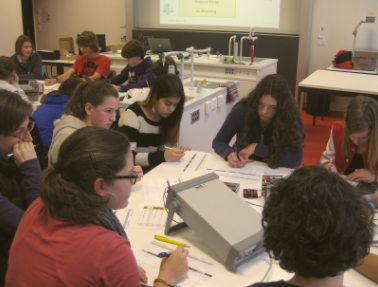
Polygraph in Action
If you think that my LED tutorial is too complicated to program a simple LED, then this article might be of interest for you. Because there is an easy and basic way: And I mean it: really basic. And the name is the program(ming language) ;-).
One of my very first contact with computers was the Commodore C64: this was a very successful home computer system back in the 1980’s: a 8bit machine with 64 KByte of RAM and a built-in Basic Interpreter in ROM:

Commodore C64 Startup Screen
 MCU on Eclipse