Eclipse has a cool feature which might not be known to everyone: the ‘To-Do’ (or Tasks) List which keeps track of what I have to do:

Tasks View

Eclipse has a cool feature which might not be known to everyone: the ‘To-Do’ (or Tasks) List which keeps track of what I have to do:
Tasks View
Air travel and especially across many time zones is no fun. I returned from the NXP FTF conference in Austin, Texas. Travelling to the west works pretty good, but travelling east is a beast.
My best tip beating timezone tiredness is to get out and tank as much sunlight as I can after. It has been a beautiful day today, I got a lot of sunlight, so here is a share of that:

Sun against Jetlag (click to enlarge)
In “Mother of Components: Processor Expert with NXP Kinetis SDK V2.0 Projects” I presented an approach how to use Processor Expert components with the NXP Kinetis SDK. This article is a tutorial how to create a blinking LED project with that approach, using McuOnEclipse Processor Expert components and the Kinetis SDK V2.0. As board the FRDM-K22F is used:
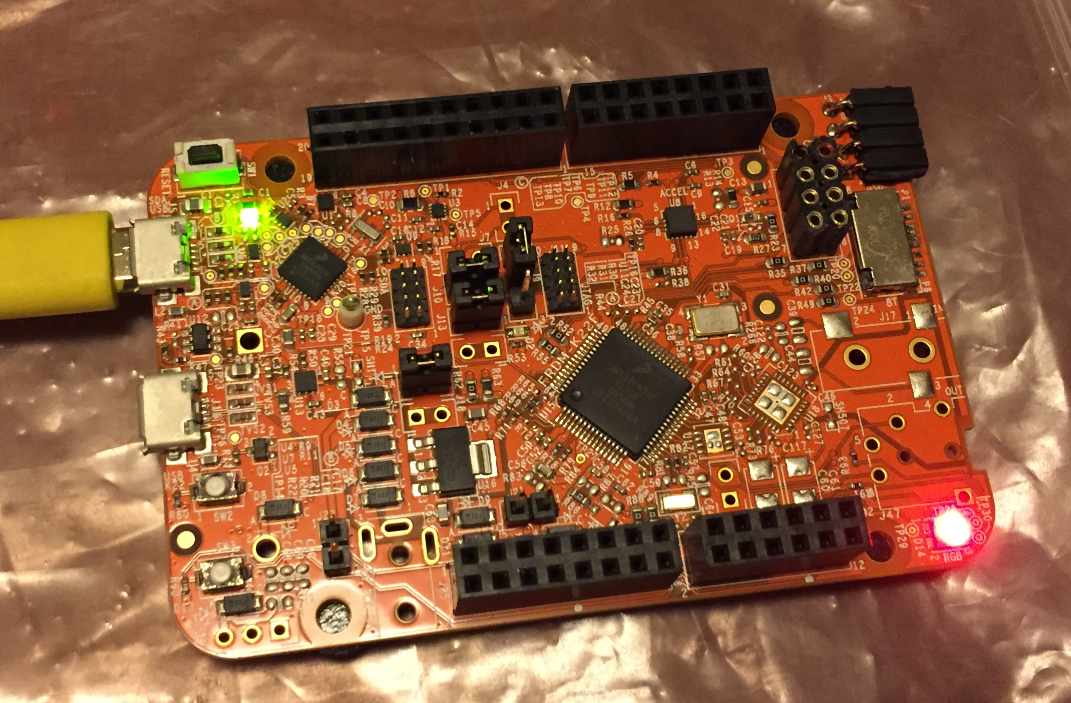
Blinky on a FRDM-K22F with SDK V2.0 and Processor Expert
Eclipse based IDE’s have a powerful feature to make ‘variants’ of the same projects: Build Configurations. Build configurations are a powerful thing in Eclipse: they allow me to make ‘variants’ of a project. The project will share the common things, and I can simply tweak things one way or the other for example to produce a ‘release’ or a ‘debug’ binary of my application without duplicate the project.
Build configurations are manged through either the context menu on the project or with the top menu:

Eclipse Project Build Configuration
I mentioned the hands-on sessions on FreeRTOS I do this week at NXP FTF Tech Forum in Austin in my previous post. What we are using in the session is an Eclipse plugin in Kinetis Design Studio showing all kinds of FreeRTOS information:

NXP FreeRTOS Plugin in Kinetis Design Studio
NXP FTF Tech Forum in Austin has been a blast! I’m running another FreeRTOS hands-on session (FTF-DES-N2048) this afternoon which yet again is fully booked. But we will squeeze in as many as possible from the waiting list.
One very exciting thing we are going to use is FreeRTOS thread awareness in Eclipse/Kinetis Design Studio: to see and debug the FreeRTOS threads in Eclipse using the Segger GDB and it will show the list of threads in the Debug view:

FreeRTOS Thread Awareness with Segger GDB
Unfortunately, now the NXP Kinetis SDK V2.0 does not include Processor Expert support (see “First NXP Kinetis SDK Release: SDK V2.0 with Online On-Demand Package Builder“). But at the Lucerne University we are using more than 150 different custom Processor Expert components we would like to use with that new SDK. So how to make them working with the Kinetis SDK V2.0? Using a Processor Expert as “the mother of all components”:

NXP Kinetis SDK V2.0 and Processor Expert Side-by-Side under Eclipse
My embedded applications are implemented mostly in C, a few in C/C++. But all of them have one or few assembly files included too: Assembly programming is the needed to do low-level things so it is a natural part of a true embedded application. For example I use often an assembly file for the application startup code.
I have run into a nasty Eclipse CDT issue which deals with assembly files projects. Here is a quizz for you: can you spot the problem in my project below?

Startup Assembly Code
By default I’m programming the Elf/Dwarf (.elf) file present in the GNU ARM Eclipse debug configuration:

Elf File to be Downloaded
But how to program the board with something different from the .elf file?
With Processor Expert projects it is very easy to change the heap and stack size: There is a setting for this in the Cpu component settings, under the ‘Build options’ tab:

Heap and Stack Size with Processor Expert
As there is no Processor Expert in the NXP Kinetis SDK V2.0 (see “First NXP Kinetis SDK Release: SDK V2.0 with Online On-Demand Package Builder“), how to do the same in a SDK V2.0 project?
 MCU on Eclipse