Tutorial: Arduino Motor/Stepper/Servo Shield – Part 2: Timed Servo Moves

You have decided: More than 52% voted in Part 1 that the next topic should be Timed Servo Moves. So here we go :-).

This is about how to move the servos over time, instead of moving it to the given position as fast as possible. I’m using a linear approach here: moving the servos linearly over time.

Moving Servo Motors

Moving Servo Motors

Continue reading

Tutorial: Arduino Motor/Stepper/Servo Shield – Part 1: Servos

This post starts a small (or larger?) series of tutorials using the Arduino Motor/Stepper/Servo Shield with the FRDM-KL25Z board. That motor shield is probably one of the most versatile on the market, and features 2 servo and 4 motor connectors for DC or stepper motors. That makes it a great shield for any robotic project :-).

Arduino Motor Stepper Servo Shield with FRDM-KL25Z

Arduino Motor Stepper Servo Shield with FRDM-KL25Z

Continue reading

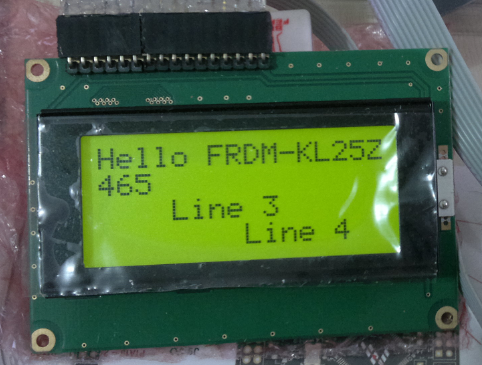
Character LCD with 4 Lines

Character LCD’s (like 2 lines with 16 characters each) as in this post are easy to use. Much easier to use compared to full graphical LCDs.

The ones I’m using have either 1 or 2 lines, but I saw that there are 4 line displays too. So far my LCD component only supports one or two lines.

4 Line LCD

4 Line LCD (Source: Ezequiel Bazotti)

Continue reading

How to use MCUonEclipse GitHub without Git

Not everyone is familiar with Git, and not everyone wants to use it. Although I think using Git or SVN is something every software engineer today needs to master 😉 To make it easier for the ‘non-Gitter’ to use the Processor Expert components, they are available now as *.PEupd files as described here. However, the *.PEupd files are just a snapshot, and not the latest and greatest. So how to use the latest component sources and example projects without Git?

gits in a box

gits in a box

Continue reading

Freedom Track Robot with IEEE802.15.4/SMAC

My other robots based on the FRDM-KL25Z use Bluetooth as connectivity. This one is using a Freescale IEEE802.15.4/ZigBee/SMAC module:

Robot with SRB MC13213 Board

Robot with SRB MC13213 Board as Remote Controller

Continue reading

Low-Level Coding with PDD (Physical Device Driver)

As with any software drivers: they are never perfect. The same applies to the Processor Expert components delivered in CodeWarrior for MCU10 or the DriverSuite too. That’s why I have created many more components which are available on GitHub here. All these components are using other components to reach the hardware. But what if a functionality is not exposed through the low-level component? Or what if I want direct access to the hardware? Up to now I had to choose either the Processor Expert way, or to do it in the ‘traditional’ way using an SDK like CMSIS or vendor supplied header files.

With MCU10.4, I noticed that there is another way: PDD (Physical Device Driver).

PDD in the Components View

PDD in the Components View

Continue reading

Processor Expert Component *.PEupd Files on GitHub

The MCUonEclipse GitHub repository is great for everyone which is familiar with Git or GitHub. Previously I was hosting my Processor Expert components on steinerberg.com. Exporting and maintaining the Processor Expert Update Files (*.PEupd) one by one is a lot of effort. GitHub makes things a lot easier, but again: you need to be familiar with it. And not everyone is ‘gitting’ yet. To help the rest of the world (the non-Gitter), I have now published Processor Expert update files for all the components in the repository, so it is easier to install them.

IMPORTANT NOTE: After October 17th 2014, the releases of the McuOnEclipse Processor Expert has been moved to SourceForge, see McuOnEclipse Releases on SourceForge

Continue reading

Switching Processor Package – Simplified in MCU10.4

I continue to uncover new things in CodeWarrior in MCU10.4 :-). Remember my post “Switching Processor Package in Processor Expert” about the steps needed to switch from one microcontroller package to another? Although that’s not something I need to do on a daily base, this process is simplified in the new version 10.4 🙂

Select Package

Select Package

Continue reading

Added Write Protection Pin to FatFsMemSDHC

What was missing in the FatFsMemSDHC component presented here is support for a ‘write protection’ pin. Well, that write protection is not present on micro-SD cards, and on normal SD cards it is a simple plastic thing with no real hardware meaning: it is all up to the software to respect it. While my other SD card components have support for such a write protection detection, it was lacking for the FatFsMemSDHC (for Kinetis) component. Time to fix this!

SD Card Lock

SD Card Lock: an SD-Card, a micro-SD Card and a micro-SD card adapter, both with write-enabled

Continue reading