I’m currently building a home automation project around Raspberry Pi: I want to be able to monitor and control things like the lights, garage doors and the heating system both at home and from remote. I already have added a touch screen to one of my Raspberry Pi 2 computers (see “Adding a Touch LCD to the Raspberry Pi 2“). This article is about how to install the openHAB on that Raspberry so it can be the brain of the automation system.
Category Archives: Raspberry Pi
Raspberry Pi Tips: IP Address
Question: What is the IP address of my Raspberry Pi?
Adding a Touch LCD to the Raspberry Pi 2
I use my Raspberry Pi’s usually with an external VGA or HDMI monitor. How cool would it be to use a touch LCD screen instead?
From Zero to NOOBS: Starting with Raspberry Pi Zero
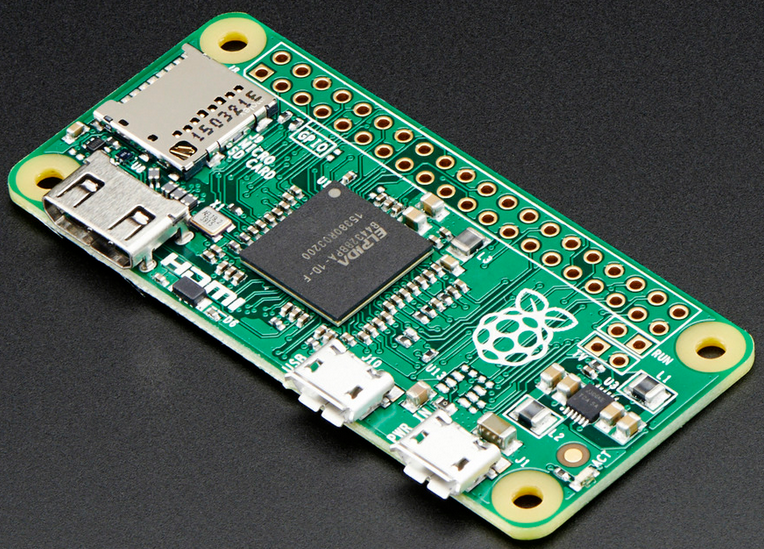
My Raspberry Pi Zero arrived last week (see “A Raspberry Pi for $5! What are your decision factors?“), and finally I have found an hour to try it out. Because the ‘bare board’ $5 version was sold out at that time, I ordered a package with 8GB SD card, micro USB cable and mini HDMI adapter. That way I had all the needed cables, including the mini HDMI adapter cable:
A Raspberry Pi for $5! What are your decision factors?
It it is obvious that a new trend from the US is swapping over to Europe and probably the rest of the world: Black Friday. That is the day yesterday following Thanksgiving day in the United States. It is a ‘shopping’ day. Consequently, the stores are battling with huge discounts. And I use that to fill up my inventory for the Christmas-time projects 🙂 What caught my attention yesterday Friday was this: a Raspberry Pi Zero for US$5!!!!