Sometimes I have to abandon a workspace, especially if I’m using too many (see my previous post how many I have right now). But the workspace still shows up in the recent workspace list, even if the directory has been deleted. How can I get rid of an unwanted workspace? As always, there is a setting for this…
Category Archives: Eclipse
Copy my workspace settings
I just counted the number of active eclipse workspace I have: Eight! I’m sure there are other developers which even have more than eight? Eclipse maintains many settings inside the workspace .metadata folder (see my post on CodeWarrior Tool Tip #1: Improve performance by cleaning house in the Eclipse workspace). The question is: how can I copy or transfer my carefully balanced workspace settings to another workspace?
5 Best Eclipse Plugins: #4 (EHEP)
And here is number 4 of my ‘best of’ eclipse plugins: the Eclipse Hex Editor Plugin or EHEP. It is a great tool to inspect or change files in hex mode. Installation of the plugin is simple: Get it from the http://ehep.sourceforge.net/update site.
Eclipse and PC-lint: Linticator
PC-lint from Gimpel has set the standard for static code analysis: it is used by many companies developing safety critical applications. Additionally PC-lint can check the MISRA rules which are standard for many coding guide lines. PC-lint has detected many subtle bugs in my sources. Thank you, PC-lint!
CodeWarrior classic provided a plugin for the PC-lint compiler: To bad that this does not exist in the eclipse based CodeWarrior. You might think that given PC-lint so popular, there should be an eclipse plugin available? Yes, there are many attempts on this: all of them did not work well enough for me. The good news: There is the Linticator eclipse plugin. The bad news: it is not for free.
5 Best Eclipse Plugins: #5 (WickedShell)
Eclipse and CodeWarrior for MCU10 come with a wealth of functionality. But there is more out there: I can install more plugins from the eclipse market place. The possibilities are endless! Here are the five plugins I always add to my base installation, starting with rank #5: WickedShell. The plugin is installed from http://www.wickedshell.net/updatesite.
Fixing the Eclipse Index
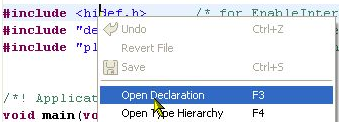
One of the greatest features in Eclipse is the Indexer: it parses automatically my code in the background. It creates all the needed information so I can browse around my sources. I can use the Open Declaration context menu in the source code:
Dissection of MCU10 Projects
Creating an eclipse managed make project with MCU10 is easy: Starting the wizard with File > New > Bareboard Project and after a few clicks I have a project. I don’t need to worry about all the files in the project structure, until……..well, until I need to put the files into a VCS.
No rule to make target
This error message is something I see nearly every day in the Problems View:
mingw32-make: *** No rule to make target ….
MCU10.2 on Ubuntu 12.04 64bit
In my class a student wanted to run CodeWarrior MCU10.2 with Ubuntu 12.04 (Precise Pangolin) on a 64bit notebook. According to the Freescale Website, that version of Ubuntu is not supported. And indeed, if you install CodeWarrior and launch it, it does not work. The splash screen comes up, but then it aborts. Claiming in the workspace/.metadata/.log file that it cannot find the libswt-gtk-java and libxtst6 packages. Continue reading