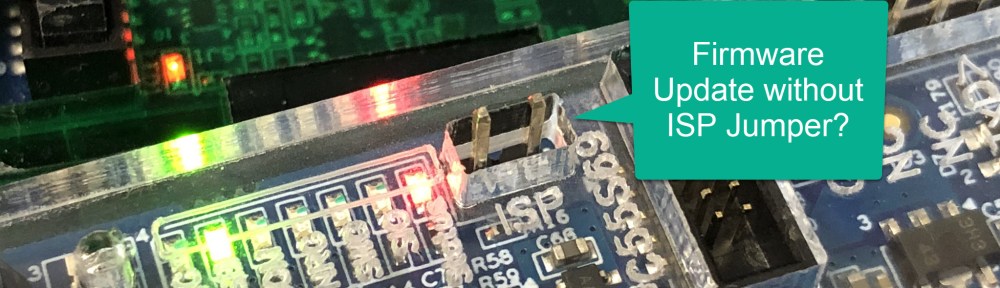
The MCU-Link debug probes are versatile and very useful debug probes from NXP. This article describes how to update the firmware on it, both the ‘traditional’ way with using the ISP jumper, and the new way using a command line script without the need to use a jumper.

Outline
There are two different probes available from NXP or the usual distributors: the MCU-Link and the MCU-Link Pro. The MCU-Link is a $12 USB CMSIS-DAP debug probe for ARM Cortex-M with a VCOM interface. The MCU-Link Pro is at $45 and includes a LPC804, USB bridging plus power/energy measurement, and even can be programmed with a J-Link firmware.
Both probes can be updated with a new firmware, and the usual ‘LPC-Way’ is to set the ISP jumper and then load the new firmware. But there is now a new way possible without the need for the ISP jumper.

Both probes can be used with any IDE, and I’m using them for my projects and classes with Eclipse (MCUXpresso IDE) and Visual Studio Code.
Software Download
Download the LinkServer installer and software package from https://www.nxp.com/design/design-center/software/development-software/mcuxpresso-software-and-tools-/linkserver-for-microcontrollers:LINKERSERVER and install it. At the time of this article the LinkServer 1.5.30 with firmware 3.140:

💡 I do not recommend the older v2.263 firmware as it is using USB HID, which is slower and available for legacy reasons.
With the latest IDE version, it can be downloaded directly from the connection dialog:

Install the software which default settings, it should end up in C:\NXP\Linksserver directory on Windows:

Updating probe Firmware
The ‘standard’ way to update the firmware on the probe is using the ISP mode (setting a jumper). With latest Linkserver software, a ‘jumper-less’ update available. The update process is the same for the MCU-Link and the MCU-Link Pro.
Update using ISP Jumper
Disconnect the USB cable and set the ISP Jumper, as shown below. Plugin the USB cable again and the red LED will be on:

Firmware Update Script
To update the firmware, update one of the scripts located in C:\NXP\Linkserver directory:
💡 Only the MCU-Link Pro can be updated to a J-Link debug probe.

To launch it, simply double click on it:

With the probe in ISP mode attached, press a key and it will be updated:

Now connect another probe in ISP mode, or press CTRL-C to quit.Next, remove the ISP jumper and re-power the board again.
With this, the probe firmware has been updated.
Jumper-less Update with Linkserver
With MCU-Link debug probes running a firmware v3.122 or later, I can use the Linkserver software to update it without the need to use the ISP jumper.
To check if I have I could update it:
LinkServer probe #1 update check

To make an update:
LinkServer probe #1 update auto

With this, I have updated the probe firmware without the need to set the jumper 🙂
Summary
The ISP jumper update way requires manual steps with setting and removing the ISP jumper on the LPC55S69 based boards. Locating the jumper someone new to the debug probe (e.g. new students in a lab) is time consuming and many times the wrong jumper gets set. With using the Linkserver software, the manual steps with setting, removing and pluging the USB cable is not necessary any more. This is great for automation or automated test labs. And it is great for our debug probe designs (e.g. see that drone and robot debug probe), as potentially that jumper (or button) would not be needed any more: both making the enclosure simpler and reducing the BOM. Maybe I still keep some test point or solder pads, just in case?
Happy updating 🙂
Links
- LinkServer Software: https://www.nxp.com/design/design-center/software/development-software/mcuxpresso-software-and-tools-/linkserver-for-microcontrollers:LINKERSERVER
- How to create your own MCU-Link debug probe: CMSIS-DAP Debug Probe for Robots and Pixhawk with KiCAD
- How to embed the MCU-Link in your board: Versatile OSHW Mini MCU-Link Debug Probe: External, On-Board, or Embedded
- NXP MCU-Link: https://www.nxp.com/design/design-center/software/development-software/mcuxpresso-software-and-tools-/mcu-link-debug-probe:MCU-LINK
- Collection of articles around MCU-Link and MCU-Link Pro.
 MCU on Eclipse
Just a noob question. I’m new to embedder system, Can we program and debug any arm cortex-m MCU by MCU link or MCU link pro? Or just NXP’s MCU.
If we can program any MCU then, is it better than J-Link EDU Mini as I’m planning to buy a debugger/programmer for any arm cortex-m MCU.
Currently I have cheap clone STlink v2 for stm32 mcu and on board ST Link debugger on nucleo board.
Also planning to buy Nordic dev board and they have Jtag onboard with external MCU debug support, But don’t know if they support other manufacturer MCUs as well.
Thanks & Regards
Ankit
LikeLike
Hi Ankit,
As a CMSIS-DAP debug probe, you can use it to program any ARM Cortex MCU, as long as the device is supported by your debugger. For example I’m using it to develop software for the RP2040 using VS Code.
If you program the Pro with the J-Link firmware: that J-Link firmware only supports NXP devices.
LikeLike
Thanks a lot for these articles on the MCULink, LinkServer and NXP related topics, Eric!
LikeLike
Hi Daniel,
thank you so much for the feedback, appreciated 🙂
LikeLike
Is there not the possibility to downgrade the firmware version of the probe? Potentially through with a similar process?
LikeLike
Yes, you can program the probe with a previous firmware. The LinkServer installation comes with the latest version, but you can use a previous version to program with the older version too.
LikeLike