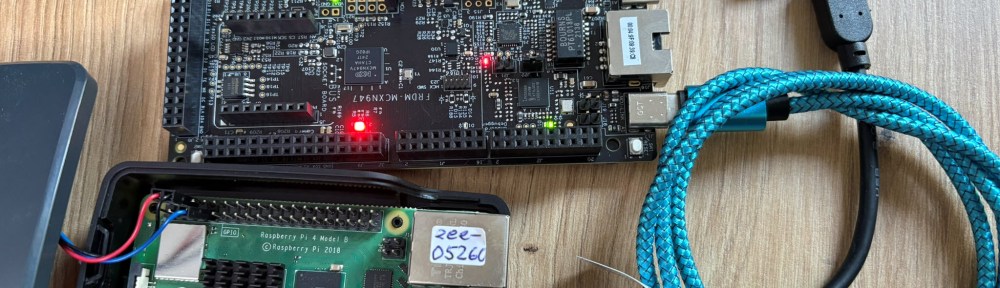
The latest release of the NXP LinkServer supports ARM 64bit (Debian) besides Windows, Linux and MacOS. With this, I can now develop on an NXP i.MX board. Plus, this enables an inexpensive way for automated on-target tests and CI/CD.
Outline
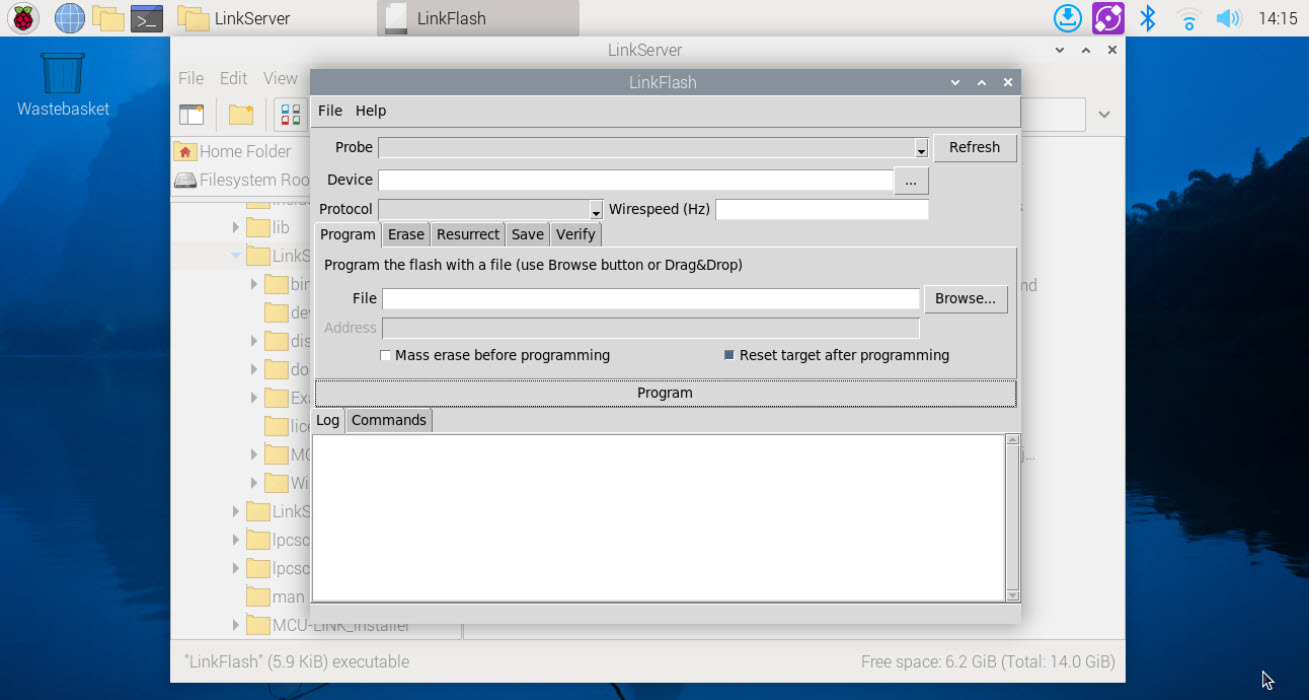
‘LinkServer‘ is a suite of software tools for launching and managing CMSIS-DAP debug sessions. Beside of command line tools, it includes the LinkFlash GUI tool for programming and more. Additionally it includes a test runner for automated on-target tests.
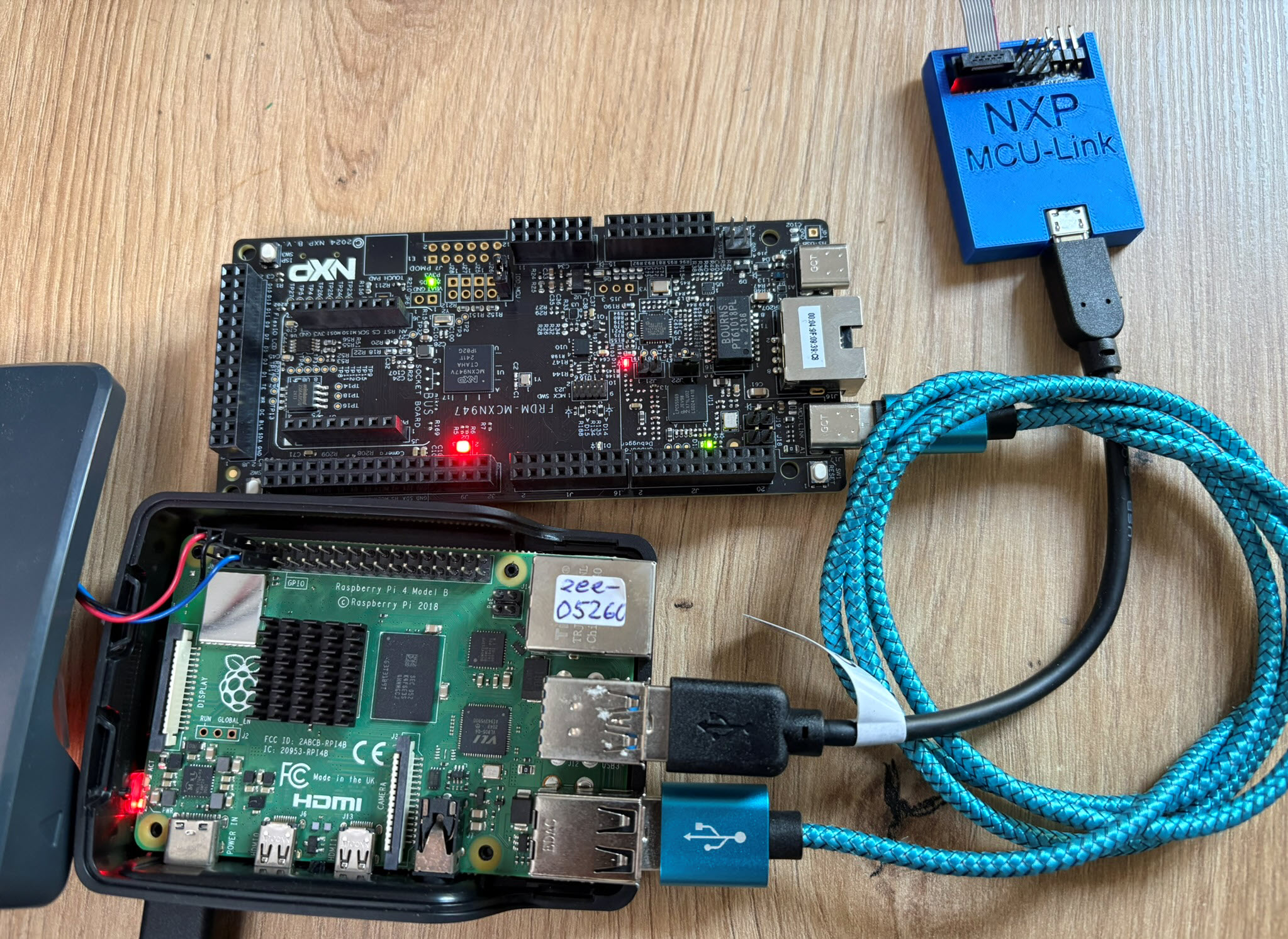
Traditionally the LinkServer software runs on a host system (Windows, Linux, MacOS). The v25.12.83 release includes support for ARM64. This means that the software can run for example on an Raspberry Pi or NXP i.MX93. Used together with the sub $15 MCU-Link debug probes, it forms an excellent setup. This setup is ideal for on-target testing in a test farm.
This article describes the setup on a Raspberry Pi 4. It should work on any ARM 64bit Debian based system the same way.
Installation
Go to the downloads section on https://nxp.com/linkserver and download the Linux Arch 64 package:
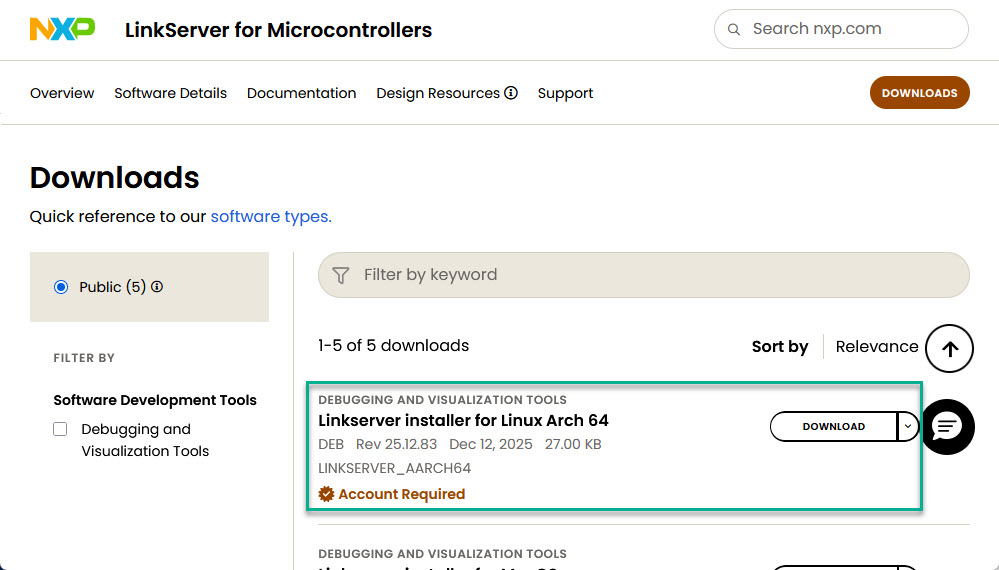
You can download that version directly from the following URL:
https://www.nxp.com/lgfiles/updates/mcuxpresso/LinkServer_25.12.83.aarch64.deb.bin
To download and install it on the Linux machine, I can use the following (see Streamlining LinkServer Installation for CI/CD) (for different version of the software, update the version number):
curl -O https://www.nxp.com/lgfiles/updates/mcuxpresso/LinkServer_25.12.83.aarch64.deb.bin \
    && chmod a+x LinkServer_25.12.83.aarch64.deb.bin \
    && sudo ./LinkServer_25.12.83.aarch64.deb.bin acceptLicense skipIdeSelect
pi@eee-05260:~ $ curl -O https://www.nxp.com/lgfiles/updates/mcuxpresso/LinkServer_25.12.83.aarch64.deb.bin \
    && chmod a+x LinkServer_25.12.83.aarch64.deb.bin \
    && sudo ./LinkServer_25.12.83.aarch64.deb.bin acceptLicense skipIdeSelect
  % Total    % Received % Xferd  Average Speed   Time    Time     Time  Current
                                 Dload  Upload   Total   Spent    Left  Speed
100 27.0M  100 27.0M    0     0  3703k      0  0:00:07  0:00:07 --:--:-- 3900k
Verifying archive integrity...  100%   All good.
Uncompressing LinkServer installer  100%
During installation, new udev rules that explicitly use MODE=0666 will be added in the system to allow non-superuser access to the USB debug probes. Various LinkServer, MCU-Link and LPCScrypt components depend on these rules to correctly communicate with the debug probes.
By continuing the installation and using LinkServer, you agree to the terms and conditions of this notice. If you do not agree, please cancel the installation process.
Installing...
Selecting previously unselected package linkserver_25.12.83.
(Reading database ... 155242 files and directories currently installed.)
Preparing to unpack LinkServer_25.12.83.arm64.deb ...
Unpacking linkserver_25.12.83 (25.12.83) ...
dpkg: linkserver_25.12.83: dependency problems, but configuring anyway as you requested:
 linkserver_25.12.83 depends on libusb-1.0-0-dev; however:
  Package libusb-1.0-0-dev is not installed.
 linkserver_25.12.83 depends on dfu-util; however:
  Package dfu-util is not installed.

Setting up linkserver_25.12.83 (25.12.83) ...
INFO: Created LinkServer symbolic link on /usr/local/LinkServer
INFO: Created MCU-LINK_installer symbolic link on /usr/local/LinkServer_25.12.83/MCU-LINK_installer
Processing triggers for gnome-menus (3.36.0-1.1) ...
Processing triggers for mailcap (3.70+nmu1) ...
Processing triggers for desktop-file-utils (0.26-1) ...
Selecting previously unselected package mcu-link_installer_3.167.
(Reading database ... 156617 files and directories currently installed.)
Preparing to unpack MCU-Link.deb ...
Unpacking mcu-link_installer_3.167 (3.167) ...
Setting up mcu-link_installer_3.167 (3.167) ...
INFO: Created MCU-LINK_installer symbolic link on /usr/local/MCU-LINK_installer
Selecting previously unselected package lpcscrypt.
(Reading database ... 156639 files and directories currently installed.)
Preparing to unpack LPCScrypt.deb ...
Unpacking lpcscrypt (2.1.4) ...
dpkg: lpcscrypt: dependency problems, but configuring anyway as you requested:
 lpcscrypt depends on libusb-1.0-0-dev; however:
  Package libusb-1.0-0-dev is not installed.
 lpcscrypt depends on dfu-util; however:
  Package dfu-util is not installed.

Setting up lpcscrypt (2.1.4) ...
Reading package lists... Done
Building dependency tree... Done
Reading state information... Done
Correcting dependencies... Done
The following package was automatically installed and is no longer required:
  python3-v4l2
Use 'sudo apt autoremove' to remove it.
The following additional packages will be installed:
  dfu-util libusb-1.0-0-dev libusb-1.0-doc
The following NEW packages will be installed:
  dfu-util libusb-1.0-0-dev libusb-1.0-doc
0 upgraded, 3 newly installed, 0 to remove and 4 not upgraded.
Need to get 317 kB of archives.
After this operation, 2,102 kB of additional disk space will be used.
Get:1 http://deb.debian.org/debian bookworm/main arm64 dfu-util arm64 0.11-1 [41.2 kB]
Get:2 http://deb.debian.org/debian bookworm/main arm64 libusb-1.0-0-dev arm64 2:1.0.26-1 [83.0 kB]
Get:3 http://deb.debian.org/debian bookworm/main arm64 libusb-1.0-doc all 2:1.0.26-1 [193 kB]
Fetched 317 kB in 0s (1,531 kB/s)
Selecting previously unselected package dfu-util.
(Reading database ... 156702 files and directories currently installed.)
Preparing to unpack .../dfu-util_0.11-1_arm64.deb ...
Unpacking dfu-util (0.11-1) ...
Selecting previously unselected package libusb-1.0-0-dev:arm64.
Preparing to unpack .../libusb-1.0-0-dev_2%3a1.0.26-1_arm64.deb ...
Unpacking libusb-1.0-0-dev:arm64 (2:1.0.26-1) ...
Selecting previously unselected package libusb-1.0-doc.
Preparing to unpack .../libusb-1.0-doc_2%3a1.0.26-1_all.deb ...
Unpacking libusb-1.0-doc (2:1.0.26-1) ...
Setting up libusb-1.0-doc (2:1.0.26-1) ...
Setting up libusb-1.0-0-dev:arm64 (2:1.0.26-1) ...
Setting up dfu-util (0.11-1) ...
Processing triggers for man-db (2.11.2-2) ...
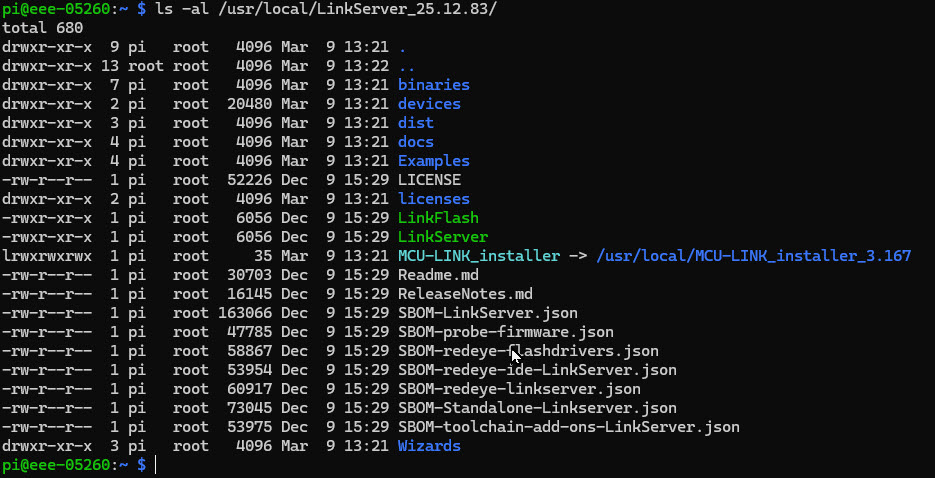
The software gets installed here:
/usr/local/LinkServer_<version>
/usr/local/LinkServer
Adding to Path
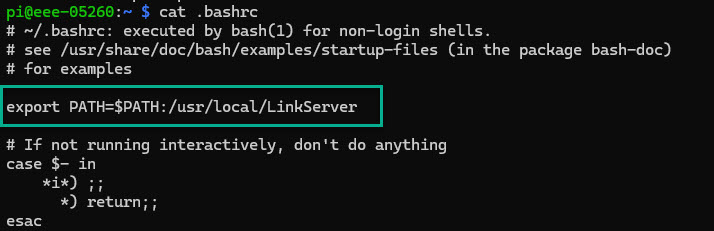
To make using LinkServer easier, I have it added to the PATH in my user .bashrc file:
Usage
From here on, I can use the LinkServer software. For example I can use the
LinkServer probes
command to list attached probes:

Summary
With the ability to run LinkServer software for example on a Raspberry Pi, I can use it for development. Even more, it enables an inexpensive way to build up an on-target test farm I can control remotely. LinkServer works with CMSIS-DAP debug probes like the NXP MCU-Link. That MCU-Link debug probe costs less than $14. A Raspberry Pi has four USB ports. I can easily use four debug probes with them. I don’t need an extra USB hub.
Happy linking 🙂
Links
- NXP LinkServer Software: https://nxp.com/linkserver
- LinkServer for Microcontrollers
- Streamlining LinkServer Installation for CI/CD
- GitLab Automated CI/CD Embedded Multi-Project Building using Docker
- CI/CD for Embedded with VS Code, Docker and GitHub Actions
- On-Target Testing with LinkServer Runner and VS Code
- Setup Guide for FRDM-IMX93 as Debug Server
 MCU on Eclipse