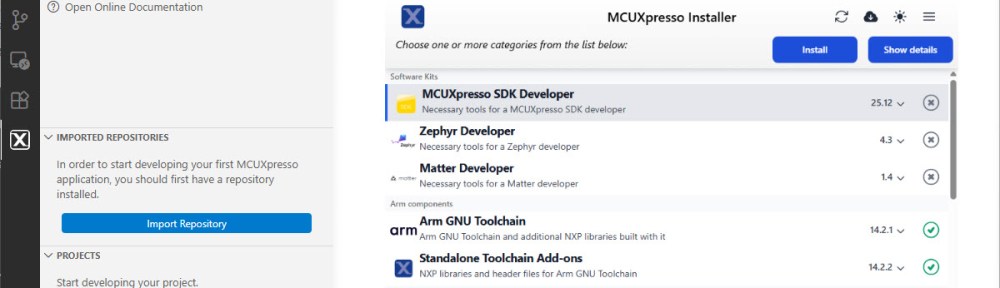
The engineering and development landscape is constantly changing. This includes the embedded tooling and SDKs.
Back in the year 2017 I have used the version 2 (see Tutorial: Using Eclipse with NXP MCUXpresso SDK v2 and Processor Expert). Back then, it was Eclipse with make. Now we are in 2026 and things have changed to VS Code, cmake, ninja, python and west.
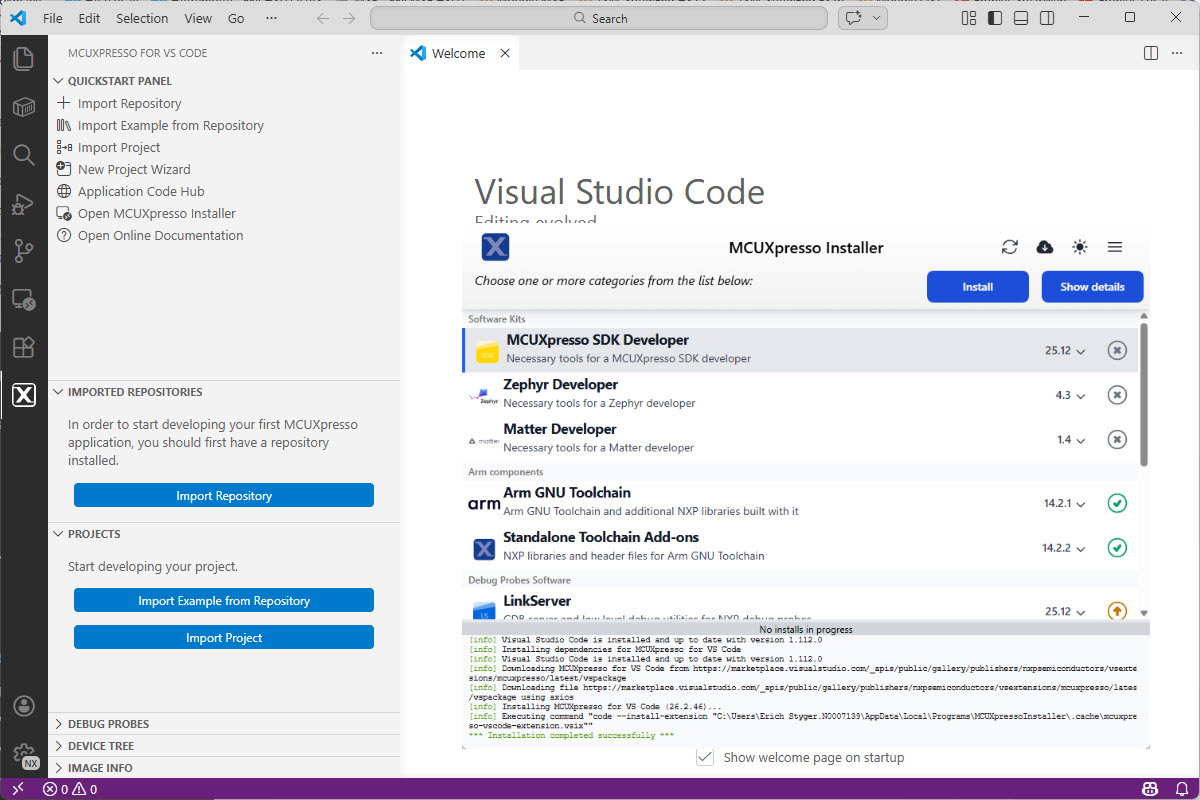
Luckily, although more and different tools are needed these days, the installation experience has improved significantly. It has shifted from installing multiple different tools to a streamlined installation process.
Outline
In this article, I’ll show how to get quickly up and running with the NXP SDK. The first article is about installing the necessary development tools.
The steps include installing VS Code with the NXP extension. One main reason for the extension is that it simplifies the installation process. You don’t need to install tools like cmake, ninja, west, and other tool chain binaries separately. It provides an installer that takes care of installing these tools for you.
What is the MCUXpresso SDK?
The MCUXpresso SDK is provided by NXP. The SDK includes software, drivers and middleware for many NXP controllers and CPUs. It is hosted on GitHub: https://github.com/nxp-mcuxpresso/mcuxsdk-manifests. Unlike other SDKs or older versions of the MCUXpresso SDK, the actual version is composed of multiple SDK repositories. https://github.com/nxp-mcuxpresso/mcuxsdk-manifests is hosting a manifest pointing to all the different individual repositories. So instead a monolithic repository, many smaller repositories build the SDK. For this, the MCUXpresso SDK borrowed ‘west’, a tool used in the Zephyr world.
VS Code
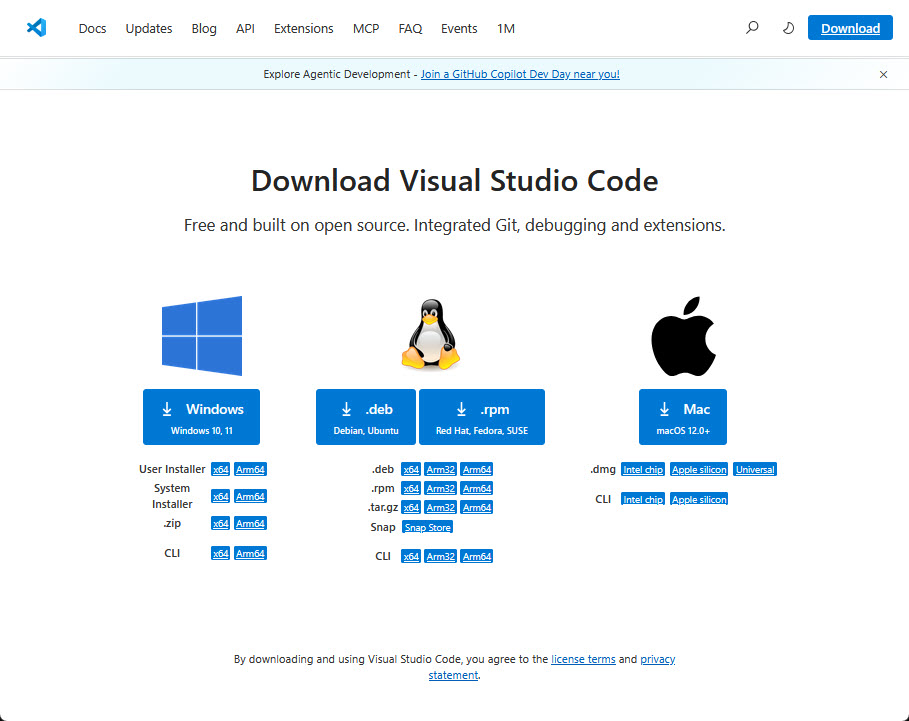
In this tutorial, I’m using Visual Studio Code. If you don’t have it already installed, go to https://code.visualstudio.com/ and install it.
In case you are concerned about using Microsoft tools: check out VSCodium.
MCUXpresso for VS Code Extension
The next step is to install the NXP extension for VS Code.
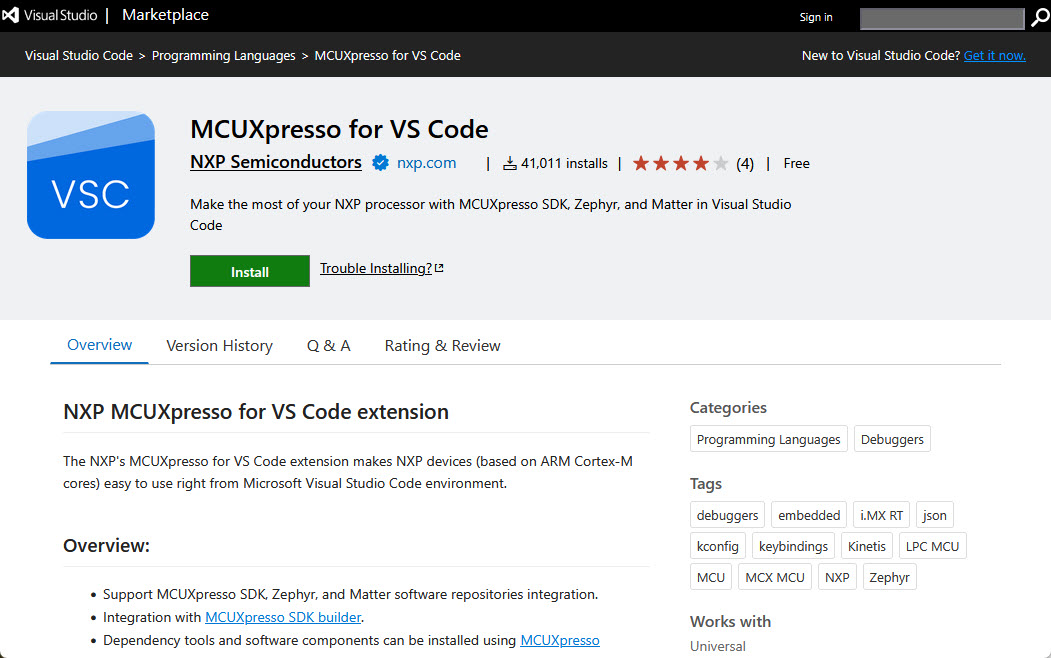
Go to https://marketplace.visualstudio.com/items?itemName=NXPSemiconductors.mcuxpresso and install the extension.
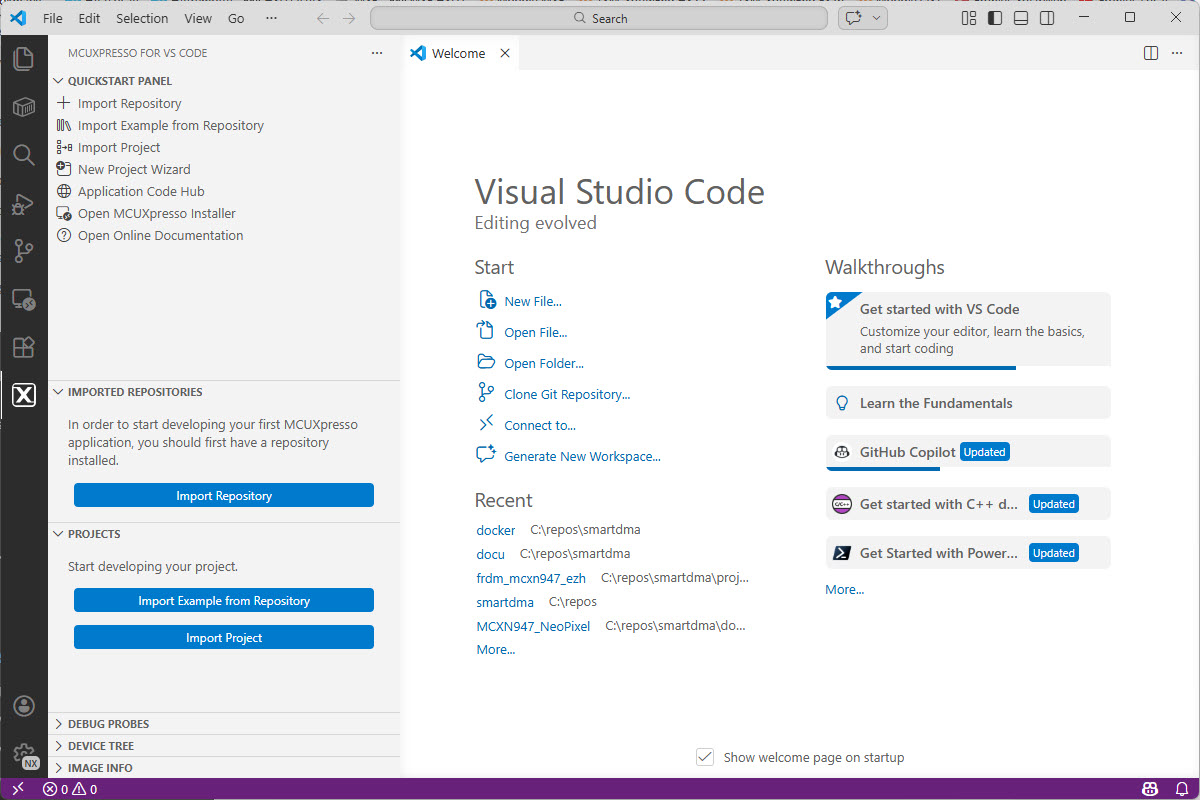
Now you have that ‘X’ icon in the left toolbar with the NXP extension:
Installer
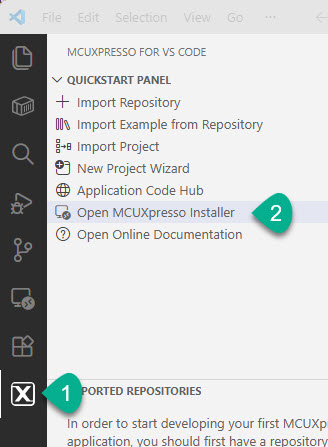
From the NXP extension, open the MCUXpresso Installer:
In the installer, install the ‘MCUXpresso SDK Developer’ kit:
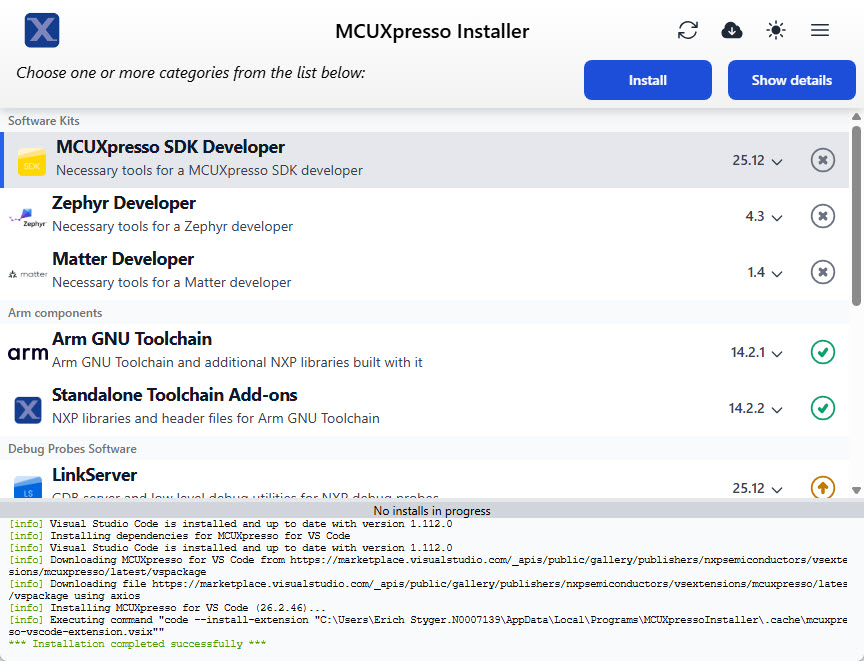
With this, we have all the necessary tools installed.
If you want to install things using the CLI: https://mcuxpresso.nxp.com/mcux-vscode/latest/html/MCUXpresso-Installer-CLI.html
Summary
Installing the necessary tools for a development environment with VS Code has evolved a lot. In the past, one needed to install many different tools, one by one. Now I install VS Code. I add an extension and launch an installer from there. It installs or updates everything for me. It is still not as simple as for packaged Eclipse distributions. But on return I get a flexible development environment in return.
In a next article I’ll show how to work with the SDK repositories.
Happy installing 🙂
Links
- VS Code: https://code.visualstudio.com/
- VSCodium: https://vscodium.com/
- MCUXpresso for VS Code: https://www.nxp.com/design/design-center/software/development-software/mcuxpresso-software-and-tools-/mcuxpresso-for-visual-studio-code:MCUXPRESSO-VSC
- NXP VS Code Extension:
- MCUXpresso for VS Code documentation: https://mcuxpresso.nxp.com/mcux-vscode/latest/html/index.html
 MCU on Eclipse
About VSCodium link, I do not find any MCUXpresso when I follow that https://marketplace.visualstudio.com/ link mentioned in that article. Not sure yet how important since I’ve not read all of this article!
LikeLiked by 1 person
Oh right after VSCodium is a link that does show MCUXpresso; never mind feel free to delete both these comments 🙂
LikeLike
I will keep watching this … but I don’t expect to be able to just port an existing MCUXpresso (.cproject) into VS Code … how about memory map definition for my BOOTloader … how about executing pre-build / post-build tools? Just comments that you perhaps were already planning to cover in future posts.
Because of the MCUXpresso / Mac Tahoe select-text highlighting issue, there’s a need to do something, and it sounds like perhaps MCUXpresso won’t get updates any more (even if eclipse gets updates).
LikeLike
Porting from an Eclipse project is not something I would recommend. The SDK is different too.
The MCUXpresso SDK has a simple post-build step (generating the binary file). I have not deep dived into that yet, so this topic is take as input for future article, thanks!
LikeLike
Well Erich, it seems you’re correct about not porting! For fun this morning I tried setting up VSCode as you write here, then doing an import. I got multiple errors.
During MCUXpresso install into VSCode, it failed with reports about homebrew. No idea if that’s important.
Trying to import an existing MCUXpresso project, I got errors about “[error] Error: There are no valid build configurations for this MCUXpresso IDE project: The ‘PGTbuild’ build configuration will be excluded from conversion since the linker script file could not be found into the ‘PGTbuild’ directory” … the installer doesn’t understand default linkscripts and the linkscripts folder?
LikeLike
My way of working is keeping the Eclipse projects in Eclipse, and start new projects in VS Code. I have not attempted to import Eclipse projects. I think that might work for simple projects. But mine are usually heavily updated. I think it might be a better start to begin with a simple/empty project in VS Code, then add and port things over.
LikeLike
Hi Eric,
A couple of thought that come to my mind when I think about the recent BIG changes on the NXP SDK side.
1. Moving towards VS Code as a plugin seems very much promising as the Eclipse based MCUXpresso seems like a dinosaur in 2026 that deserves to be put to rest. It’s just extremely lagging behind on so many fronts.
It will still take some time for this plugin to work decently and be error free (mostly) and feature-rich so that it will be fully usable and can ultimately replace the old Eclipse IDE.
2. Big changes to the SDK and Zephyr integration into it makes sense on so many levels from the NXP ecosystem point of view that I actually admire the effort. However, it does come at a certain cost.
New SDK approach assumes that NXP SDK is the center of the development ecosystem on top of which, applications should be build. That in turn makes it sort of impossible to treat the NXP SDK as a form of “third party” dependency in one’s project.
Just imagine you have a highly modularized code application for which you can swap-out dependencies like low-level drivers, middleware and etc. so that you can stay hardware independent. For such a case, using nxp SDK CMake files means that you application must know of specific CMake custom wrappers defined by NXP to be able to use SDK modules – which is not great IMHO but again, it makes sense from NXP ecosystem point of view.
Final words:
As a fan of minimalistic approach and freedom of choice when it comes to dependencies, I see that as a kind of disadvantage – especially for production type of development (it’s all good for PoC and prototypes) where different bits and pieces one would need to write from scratch (due to different reasons).
After all, whether this quite recent changes on the NXP side serve as well, depends on one’s perspective and whether one’s set of requirements are fulfilled by that new approach or not (putting it another way: whether it allows us to solve the problem/issue at hand in an acceptable manner along with introducing drawbacks and obstacles we can live to accept).
A bit of a long comment but I felt like sharing my observations. Maybe I’m not the only one expressing similar concerns?
I’m happy to read any comments and thoughts on the matter.
BR,
Michael
LikeLike
Hi Michael,
thanks for your comments and thoughts!
1. All these VS Code plugins imho should make things easier for new users. Or simplify certain things which other extensions are not providing. But to me they should be just optional helpers. What I want is a build system (for me CMake) which is independent of it.
2. The move of the vendors to VS Code in fact is more of a move to an IDE-independent build system which is exactly what I want too. On the plus side, the usual Eclipse-based vendor distributions are great in the sense that they come as a ‘care-free and complete package’ with examples, build system, toolchain and editor. Which makes it a great starter for things, but in the long run might be difficult to change for your needs. VS Code/CMake based distributions go the other way around: provide an SDK with the CMake files, then add the editor/extensions to it. Which makes the SDK independent. The issue I see is as soon as the vendors are starting to add CMake extensions to it. With the good intend to make things easier to use, but in fact it makes things harder on the long run: the extension cause compatibility issues, and need learning time too.
So I absolutely agree with you what you say about the need for being independent. What I did with the NXP SDK is taking out the files and build my own CMake files and structure. But this takes time and expertise. And got harder with the recent SDK which now is more around west and kconfig. So what I’m trying to do with it is to strip out as much of the dependencies, and re-arrange the projects so I can use standard CMake things for my application, but let build the SDK the way NXP wants to have it (or at least most of it). I hope I can write more about this in on of my future articles.
And I think you are not the only one expressing that concern. I see multiple forces pulling such an SDK architecture into multiple and conflicting directions:
a) NXP needs to support many, many different devices. Naturally, there SDK engineering wants to make it easy for NXP, but that’s not necessarily easy for the users. Which ends up in a huge SDK repository.
b) Users of NXP want just the things they need for a single device, so they need something ‘standalone’ and concise. Which is not easy to get out of a) above.
c) The SDK needs to ‘please’ many different users, with different experience level (no experience at all, up to the experts). From examples, documentation up to big applications with middleware. Which again because of a) can be very complex and challenging. One way to ‘solve’ this is with vendor specific extensions and enhancements, making it easy for the new user, but a distraction for the expert one.
To me, the approach should be a KISS (Keep It Simple and Stupid) one, with as much transparency as possible. And ultimately giving the freedom of choice what and how to use.
BR,
Erich
LikeLike
Hi Erich,
As always with you, thank you for your detailed and well-thought response!
I’d be happy to read the part regarding CMake patching and tweaking.
I wholeheartedly agree with a KISS approach, especially from a dev’s perspective who would rather have it easier on the long-term run than a short one.
CMake already provides us with an excellent dependency management mechanisms, so wrapping it with another layer of abstraction logic via custom CMake functions does seem like a “one fit for all” type of solution – however the culprit here is that such things rarely work well.
I must admit that it’s not a trivial task to achieve.
With so many packages, libraries, modules, third part components, etc. it takes a huge effort to put it all together in a manner that will serve everyone.
Maybe it’s even impossible to do that with modern tools? I can’t really tell.
I fell like with modern tools that we have at our disposal, it will eventually come down to some sort of compromise.
As you mentioned in c), the question is, do we want to support the new comers, the long-term doers who want to achieve maintainable & production grade product, or maybe both with NXP SDK dev in mind so that they have it easier as well? – That is one hard nut to crack!
I’d sure prefer the independence and plug&play type of system where I can choose what I use and how.
BR,
Michael
LikeLike
Hi Michael,
unfortunately vendors do add their own CMake extensions. I see this happening for Raspberry Pi (RP2040, …), Espressif and NXP. IMHO, they are not really necessary. They make reading and working with the projects much harder and difficult, because it is like a language extension. It is fine, but only if those things are transparent. But in most cases this is not the case.
Erich
LikeLike