
Dealing with and debugging distributed systems, I end up with multiple debug probes and target boards on my desk. When starting a debugging session, it can be hard to identify a debug probe by its serial number. What I do in such a situation: put a color stick on the debug probe and have it assigned a nickname.

That nickname then shows up during the debug connection, and I’m sure I connect to the right probe and board that way.
For example I have multiple MCU-Link Pro debug probes connected to different boards. To differentiate the debug probes, Different color stickers are on the probes matching the nickname assigned.
The probes are running a J-Link firmware (see They can be programmed with a J-Link firmware (see New “MCU-Link Pro”: Debug Probe with Energy Measurement). To assign a nickname to a debug probe, I use the JlinkConfig program which is part of the SEGGER J-Link software and tools suite.
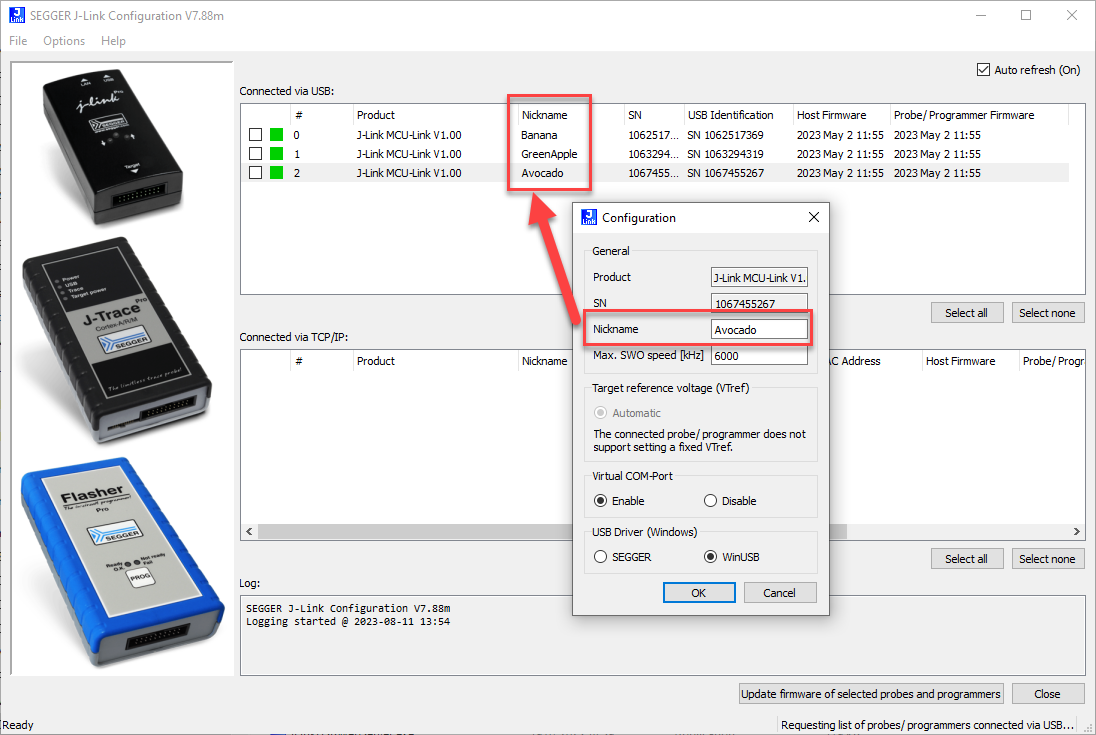
After assigning a nickname, I have to follow this:
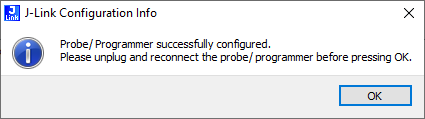
With this, each debug probe shows up with the nickname in the NXP MCUXpresso IDE:

Now I don’t have to remember serial numbers any more. And I think it is more fun to think about “debug with Banana!” then “serial number 1067455267” :-).
Update: with a new J-Link software release, one can now use the nickname for the connection too: Selecting J-Link Debug Probe by Nickname
Happy nicknaming 🙂
 MCU on Eclipse
Nice! 😎
LikeLike
Hi Rolf,
A long-standing wish: selection of probe by nickname. Currently only possible with IP or USB serial number (-select), why not by nickname? That would make it even more useful.
Thanks for consideration :-).
LikeLike
Hi Erich,
Makes sense! We’ll add it to the list. Should not be too hard to implement.
Will keep you posted.
SEGGER – where dreams come true 🙂
LikeLike
fantastic 🙂
LikeLike
FYI, has been added to J-Link Commander and J-Link GDB Server in V7.92d:
https://www.segger.com/downloads/jlink/ReleaseNotes_JLink.html
LikeLike
Hi Alex,
that’s fantastic news, thank you!
LikeLike