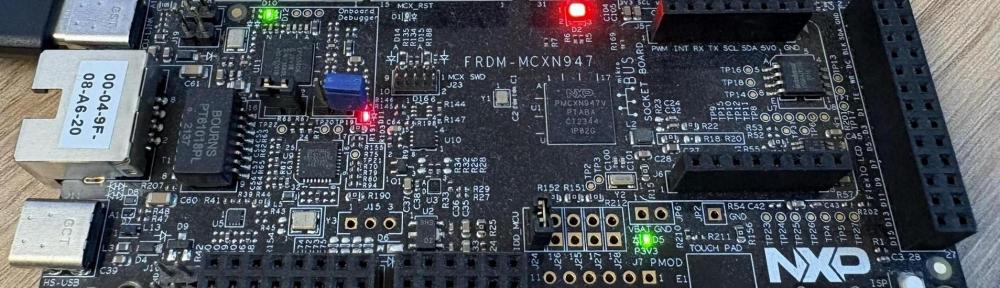
In my previous articles “Zephyr RTOS Workspace Setup Cheat Sheet (west, SDK, Python, Build Tools)” and “Optimizing Zephyr RTOS: ARM Toolchain Installation & Usage” I showed how to install a Zephyr workspace and the necessary tools. In this article I’ll show how to build a first embedded application with ‘west’.
Outline
In this article, I show how to build one of the Zephyr-delivered examples: the “blinky.”
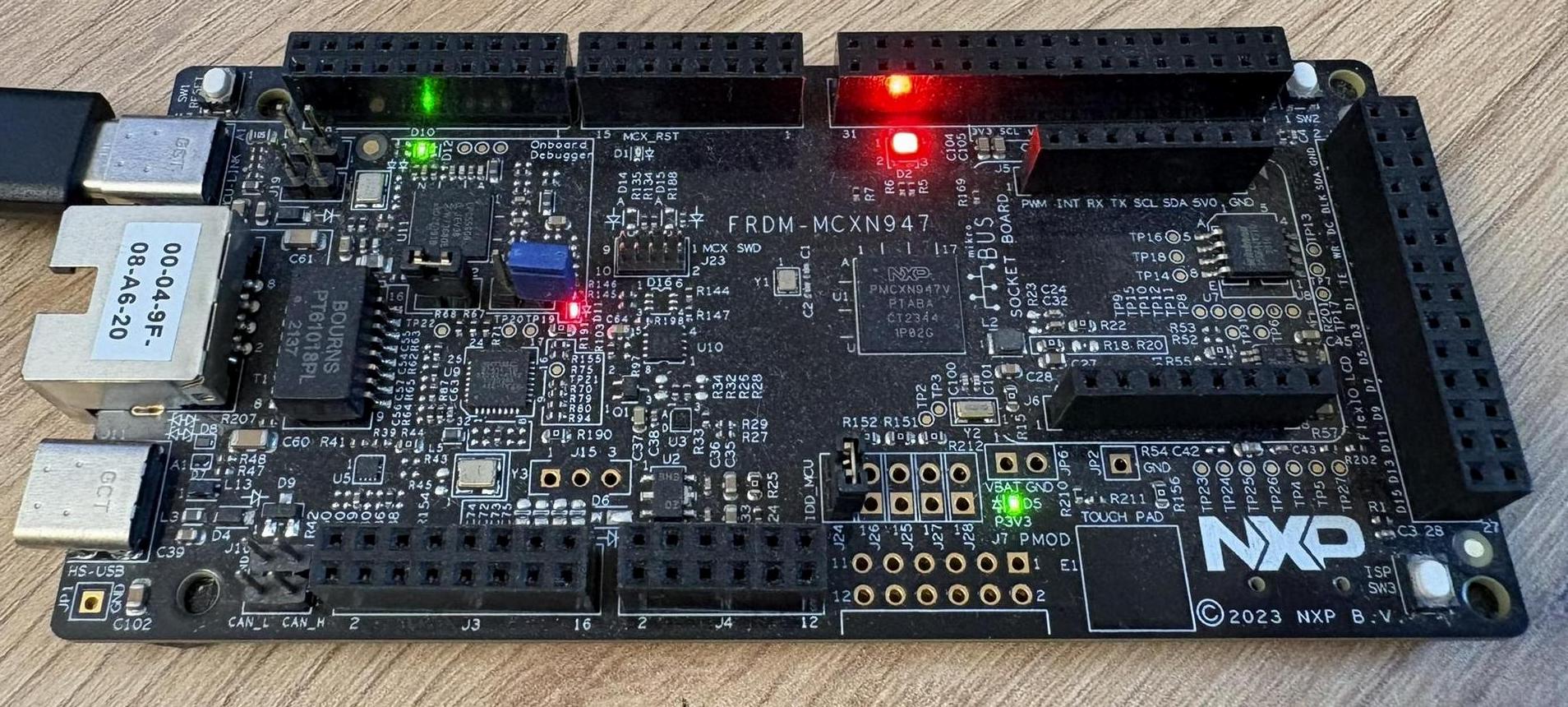
The board I’m using here is the NXP FRDM-MCXN947. But you can use any other board which is supported by Zepyhr.
Workspace
I start with a workspace I have created as outlined in my previous article. With this, I get the following files and directories:
drwxrwxr-x   6 erich erich 4096 Nov 22 10:37 .
drwxr-x---+ 59 erich erich 4096 Nov 22 10:35 ..
drwxrwxr-x   7 erich erich 4096 Nov 22 10:38 .venv
drwxrwxr-x   2 erich erich 4096 Nov 22 10:37 .west
drwxrwxr-x   3 erich erich 4096 Nov 22 10:37 modules
-rwxrwxr-x   1 erich erich  301 Nov 22 10:35 setup.sh
drwxrwxr-x  24 erich erich 4096 Nov 22 10:37 zephyr
Examples
Zephyr comes with a set of examples in the zephyr/samples directory:
drwxrwxr-x 24 erich erich 4096 Nov 22 10:37 .
drwxrwxr-x 24 erich erich 4096 Nov 22 10:37 ..
drwxrwxr-x  4 erich erich 4096 Nov 22 10:37 application_development
drwxrwxr-x  4 erich erich 4096 Nov 22 10:37 arch
drwxrwxr-x 13 erich erich 4096 Nov 22 10:37 basic
drwxrwxr-x 71 erich erich 4096 Nov 22 10:37 bluetooth
drwxrwxr-x 22 erich erich 4096 Nov 22 10:37 boards
drwxrwxr-x  4 erich erich 4096 Nov 22 10:37 cpp
drwxrwxr-x  4 erich erich 4096 Nov 22 10:37 data_structures
drwxrwxr-x 72 erich erich 4096 Nov 22 10:37 drivers
drwxrwxr-x  3 erich erich 4096 Nov 22 10:37 hello_world
-rw-rw-r--  1 erich erich  672 Nov 22 10:37 index.rst
drwxrwxr-x  8 erich erich 4096 Nov 22 10:37 kernel
drwxrwxr-x  6 erich erich 4096 Nov 22 10:37 modules
drwxrwxr-x 42 erich erich 4096 Nov 22 10:37 net
drwxrwxr-x  3 erich erich 4096 Nov 22 10:37 philosophers
drwxrwxr-x  4 erich erich 4096 Nov 22 10:37 psa
drwxrwxr-x  3 erich erich 4096 Nov 22 10:37 regulator
-rw-rw-r--  1 erich erich 4973 Nov 22 10:37 sample_definition_and_criteria.rst
drwxrwxr-x 82 erich erich 4096 Nov 22 10:37 sensor
drwxrwxr-x 15 erich erich 4096 Nov 22 10:37 shields
drwxrwxr-x 42 erich erich 4096 Nov 22 10:37 subsys
drwxrwxr-x  3 erich erich 4096 Nov 22 10:37 synchronization
drwxrwxr-x  4 erich erich 4096 Nov 22 10:37 sysbuild
drwxrwxr-x  9 erich erich 4096 Nov 22 10:37 tfm_integration
drwxrwxr-x  6 erich erich 4096 Nov 22 10:37 userspace
Blinky Example
Most development boards have a user LED. And so there is a LED ‘blinky’ example in zephyr/samples/basic/blinky:
zephyr/samples/basic/blinky
├── boards
│   └── nrf54h20dk_nrf54h20_cpuppr.overlay
├── CMakeLists.txt
├── prj.conf
├── README.rst
├── src
│   └── main.c
└── tests.yaml
The main parts are the main.c and the CMakeLists.txt files.
CMakeLists.txt
The CMake file is very simple. It finds and loads the Zephyr package with find_package, sets up Zephyr’s build configuration, and creates the blinky target:
# SPDX-License-Identifier: Apache-2.0

cmake_minimum_required(VERSION 3.28.0)
find_package(Zephyr REQUIRED HINTS $ENV{ZEPHYR_BASE})
project(blinky)

target_sources(app PRIVATE src/main.c)
Here is a list of what the find_package uses:
| Part | What it does |
|---|---|
Zephyr | Looks for the CMake package provided by Zephyr. Its configuration file is inside the Zephyr source tree inside the workspace: ./zephyr/share/zephyr-package/cmake/ZephyrConfig.cmake |
REQUIRED | Stops CMake configuration with an error if it cannot find the package. |
HINTS $ENV{ZEPHYR_BASE} | Reads the ZEPHYR_BASE environment variable and adds its value to the package search paths. If the variable is unset, CMake can still find Zephyr through its normal search. With using a workspace and having the zephyr folder in it, it searches there. |
main.c
The main.c file has the application code in it:
/* * Copyright (c) 2016 Intel Corporation * * SPDX-License-Identifier: Apache-2.0 */ <stdio.h> <zephyr/kernel.h> <zephyr/drivers/gpio.h>/* 1000 msec = 1 sec */ SLEEP_TIME_MS/* The devicetree node identifier for the "led0" alias. */ LED0_NODE/* * A build error on this line means your board is unsupported. * See the sample documentation for information on how to fix this. */static const struct gpio_dt_spec led = GPIO_DT_SPEC_GET(LED0_NODE, gpios);int main(void){ int ret; bool led_state = true; if (!gpio_is_ready_dt(&led)) { return 0; } ret = gpio_pin_configure_dt(&led, GPIO_OUTPUT_ACTIVE); if (ret < 0) { return 0; } while (1) { ret = gpio_pin_toggle_dt(&led); if (ret < 0) { return 0; } led_state = !led_state; printf("LED state: %s\n", led_state ? "ON" : "OFF"); k_msleep(SLEEP_TIME_MS); } return 0;}
Which LED pin?
The source code from above shows the power of Zephyr. Experts might notice that there is no hard dependency on a specific device. Unlike other environments or SDKs, there is no reference or include for a device specific pin configuration. Instead, it is using something like gpio_is_ready_dt(), gpio_pin_configure_dt() or gpio_pin_toggle_dt() which is using the concept of a DeviceTree, thus the dt in the names. And it looks for a device tree object named led0.
💡 I save the topic of the DeviceTree for later. But for now we should recognize that the above Zephyr code will work on any hardware and device, assuming there is a LED on that board and it is named
led0.
Which Board?
Next, we want to build the example with west. West needs to know what the target board is.
For this we need to specify the ‘board’. The board defines the CPU, architecture/build system as well its peripherals, for example how the pins are connected to LEDs and so on.
So the question is: is my board supported? The command west boards show the list of supported boards. It produces a big list, so here I just grep for the one I’m interested in:
(.venv)$ west boards | grep 947
frdm_mcxn947
Another direct way to list the boards I’m interested in is using the -n (name) option with a Python regular expression:
(.venv)$ west boards -n 'frdm_mcn'
which then lists all the boards having frdm_mcxn in the name:
west boards -n 'frdm_mcxn'
gives
frdm_mcxn947
frdm_mcxn236
Which target?
Boards can have multiple ‘targets’. Typically, for multi-core devices we can specify the core we want to use. We can get a list of targets with the --all-targets option:
(.venv)$ west boards -n 'frdm_mcxn947' --all-targets
which gives:
frdm_mcxn947/mcxn947/cpu0
frdm_mcxn947/mcxn947/cpu0/qspi
frdm_mcxn947/mcxn947/cpu0/ns
frdm_mcxn947/mcxn947/cpu1
Unfortunately, there is no more information, so from the names I have to guess what it means. Or I have to consult the board documentation on the Zephyr website, for example on https://docs.zephyrproject.org/latest/boards/nxp/frdm_mcxn947/doc/index.html
Building with west
With the information from above, I have everything for building the blinky for my board:
(.venv)$ west build -p always -b frdm_mcxn947/mcxn947/cpu0 zephyr/samples/basic/blinky
The option -p always does a ‘pristine’/clean build. This is especially needed if I’m switching configurations or want to ensure a clean new build.
(.venv) erich@erich-Precision-3581:~/workspace$ west build -p always -b frdm_mcxn947/mcxn947/cpu0 zephyr/samples/basic/blinky
-- west build: generating a build system
Loading Zephyr default modules (Zephyr base).
-- Application: /home/erich/workspace/zephyr/samples/basic/blinky
-- CMake version: 4.2.3
-- Found Python3: /home/erich/workspace/.venv/bin/python (found suitable version "3.14.4", minimum required is "3.12") found components: Interpreter
-- Cache files will be written to: /home/erich/.cache/zephyr
-- Zephyr version: 4.5.99 (/home/erich/workspace/zephyr)
-- Found west (found suitable version "1.5.0", minimum required is "0.14.0")
-- Board: frdm_mcxn947, qualifiers: mcxn947/cpu0
-- ZEPHYR_TOOLCHAIN_VARIANT not set, trying to locate Zephyr SDK
-- Found host-tools: zephyr 1.0.1 (/home/erich/zephyr-sdk-1.0.1)
-- Found toolchain: zephyr 1.0.1 (/home/erich/zephyr-sdk-1.0.1)
-- Found Dtc: /home/erich/zephyr-sdk-1.0.1/hosttools/sysroots/x86_64-pokysdk-linux/usr/bin/dtc (found suitable version "1.7.0", minimum required is "1.4.6")
-- Found BOARD.dts: /home/erich/workspace/zephyr/boards/nxp/frdm_mcxn947/frdm_mcxn947_mcxn947_cpu0.dts
-- Generated zephyr.dts: /home/erich/workspace/build/zephyr/zephyr.dts
-- Generated pickled edt: /home/erich/workspace/build/zephyr/edt.pickle
-- Generated devicetree_generated.h: /home/erich/workspace/build/zephyr/include/generated/zephyr/devicetree_generated.h
Parsing /home/erich/workspace/zephyr/Kconfig
Loaded configuration '/home/erich/workspace/zephyr/boards/nxp/frdm_mcxn947/frdm_mcxn947_mcxn947_cpu0_defconfig'
Merged configuration '/home/erich/workspace/zephyr/samples/basic/blinky/prj.conf'
Configuration saved to '/home/erich/workspace/build/zephyr/.config'
Kconfig header saved to '/home/erich/workspace/build/zephyr/include/generated/zephyr/autoconf.h'
-- Found Ccache: /usr/bin/ccache (found suitable version "4.12.3", minimum required is "4.12")
-- Found GnuLd: /home/erich/zephyr-sdk-1.0.1/gnu/arm-zephyr-eabi/arm-zephyr-eabi/bin/ld.bfd (found version "2.43.1")
-- The C compiler identification is GNU 14.3.0
-- The CXX compiler identification is GNU 14.3.0
-- The ASM compiler identification is GNU
-- Found assembler: /home/erich/zephyr-sdk-1.0.1/gnu/arm-zephyr-eabi/bin/arm-zephyr-eabi-gcc
-- Looking for device MCXN947 in /home/erich/workspace/modules/hal/nxp/mcux/mcux-sdk-ng/devices/
-- Found device folder: /home/erich/workspace/modules/hal/nxp/mcux/mcux-sdk-ng/devices/MCX/MCXN/MCXN947
Loading Zephyr default modules (Zephyr base (cached)).
-- Found gen_kobject_list: /home/erich/workspace/zephyr/scripts/build/gen_kobject_list.py
-- Configuring done (6.0s)
-- Generating done (0.3s)
-- Build files have been written to: /home/erich/workspace/build
-- west build: building application
[1/173] Preparing syscall dependency handling

[3/173] Generating include/generated/zephyr/version.h
-- Zephyr version: 4.5.99 (/home/erich/workspace/zephyr), build: v4.5.0-3996-g1b3f4f14ad20
[173/173] Linking C executable zephyr/zephyr.elf
Memory region         Used Size  Region Size  %age Used
           FLASH:       30440 B         2 MB      1.45%
             RAM:        4568 B       320 KB      1.39%
           SRAMX:           0 B        96 KB      0.00%
        IDT_LIST:           0 B        32 KB      0.00%
Generating files from /home/erich/workspace/build/zephyr/zephyr.elf for board: frdm_mcxn947/mcxn947/cpu0
The output .elf output file is placed in the build/zephyr folder.
A different board?
The really cool thing with Zephyr is that it abstracts from the underlying hardware. As for above blinky application, I easily can build it for another board, e.g. for the NXP K22FN512 which is present on that tinyK22 board I showed in my other article here. The closest board for it is the FRDM-K22F, so I can easily build it with the following:
(.venv)$ west build -p always -b frdm_k22f zephyr/samples/basic/blinky
💡 As a heads-up: the blinky won’t work correctly for that board, as the pin mapping does not match. But I plan to cover this with a future article.
Summary
Congratulations! You have built the “blinky” example with west! Learning west will take some time. It is the central tool for everything in Zephyr, and there is no way around it, even if it might seem complex at the beginning. On the other hand, it can greatly simplify and unify the build process, so you do not have to think about the build steps first; west takes care of them for you.
The other finding is that Zephyr with its device tree concept abstracts the applications from the hardware. With this, technically a Zephyr application can run on any microcontroller, as long as it provides the necessary hardware abstraction.
In a next article, I’ll show how to use ‘west’ to program the application to the board.
Happy building 🙂
Links
- The Zephyr project: https://www.zephyrproject.org/
- Zephyr RTOS Workspace Setup Cheat Sheet (west, SDK, Python, Build Tools)
- Optimizing Zephyr RTOS: ARM Toolchain Installation & Usage
- Getting started guide with Zephyr: https://docs.zephyrproject.org/latest/develop/getting_started/index.html

