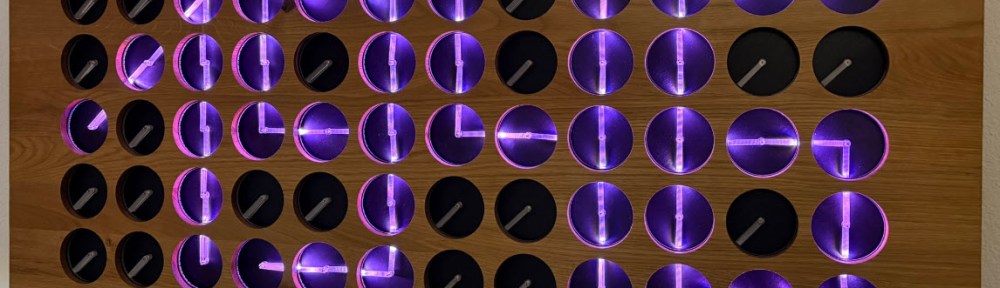
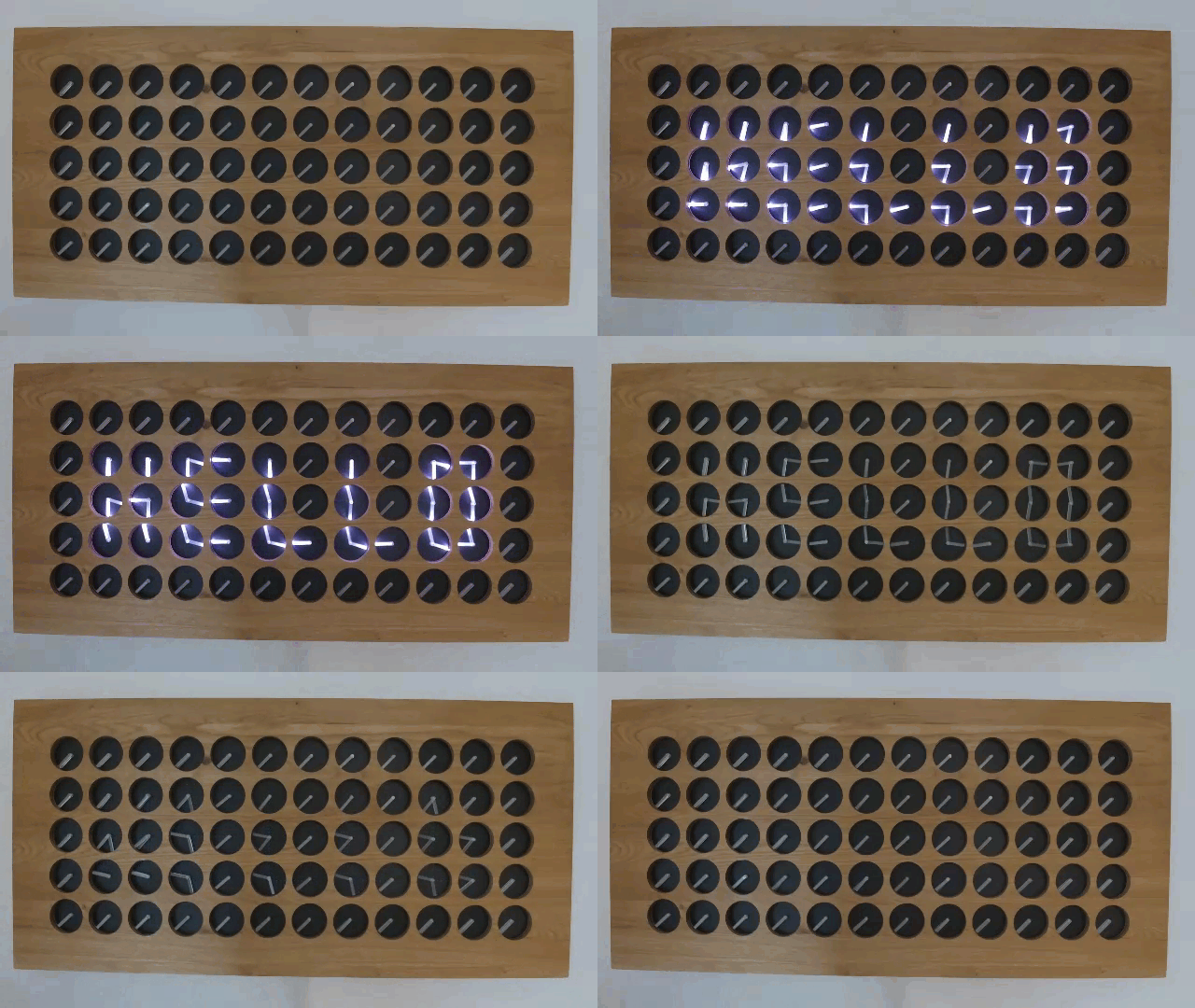
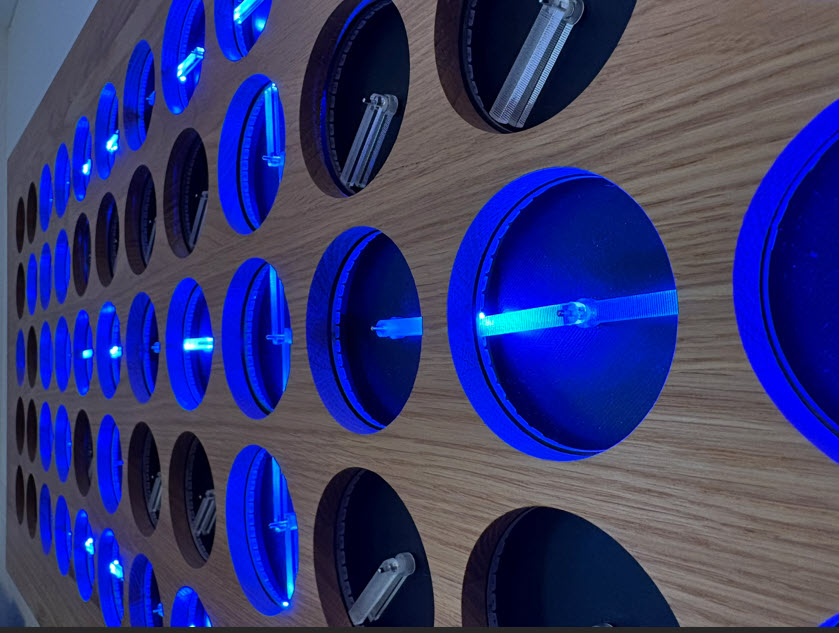
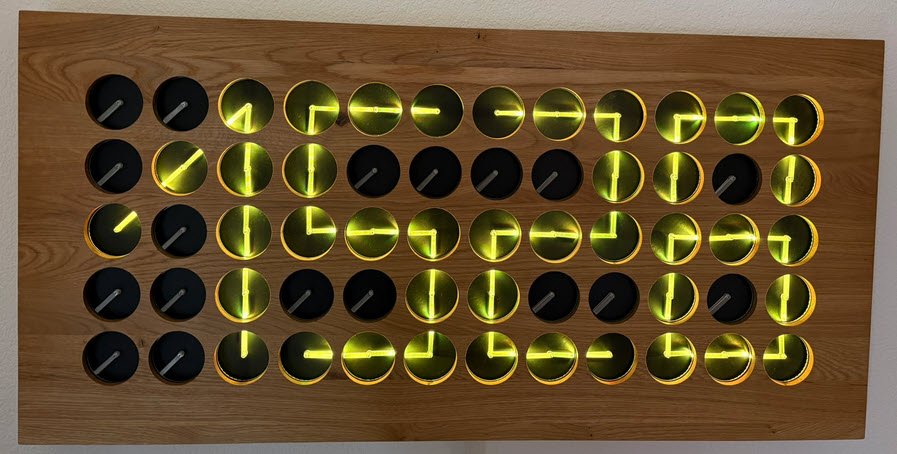
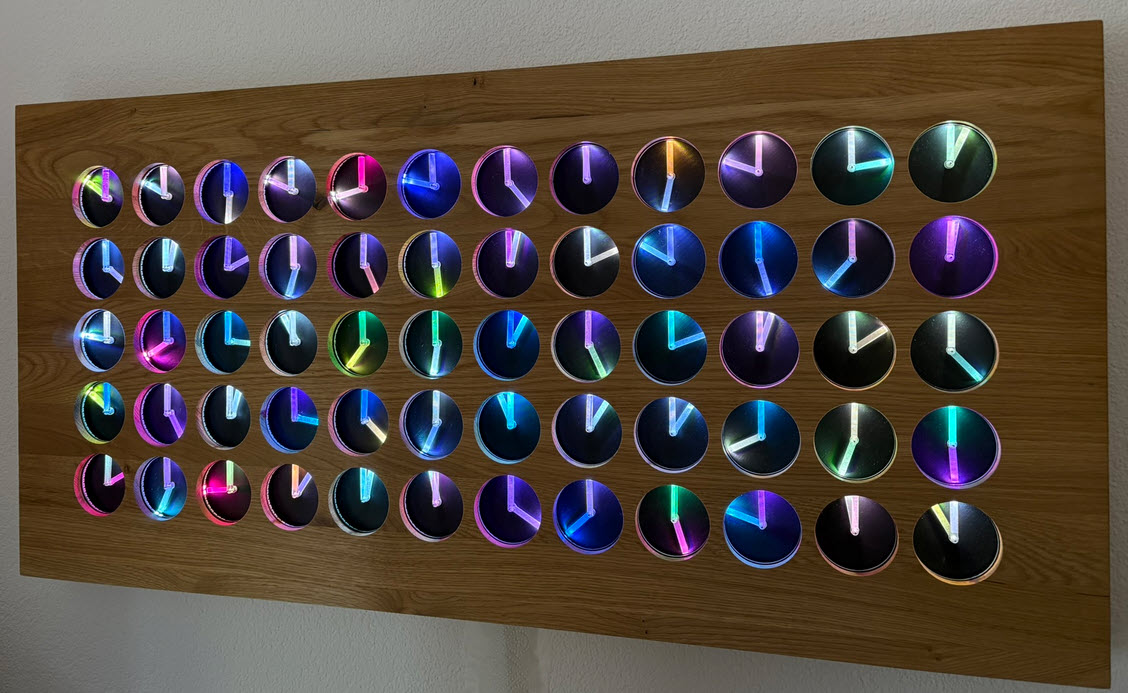
The MetaClockClock is a clock made of clocks. It consists of multiple dual-shaft stepper motors, arranged as a matrix of 5×12 analog clocks. Each clock has two motorized hands that can move independently. The clock can tell the time, but in a unconventional way. The entire matrix creates a meta-display that shows the time or other information. Between the updates, the hand can do coordinated, choreographed movements.
The clock hands are laser cut acrylics with get light up with a LED ring around the clock.
This article describes the build with CNC cut oak enclosure, laser-cut parts and 3D printed items.
Outline
This new build of MetaClockClock is made of 60 clocks with 120 stepper motors. Stepper motors movements and positions are controlled by PCBs with NXP LPC845 MCUs (ARM Cortex-M0+) on a RS-485 bus. The size is 97x47x6 cm.
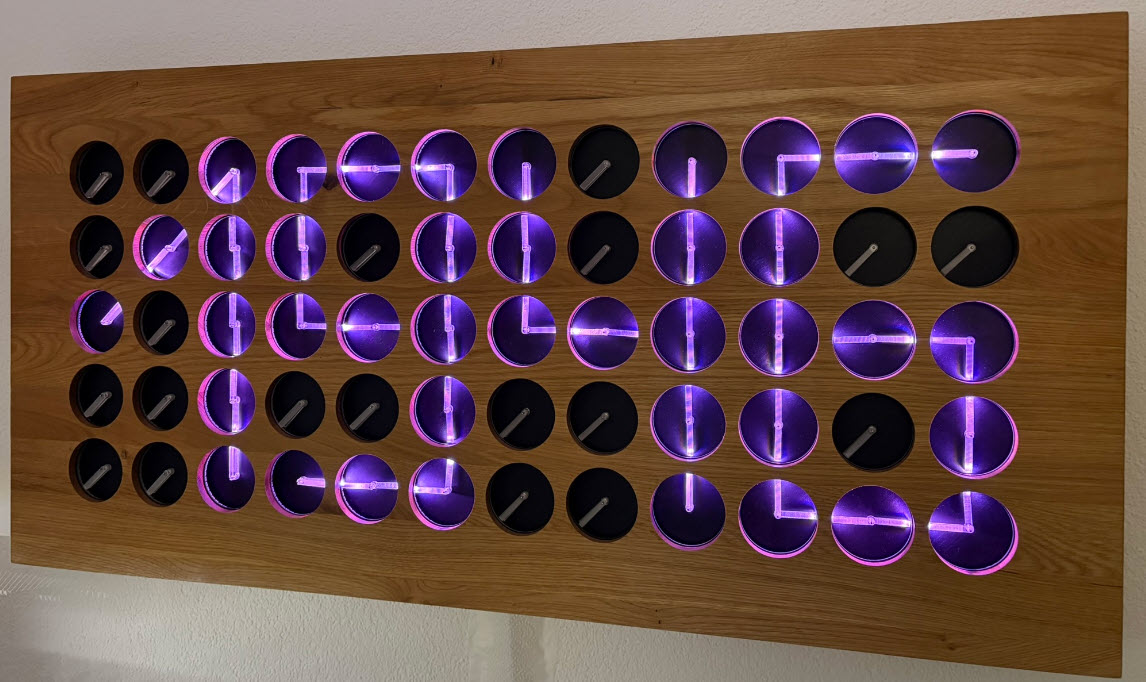
Each clock includes a WS2812B (‘Neopixel’) ring with 40 LEDs each, so a total of 2400 RGB LEDs.
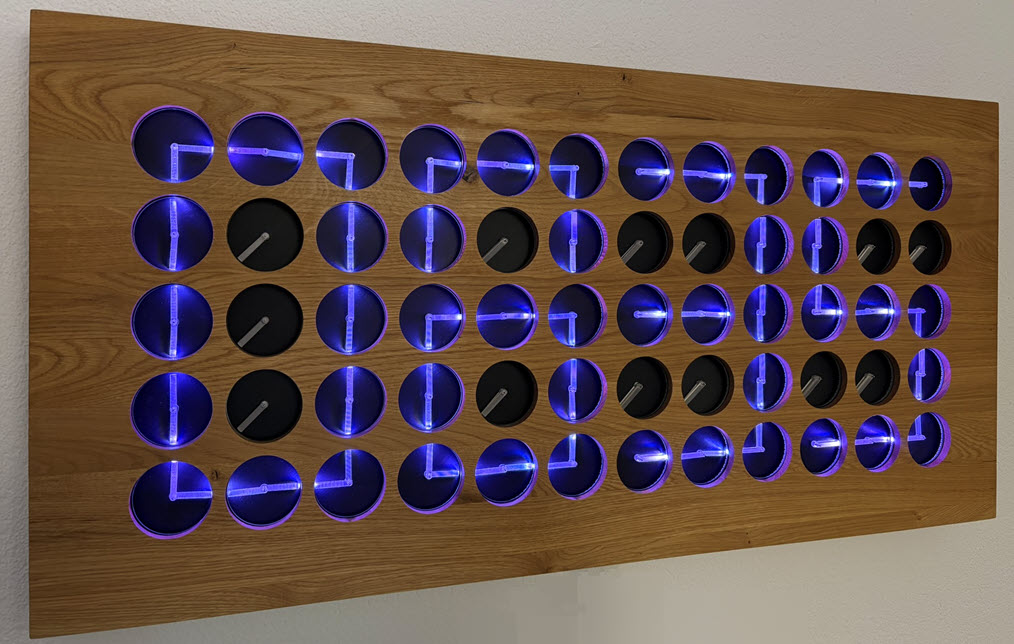
This article describes the build of the clocks and the enclosure. For the enclosure, a CNC and a 3D printer has been used. The project files are open source and available on GitHub.
Electronics
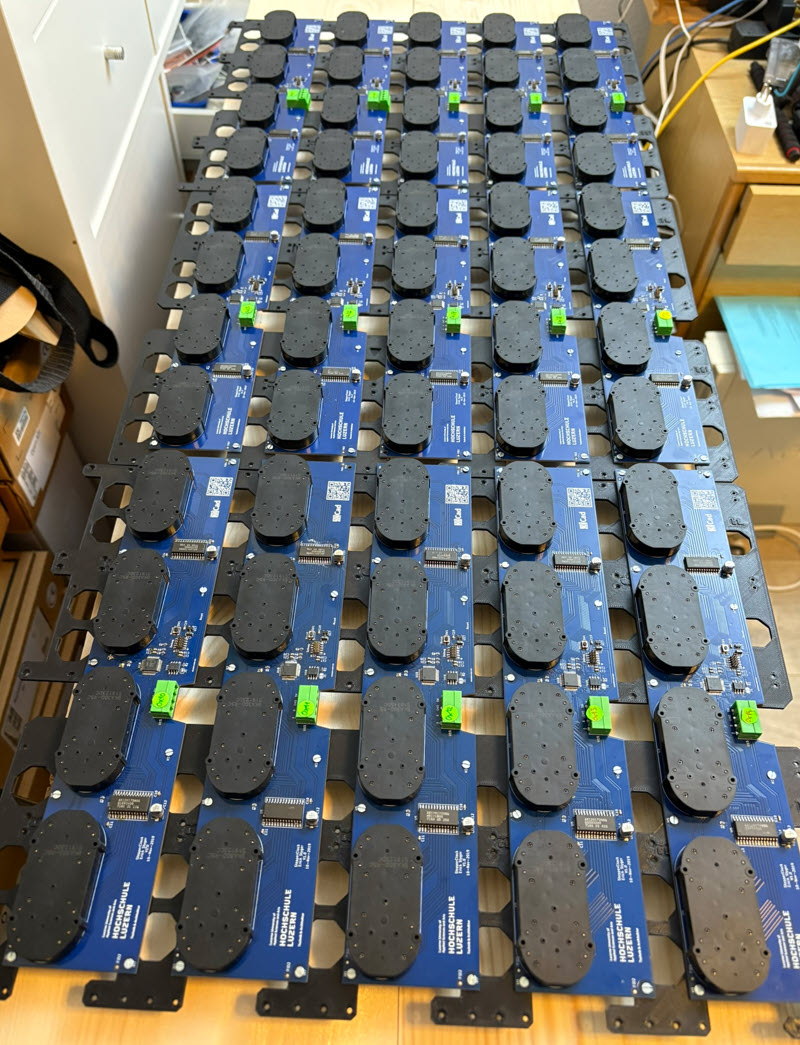
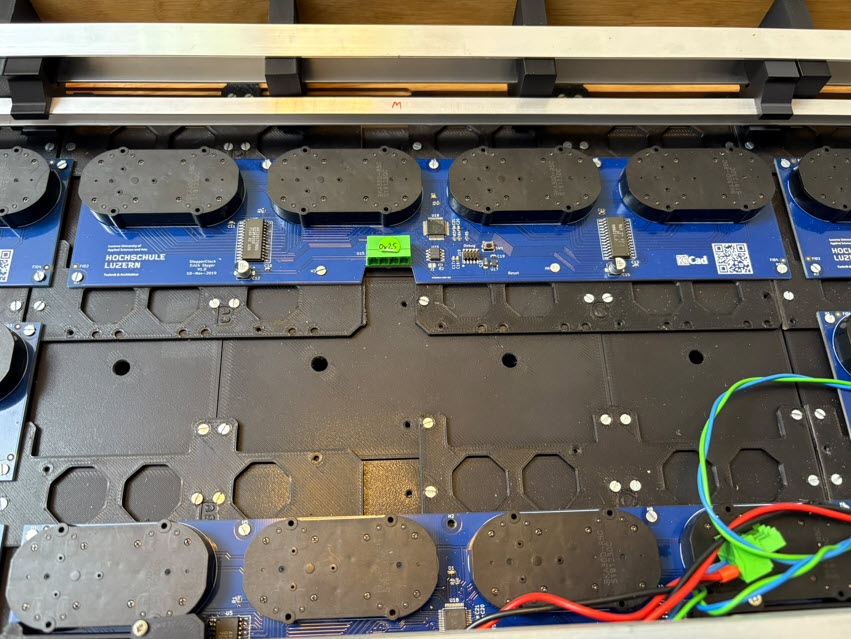
The clock uses PCBs with four dual-shaft stepper motors on it:
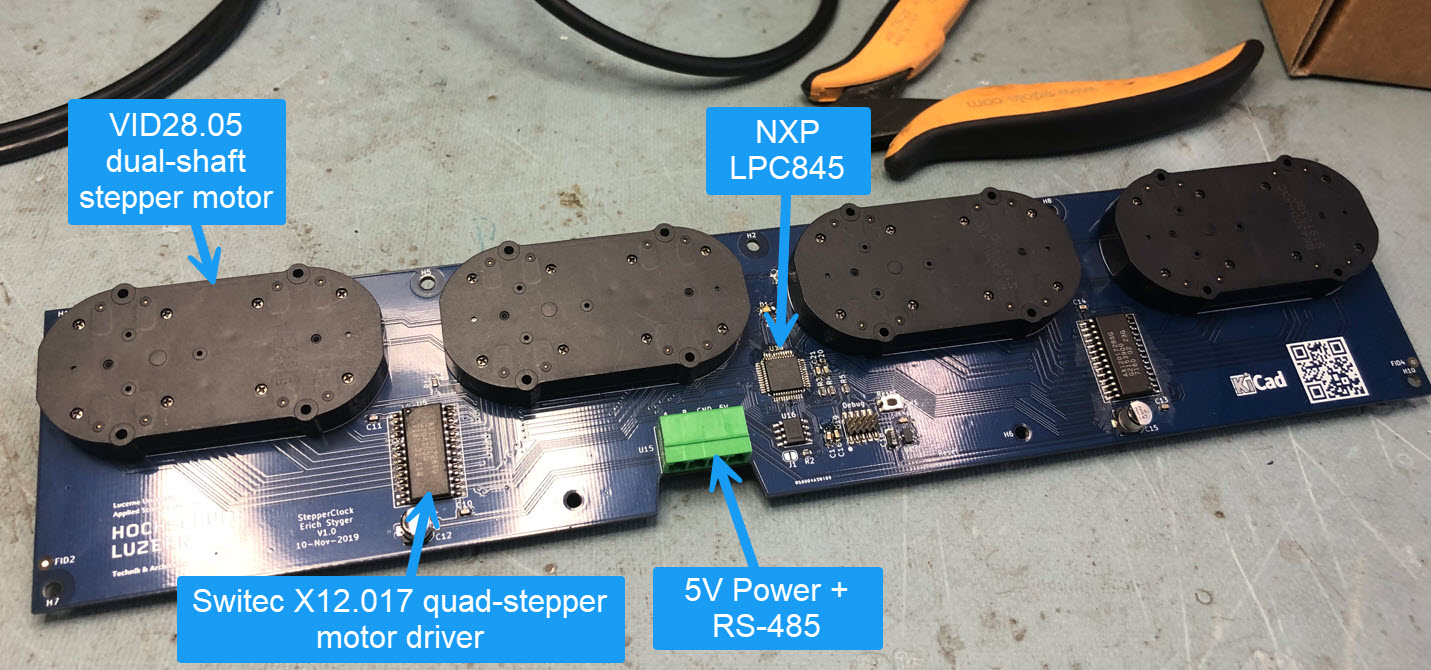
The PCBs communicate over the RS-485 bus.
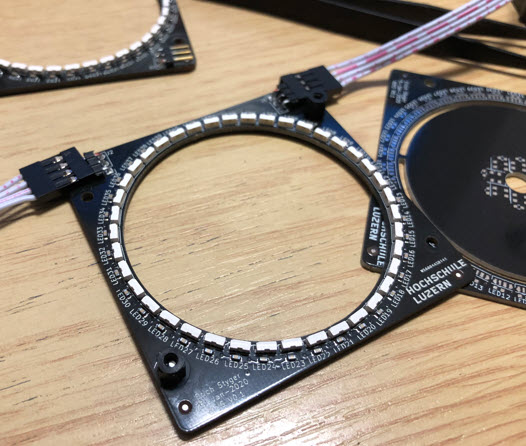
The clocks use acrylic (PMMA) laser-cut hands with LED rings around it. The LEDs can be individually controlled, for example to illuminate the hands.
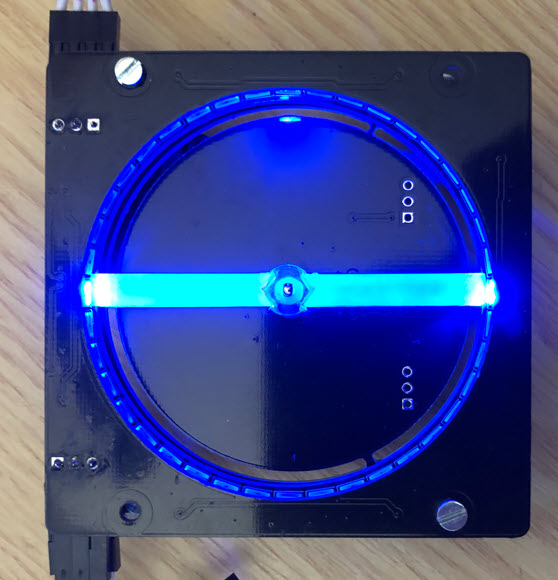
The LED rings are connected on a bus (power and data):
3D Printed Parts
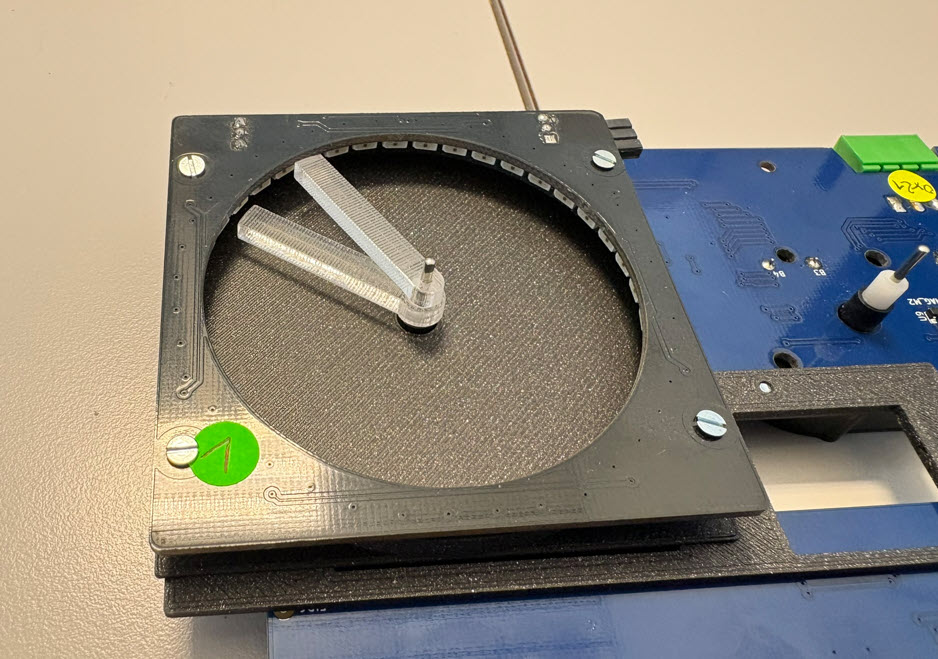
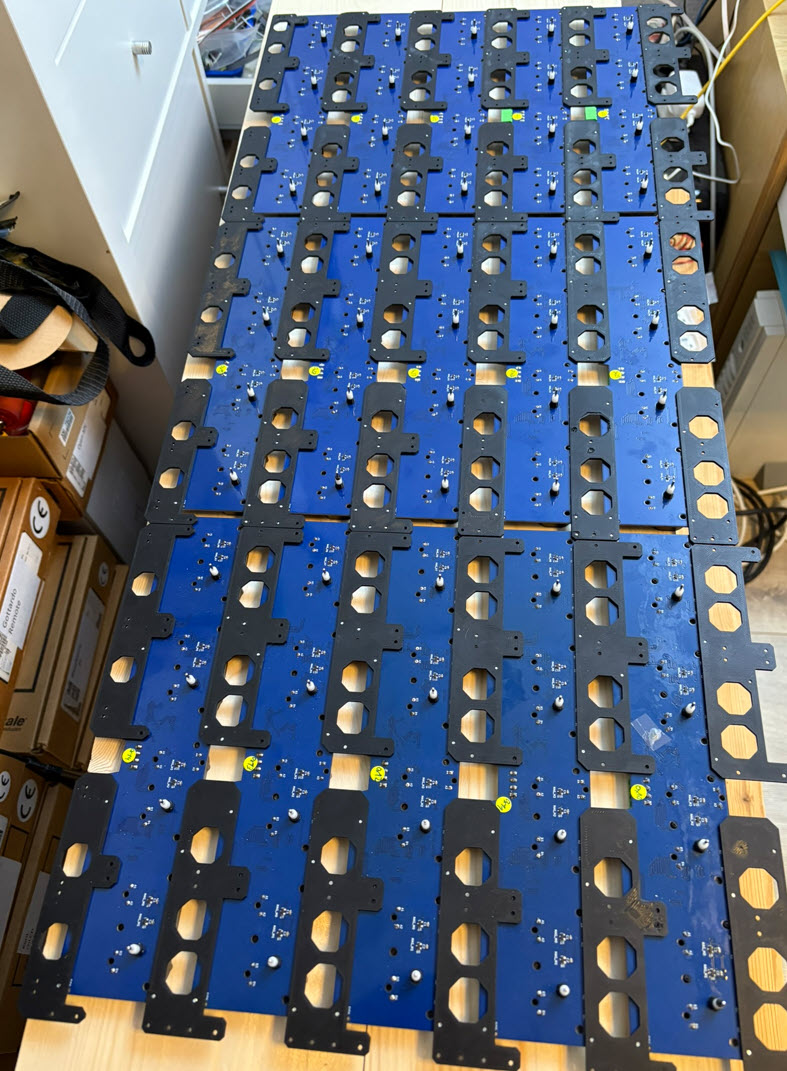
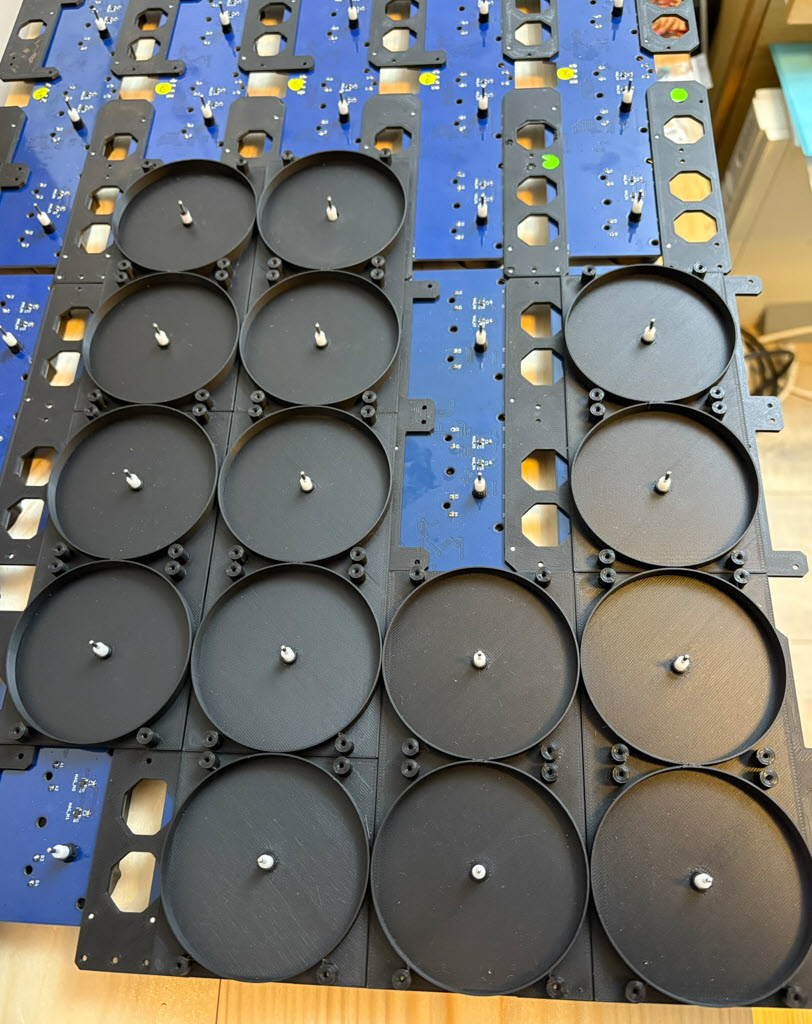
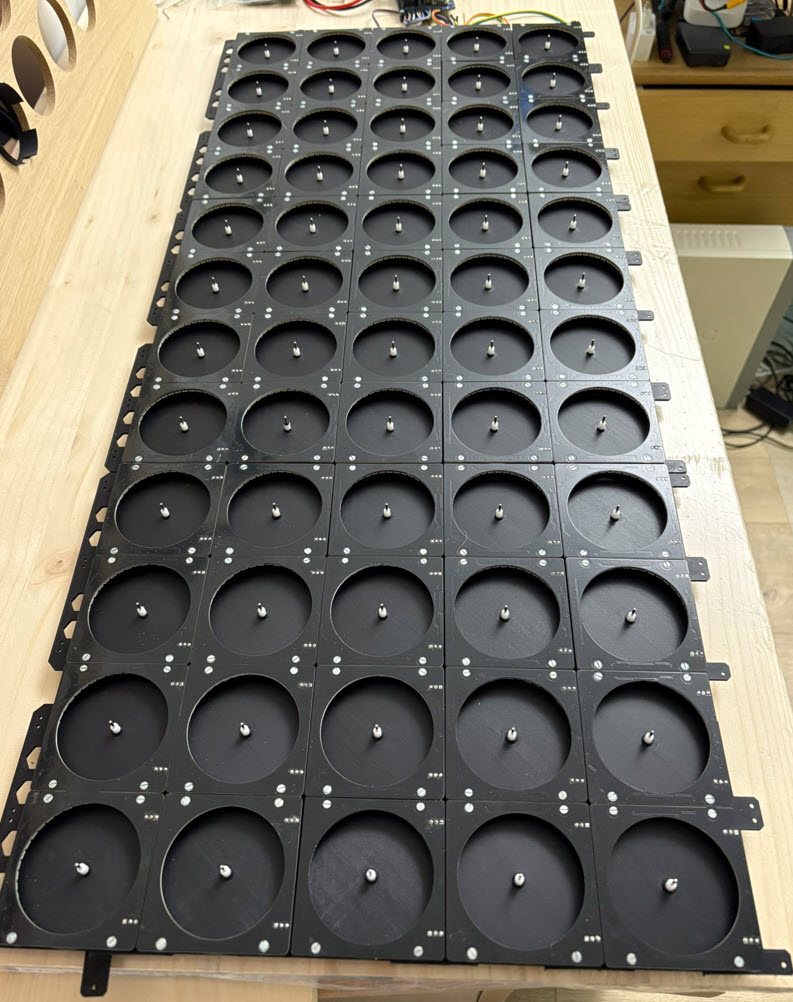
Lots of parts have been 3D printed, mainly for the clock background and mechanical parts to hold the PCBs.
The distance holder between the LED ring and the clock background is 3D printed:
3D printed parts are used to mechanically connect all the PCBs:
The LED ring distance holder are put on top of the PCBs:
With four screws the LED rings are mounted on top of the distance holder:
Wood Enclosure
The enclose is made of a slab of edge-glued oak wood panel (1200x600x20mm):
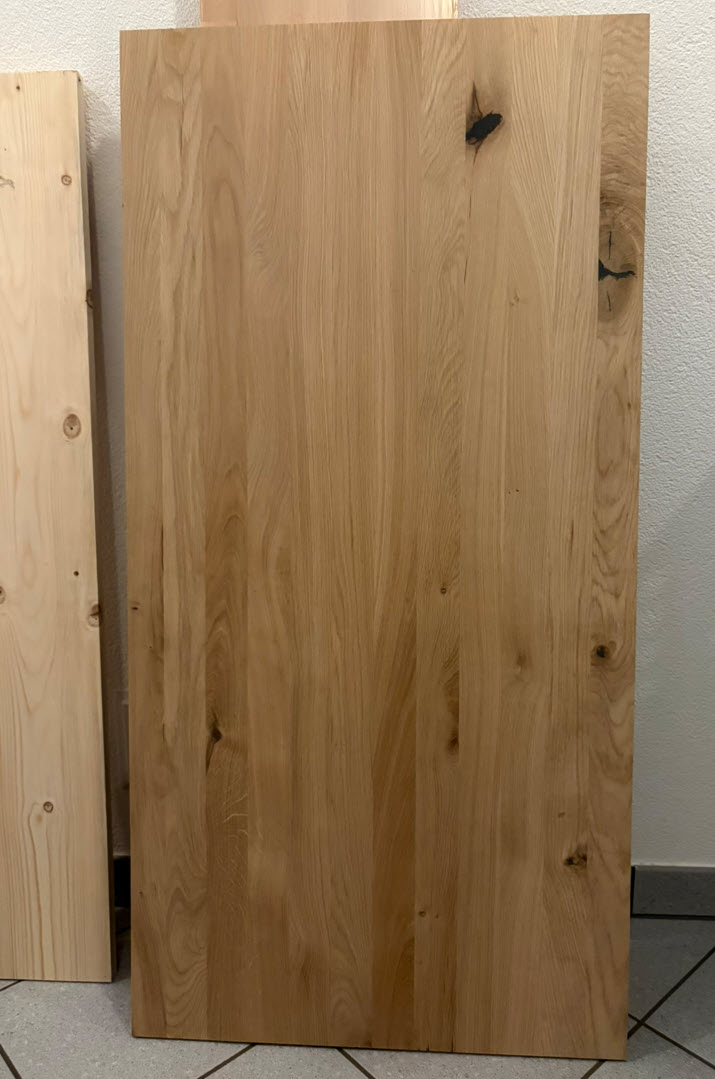
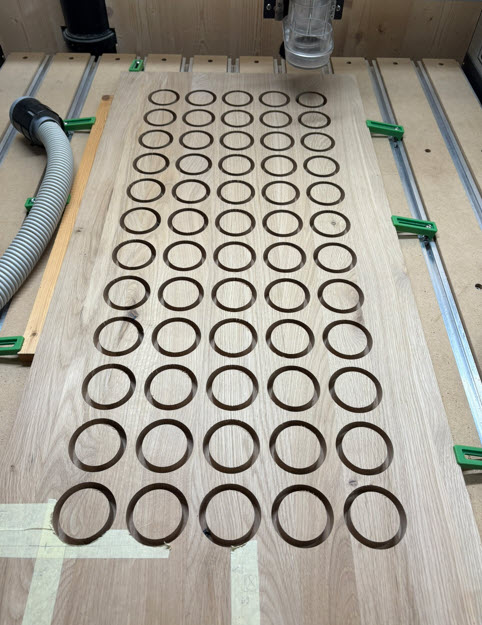
First, the holes for the clock on the front side has been cut out with a CNC machine. That approach gives a clean front surface plus less material has to be removed.
Next, a pocket is cut out on the back.The pocket is used for inserting the electronics. The pocket reduces the depth of the front panel from 20 mm to 8 mm wood on the front.
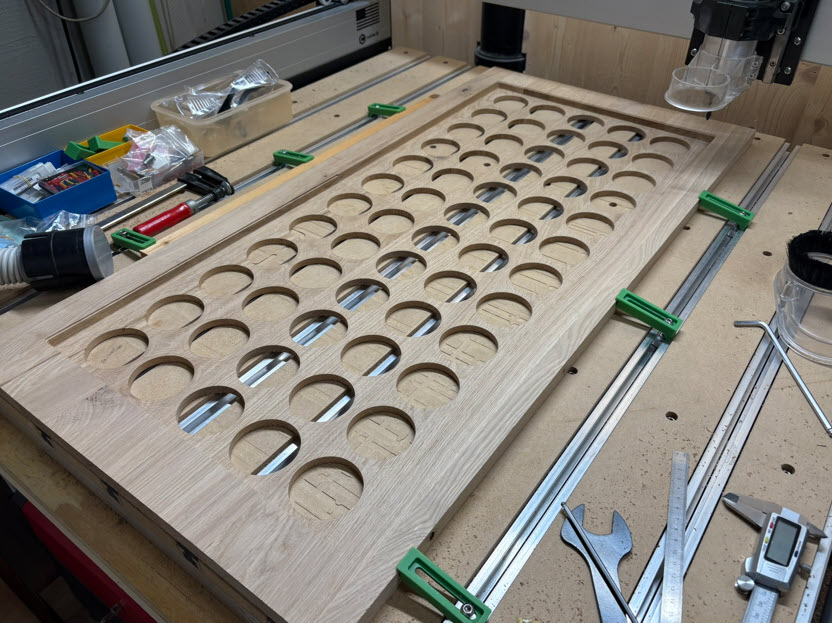
With the same wood, a frame around the front is built The enclosure has a depth of 55 mm. This gives enough space for the electronics and power supplies to fit in.
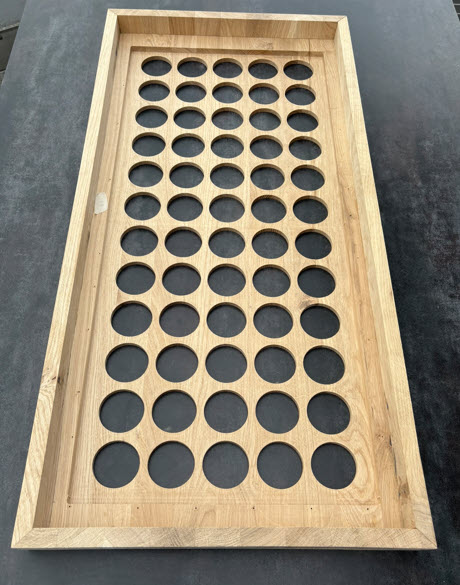
After sanding, wood oil gets applied for a nice finish:
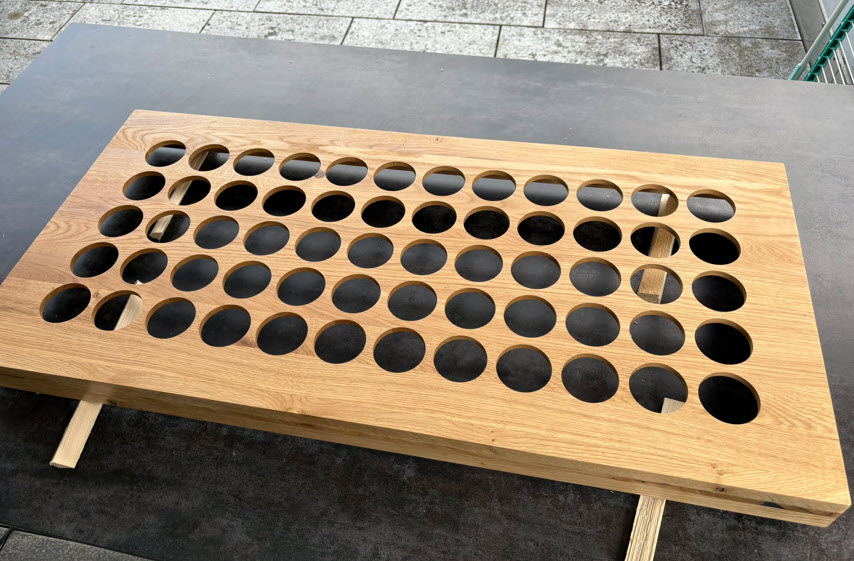
Assembly
The electronics with the power supplies then get placed inside the enclosure. Motors and the 2400 LEDs can draw a lot of power. Therefore, four 230V 15W 5V power supplies are used.
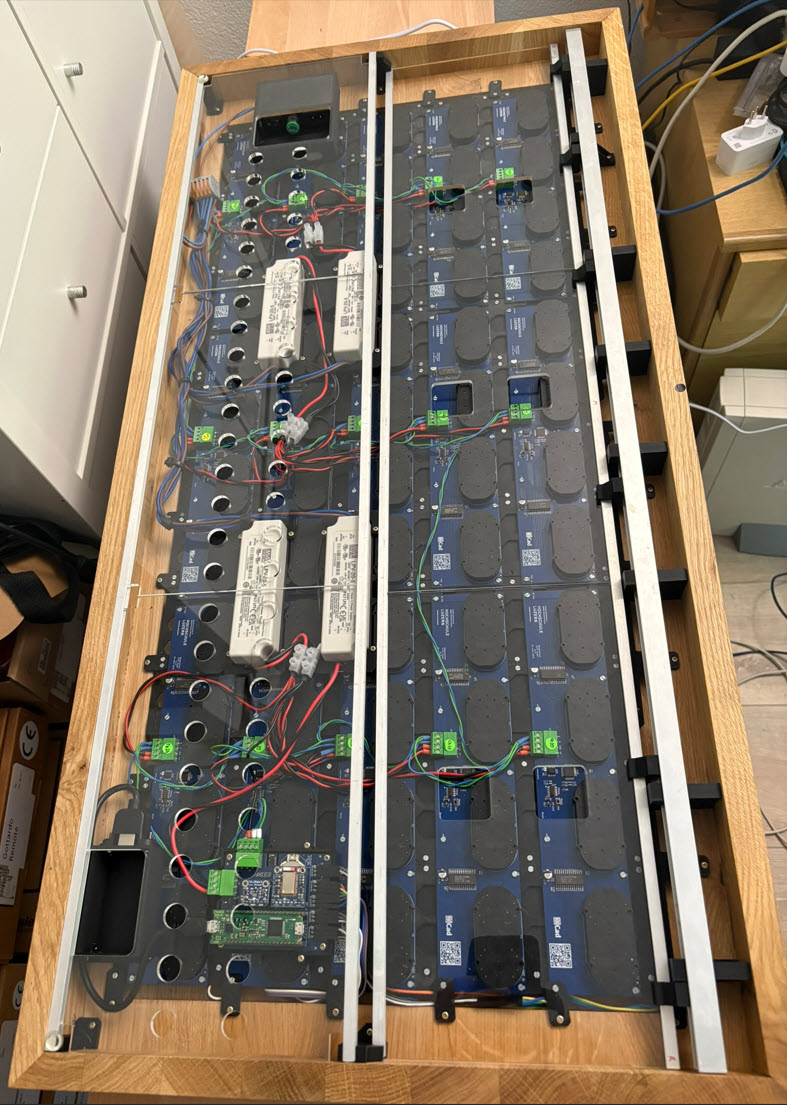
Smaller Aluminum profiles on the back with 3D printed parts are used to hold the Plexiglas/PMMA covers. The stronger aluminum rail is used as connection to the wall mounting bracket.
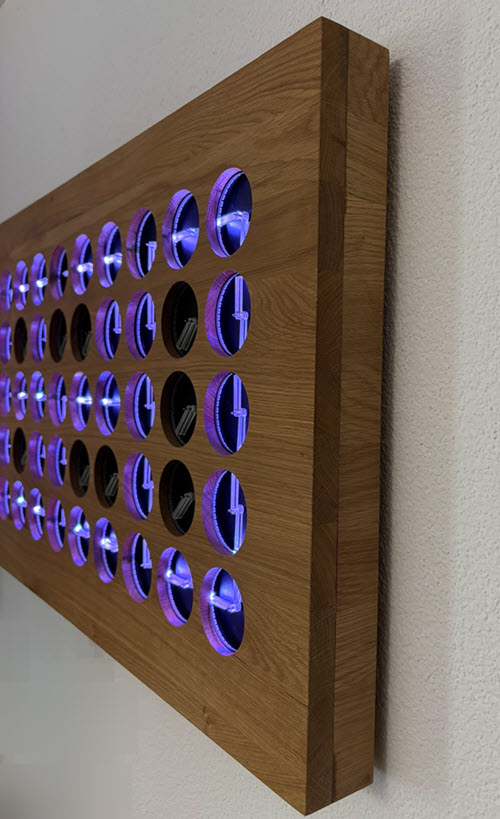
The clock can be powered from a wall socket on the back and is controlled with a BLE interface.
Everything can be easily disassembled with just removing a few screws:
Software
The firmware is built with NXP MCUXpresso IDE (Eclipse based) and VS Code. It includes a command line interface and remote shell over RS-485.
Commands allow to run the clock in interactive mode:
McuShell                  ; Group of McuShell commands
  help|status             ; Print help or status information
McuRTOS                   ; Group of McuRTOS commands
  help|status             ; Print help or status information
  tasklist                ; Print tasklist
McuArmTools               ; Group of McuArmTools commands
  help|status             ; Print help or status information
  reset                   ; Performs a software reset
McuTimeDate               ; Group of McuTimeDate commands
  help|status             ; Print help or status information
  time [hh:mm:ss[,z]]     ; Set the current time. Prints the current time if no argument
  date [dd.mm.yyyy]       ; Set the current date. Prints the current date if no argument
  dateToSec <datetime>    ; Convert date/time int UNIX timestamp (seconds after 1970)
  secToDate <secs>        ; Convert UNIX timestamp to date/time
  sync from|to extRTC     ; Read time/date from external RTC or write to it
McuExtRTC                 ; Group of McuExtRTC commands
  help|status             ; Print help or status information
  time [hh:mm:ss[,z]]     ; Set the current time. Prints the current time if no argument
  date [dd.mm.yyyy]       ; Set the current date. Prints the current date if no argument
  aging <offset>          ; Set aging offset register
stepper                   ; Group of stepper commands
  help|status             ; Print help or status information
  enable <xyz> y|n        ; Enable or disable a stepper
nvmc                      ; Group of NVMC commands
  help|status             ; Print help or status information
  flags <val>             ; Set flags
McuMinINI                 ; Group of McuMinINI commands
  help|status             ; Print help or status information
  read <f> <s> <k>        ; Read a key from a section in a file
  write <f> <s> <k> <v>   ; Write a key with value to a section in a file
  delkey <f> <s> <k>      ; Delete a key in a section of file
  delsec <f> <s>          ; Delete a section in a file
ini                       ; Group of flash ini commands
  help|status             ; Print help or status information
  dump                    ; Dump data information
  erase                   ; Erase data information
McuFlash                  ; Group of flash ini commands
  help|status             ; Print help or status information
  dump <start> <size>     ; Dump memory data
  erase <addr> <size>     ; Erase memory at address
rs                        ; Group of RS-485 commands
  help|status             ; Print help or status information
  addr <addr>             ; Set RS-485 address
  send <text>             ; Send a text to the RS-485 bus
  sendcmd <addr> <cmd>    ; Send a shell command to the RS-485 address and check response
  log on|off              ; Log RS-485 bus activity to McuLog
McuUart485                ; Group of RS-485 commands
  help|status             ; Print help or status information
  clear <flags>           ; Clear UART ISR flags
matrix                    ; Group of matrix commands.
  help|status             ; Print help or status information
  stepper status [xyz]    ; Print all stepper status information, or for a single coordinate
  test                    ; Test the stepper on the board
  hour <hour>             ; Set matrix to hour (1-12) position
  rgb pixel <xyz> <rgb>   ; Set pixel color
  he all on|off           ; Enabling all hand LEDs
  he <xyz> on|off         ; Enable single hand LED (comma separated)
  re all on|off           ; Enabling ring LEDs
  re <xyz> on|off         ; Enable single ring LED (comma separated)
  hc all <rgb>            ; Set hand color for all hands
  hc <xyz> <rgb>          ; Set single hand color (comma separated)
  rc all <rgb>            ; Set ring color for all rings
  rc <xyz> <rgb>          ; Set single ring color (comma separated)
  hand color <rgb>        ; Set default hand led color
  hand brightness <val>   ; Set default hand led brightness (0-255)
                          ; <xyz>: coordinate, separated by space, e.g. 0 0 1
                          ; <md>: mode (cc, cw, sh), lowercase mode letter is with acceleration control for start/stop, otherwise e.g Cw or CW
                          ; <d>: delay, 0 is no delay
  R <xyz> <a> <d> <md>    ; Relative angle move for LED and motor
  A <xyz> <a> <d> <md>    ; Absolute angle move for LED and motor
  r <xyz> <a> <d> <md>    ; Relative angle move (comma separated)
  a <xyz> <a> <d> <md>    ; Absolute angle move (comma separated)
  q <xyz> <cmd>           ; Queue a 'r' or 'a' command, e.g. 'matrix q 0 0 0 r 90 8 cc,0 0 1 a 45 0 CC', (comma separated)
  exq                     ; Execute commands in queues
  lastError               ; Check remotes for last error
  waitidle                ; Check remotes for idle state
  sendcmd <cmd>           ; Send a command to all boards
  delay <val>             ; Set default movement delay (0-127)
  park on|off             ; Park the motor(s)
clock                     ; Group of clock commands
  help|status             ; Print help or status information
  on|off|toggle           ; Enable or disable the clock
  onoff on|off            ; Enable time based automatic on/off
  offstart <time>         ; on/off start time
  offend <time>           ; on/off end time
  24h on|off              ; Show time in 24h (17:35) or 12h (5:35) format
  park on|off|toggle      ; Turns clock off and moves to park position, ready to power off
  hand rgb random on|off  ; Set hand random color mode
  hand rgb <rgb>          ; Set hand color
  hand fading on|off      ; Set hand fading on or off
  seconds on|off          ; Show seconds
  border on|off           ; Show clock with border
  font <f>                ; Set clock font, e.g. 2x3
intermezzo                ; Group of intermezzo commands
  help|status             ; Print help or status information
  on|off|toggle           ; Turn intermezzos on, off or toggle
  delay <sec>             ; Intermezzo delay in seconds
  <nr>                    ; Play Intermezzo (0-22)
demo                      ; Group of demo commands
  help|status             ; Print help or status information
  hands random pos        ; Randomize hand position
  hands random color      ; Randomize hand color
  ring random color       ; Randomize ring color
  clap                    ; Clapping hands
  square                  ; Building squares
  square rotate           ; Rotating squares
  square clap             ; Squares clapping
  falling                 ; Falling hands
  propeller               ; Rotating propeller
  demo combined           ; Combined demo
  1                       ; Demo with changing angles
  2                       ; Demo fast clock
  delay <delay>           ; Set default delay
  nxp                     ; NXP demo
  middle                  ; middle demo
  led 0                   ; LED color demo
  led 1                   ; LED rainbow demo
  pong                    ; pong demo
  weather <weather>       ; Show weather: sunny, cloudy, rainy, icy
  game of life            ; Conway's Game of Life
  font 3x5                ; Font 3x5 demo
  date 3x5                ; Date 3x5 demo
SHT31                     ; Group of SHT31 commands
  help|status             ; Print help or status information
ble                       ; Group of Adafruit BLE commands
  help|status             ; Print help or status information
  factoryreset            ; Sends AT+FACTORYRESET
  cmd <AT command>        ; Send an AT command, e.g ATI
bleuart                   ; Group of Adafruit BLE UART commands
  help|status             ; Print help or status information
  enable                  ; Enable BLE UART
  disable                 ; Disable BLE UART
  tx <string>             ; Send string
neo                       ; Group of neo commands
  help|status             ; Print help or status information
  clear all               ; Clear all pixels
  set all 0x<rgb>         ; Set all pixel with RGB value
  set <lane> <pos> 0x<rgb>; Set pixel in a lane and position with RGB value
McuLog                    ; Group of McuLog commands
  help|status             ; Print help or status information
  level <level>           ; Set log level, 0 (TRACE), 1 (DEBUG), 2 (INFO), 3 (WARN), 4 (ERROR), 5 (FATAL)
  quiet <on|off>          ; Set quiet mode for console
mfont                     ; Group of matrix font commands
  help|status             ; Print help or status information
  text <f> <x> <y> <txt>  ; Write text with font (e.g. 2x3) at given position
Settings are stored in the MCU Flash memory:
McuShell     : Commandline shell status
  Build      : Aug  1 2025 13:58:37
  silent     : #
  multiCmd   : yes: ';', size: 200
  size       : 256 bytes default size
McuRTOS      : FreeRTOS status information
  Version    : V11.0.0
  RTOS ticks : 1000 Hz, 1 ms
  Free heap  : 39784 bytes
McuArmTools  : Hardware status
  UID        : {0xE8,0xC5,0x00,0x00,0x27,0x00,0x71,0x15,0x02,0x30,0x3B,0x00,0x45,0x4E,0x37,0x50}
  Family     : K20 or K22 Family
McuTimeDate  : Date and time information
  SW RTC     : 03.08.2025, 10:10:20,00
  Ext. RTC   : 03.08.2025, 10:10:20,00
McuExtRTC    : Hardware external time and date
  date       : Sunday 03.08.2025
  time       : 10:10:20 (24h)
  device     : 3232, I2C Addr 0x68
  RAM        : 0x14..0xFF
  Temperature: 34.00 degree C
  agingOffset: 0 (neg values increase osillator freq)
stepper      : Stepper settings
  timer      : HW timer, period (us): 8333
  steps      : 360 degree steps: 360, full round (ms): 3000
nvmc         : Non-volatile memory configuration area
  RS-485 addr: 0x01
  flags      : 0x00000000 mag: 0
McuMinINI    : MinINI status
  buffer     : 64 bytes
  real       : not supported
  mode       : read-write
  FS         : FLASH
ini          : ini flash status
  flash      : start 0x0007F800, block 0x0800, nof 1
  max data   : 2048 bytes
  data       : magic 0xFEEDBABE, settings.ini, size 187
  ram        : magic 0x00000000, <not valid>
McuFlash     : McuFlash status
  block      : size 0x0800
  registered : addr 0x0007F800, size 0x00000800
rs           : RS-485 settings
  addr       : 0x01
  log        : off
McuUart485   : RS-485 UART settings
  HW TxEn    : yes
  flags      : 0xC00000D0
             : kUART_TxDataRegEmptyFlag
             : kUART_TransmissionCompleteFlag
             : kUART_IdleLineFlag
             : kUART_TxFifoEmptyFlag
             : kUART_RxFifoEmptyFlag
  baud       : 115200
  queues     : Rx: 3072, Response: 96
matrix       : Matrix settings
  stepper    : x*y*z: 12*5*2
  delay      : 2
  color      : hand: 0x0000FF
  brightness : hand: 0x10
clock        : Clock settings
  type       : Clock 12x5 60 Billion Lights
  mode       : master
  clock      : off
  parked     : no
  on/off     : no, off: 19:00:00,00-06:00:00,00, off not active
  24h        : on
  hand       : color: 0x2F2B2E, random on, fading on
  seconds    : off
  second     : color: 0x050000
  border     : on
  font       : 3x5
intermezzo   : Intermezzo settings
  on         : no
  nof        : 23
  delay      : 15 s
SHT31        : Sensirion SHT31 sensor status
  addr       : 0x44
  temp       : 32.88°C
  humidity   : 45.13 RH
ble          : Bluefruit status
  IRQ        : LOW (no data waiting)
bleuart      : BLE UART status
  enabled    : yes
  status     : connected
neo          : Status of NeoPixels
  nofLanes   : 5
  laneStart  : 0
  laneEnd    : 4
  LED in lane: 480
  Pixels     : 2400
  Colors     : RGB
McuLog       : Log status
  console    : 3 channel
  lock       : yes
  level      : DEBUG (1), logging for this level and higher
mfont        : Matrix font status
  fonts      : 2x3 3x5 4x5
Movements
Below how the clock can transition time from one minute to another:
Time between clock updates can be filled with intermezzos:
It is not limited to time, it can show text too, for example the current date:
Below a demo of patterns or intermezzos:
The clock implements three fonts: 2×3, 3×5 and 4×5.
Here a ‘hello world’ with the 2×3 font:
Below is how the 4×5 font looks like:
Here a demo of the 3×5 font;
Summary
This clock has been the most time consuming and complex one so far. The Shapeoko CNC plus with the new 3D printer added new ways for the mechanical build and enclosure. It took me more than 3 months for the enclosure and 3D printing alone. I’m very pleased with the decent and smooth oak wood enclosure. The massive wood makes it my heaviest clock with a weight of 10 kg. But it is aesthetically pleasing. Investing into the new Prusa printer really paid off. I would not have been able to print such high quality 3D parts with my 12 year old Ultimaker2. The clock uses BLE as wireless interface. If time permits, I would like to add a WiFi/web based user interface too.
Happy meta-clock-clocking 🙂
 MCU on Eclipse
Wow! That’s very cool, Erich! Clever; and well done!
LikeLike
Thank you!
LikeLike
Wow, that is impressive, very unique gizmo. You can tell how much work has gone into it. I’d love to own one, but don’t have the space for it.
LikeLike
Hi Max,
thank you! Yes, it has been a lot of work for this project, which started 2019. Not working all the time on it, and I have not counted the hours. But the result is very rewarding, and I had an empty wall in my office for it :-).
LikeLike
Great writeup! I’m making a digital version of this using 1.28″ TFT displays, for more animation possibilities.
I might need to make a nice looking facade for it like yours!
https://www.youtube.com/watch?v=c2BB3x_dGME
https://github.com/planetdaz/twenty-four-times
LikeLike
Great idea with the round displays! I had that idea too, but years ago such displays were very expensive and not large enough for my installation. Wish you success with your project!
Erich
LikeLike