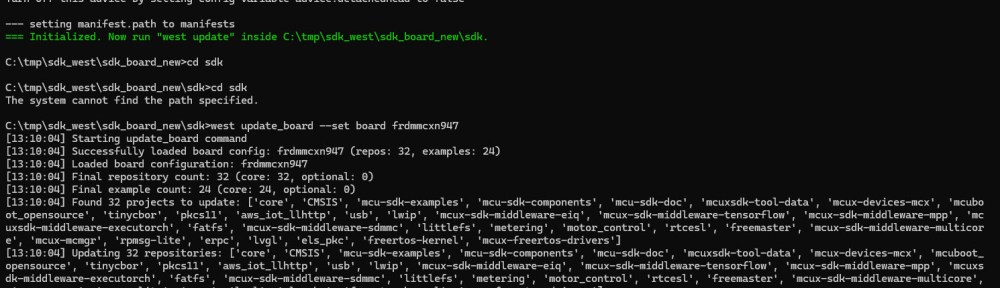
In my earlier tutorial I showed how to install the necessary SDK tools. In this article I’m going to install the SDK sources. For this I’m going to use west. This is a command-line ‘meta-repository’ tool.
Outline
Traditionally, SDKs have been delivered as ‘monolithic repositories’. This means that everything needed was in a single repository. But with growing number of devices supported, things easily get bigger and bigger. Add middle-ware like RTOS, file systems, examples and utilities, and you get a huge number of files.
Modern SDKs solve this with splitting up components and parts into individual repositories. Git has the concept of sub-modules, but this this does not allow much flexibility. If you pull such a repositories recursively, you get everything. And you have no good way to pick and choose what you need.
The solution is to use a meta-tool with a description or manifest file. With that manifest file one can list the dependencies and include or exclude repositories. Zephyr uses west for this, and the MCUXpresso SDK has adopted it.
west
Precondition is to have west installed. For this see Tutorial: Getting Started with MCUXpresso SDK – Tool Installation. I’m using version v1.5.0.
West is a central and core port of the Zephyr project. It is a tool to manage multiple repositories. I mention this, because west comes with many challenges:
- West is yet another tool which needs to be installed.
- West is Python based. And everyone working with Python knows the ‘Python hell’ with different versions and broken dependencies.
- West will download many GB of data: make sure you have a fast and reliable internet connection.
- It takes time to learn and use west. E.g. for Zephyr, west is usually the biggest obstacle.
If you are using Zephyr, there is now no way to get around it. In the case of MCUXpresso SDK and VS Code, it is used in the background. That way you don’t have to learn much about west.
I’m using it here to get the MCUXpresso SDK. West is useful here, because it allows me to configure what I need. I can use VS Code GUI to get the SDK too. But I want to show the command-line way with west here. It can easily be used for a CI/CD environment.
west init
The first is to create a new (empty) directory, where I want to download the SDK. Do this in a command line shell:
$ mkdir mysdk
Then enter that directory:
$ cd mysdk
Then use west init to get the manifest information. I’m using the -mr option to get a specific version of the SDK. If you want to get the main branch, just omit that option.
west init -m https://github.com/nxp-mcuxpresso/mcuxsdk-manifests.git mcuxpresso-sdk --mr v25.12.00
This creates the directory mcuxpresso-sdk.
$ cd mcuxpresso-sdk
west update
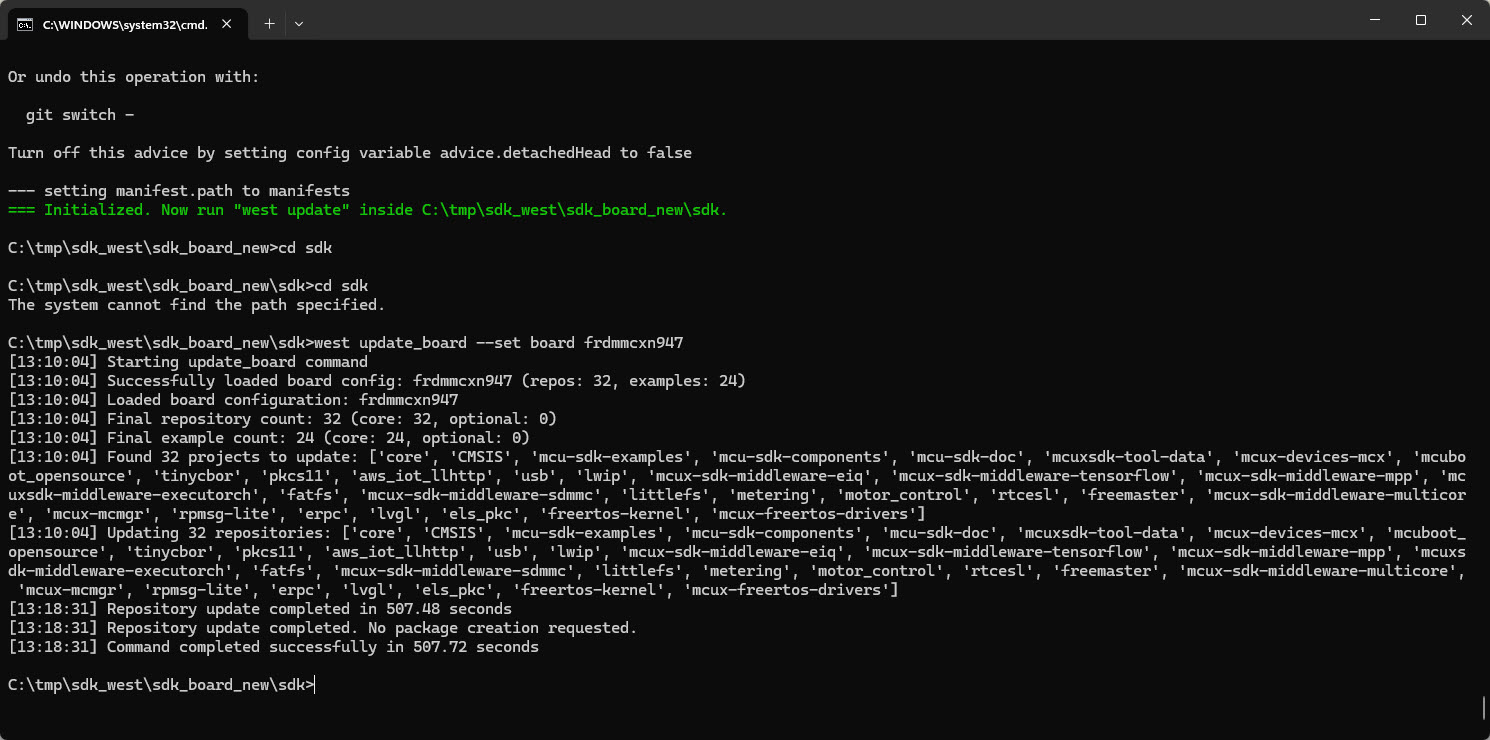
The next step would be to download the repositories with west update. I do NOT recommend doing this. This will take a long time (~30 minutes) and will download ~8 GBytes of data (yikes!!!!!).
Instead a ‘full’ update, one can limit it to a board only, say with
$ west update_board --set board frdmmcxn947
💡 at the time of writing this article, the v25.12.00 version of the manifest is broken with referencing non-existing repositories for the FRDM-MCXN947. The workaround is to remove
se_hostlibandemwinfrommanifests\boards\frdmmcxn947.yml.
But this still pulls in a lot of unnecessary files, downloading 2 GBytes (yikes!! for a board only?).
Instead, let’s limit the number of files with looking at the manifest files.
Manifests
Inside mcuxpresso-sdk there is a .west folder plus a manifests folder.
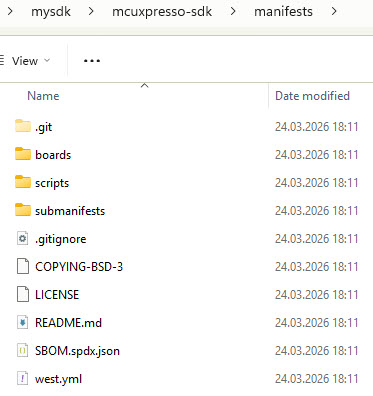
The boards directories lists all the supported boards. I can now create a new ‘minimal’ board file, for example myboard.yml:
board_name: "frdmmcxn947"
repo_list:
  - core
  - mcu-sdk-components
  - mcux-devices-mcx
  - mcuxsdk-tool-data
example_list:
  - driver_examples
  - demo_apps
optional_repos:
  - mbedtls3x
  - tfm
  - tf-m-tests
  - qcbor
  - psa-arch-tests
optional_examples:
  - tfm_examples
And I can pull it with
$ west update_board --set board myboard
Now this SDK takes about one minute to download and is only 300 MByte in size. I recommend such a ‘minimal’ SDK after you have explored all the features you need. This way, you know what you need. Otherwise go with the ‘normal board’ way of downloading things.
Summary
It takes time to learn west. And west usually is be the first obstacle to use an SDK like the MCUXpresso or Zephyr one. It is a new tool. And because it is Python based, it comes with all the ‘Python hell’ problems. But once it is working, it is really handy and useful. And the learning time is well invested, because more and more SDKs in the industry are adopting west.
The idea of west is great. And in theory it would allow me just to get and pull the necessary parts of the SDK. The default board manifest files still get mostly ‘everything’. Using time to tweak and reduce the number of files and repositories is well invested time. Especially for a team of developer.
In a next article, I’m going to show how to use west with Visual Studio Code. This will help you get the SDK repository with a GUI interface.
What is your experience with west? Please share it in the comments section below.
Happy westing:-)
Links
- Tutorial: Getting Started with MCUXpresso SDK – Tool Installation
- Zephyr: https://www.zephyrproject.org/
- West: https://docs.zephyrproject.org/latest/develop/west/index.html and https://github.com/zephyrproject-rtos/west
- MCUXpresso core repository: https://github.com/nxp-mcuxpresso/mcuxsdk-core
- GitHub MCUXpresso SDK manifest: https://github.com/nxp-mcuxpresso/mcuxsdk-manifests
- Getting started with MCUXpresso SDK: https://mcuxpresso.nxp.com/mcuxsdk/latest/html/gsd/repo.html
 MCU on Eclipse
“because more and more SDKs in the industry are adopting west.”
Oh God… save us from this level of complexity. Few people are thinking KISS these days. Elegance is dead.
Not a fan of west (and a serious critic of Zephyr). And don’t get me started on VS Code.
LikeLike