Cppcheck is a static analysis tool for C/C++. I have used it a lot for my Eclipse projects. And it runs with VS Code as well.

Outline
I’m using different static analysis tools, including the GCC compiler options to warn me about possible issues in my code. Running an extra analysis tool over my project is always a plus. It helps keep the code clean and improved.
Cppcheck
Cppcheck is a free and open source analysis tool, available from https://cppcheck.sourceforge.io/. It is able to detect undefined behavior, or other problematic code constructs.

To use it with VS Code or any other IDE: download and install it. Make sure it is found by the tools (e.g. add it to the PATH on Windows).
VS Code Extension
There are multiple VS Code extensions available in the extension store (search for ‘cppcheck’). The one which wors best for me is ‘jbenden.c-cpp-flylint' or Flylint:

Beside of Cppcheck, that extensions supports other tools like Clang or Lint.
Installation
For Cppcheck, just install the extension plus Cppcheck itself. Make sure Cppcheck is found in the PATH.
The different checkers including Cppcheck are configured in the VS Code settings:

Usage
After installation, with CTRL+SHIFT+P I can trigger different Flylint actions:

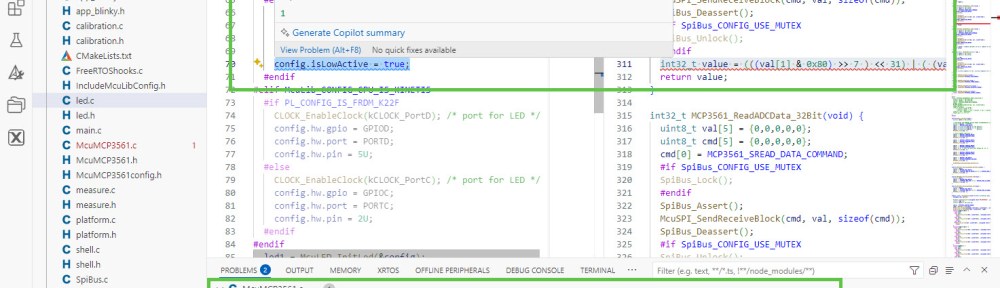
The messages of the checks then show up as annotations in the source code. And as items in the ‘Problems’ output:

Summary
I always highly valued Cppcheck and its ability to find mistakes or problematic parts in my code. With Flylint I have VS Code extension which makes using Cppcheck easy. Allowing me to “check early, check often” my code.
Happy checking 🙂
Links
- Cppcheck web site: https://cppcheck.sourceforge.io/
- Cppcheck with Eclipse: https://mcuoneclipse.com/2015/07/02/open-source-static-code-analysis-cppcheck-with-eclipse/
- flyLint on Marketplace: https://marketplace.visualstudio.com/items/?itemName=jbenden.c-cpp-flylint
 MCU on Eclipse