
I have lots of hardware and debug probes on my desk, and I discussed using nicknames for debug probes to better identify them.

So far so good. At that time of the previous article, it was possible to assign nicknames to J-Link debug probes, but not to use the nickname instead of the USB serial number. Well, SEGGER was fast again, and responded with a new J-Link software pack version 7.92d which implements that features: I can now use the nickname to connect to a debug probe :-).
The J-Link -connect option now supports using the nickname instead of the USB ID, for example
jlinkgdbserver -select usb="My Nickname"
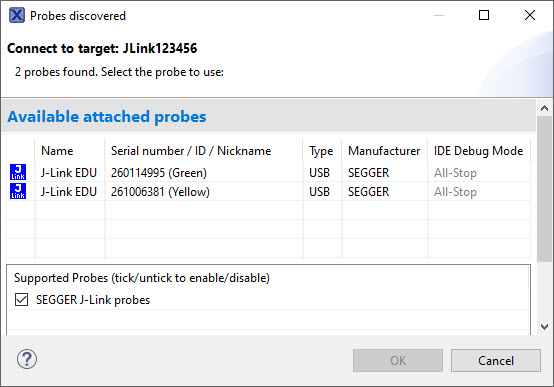
The nickname can be assigned to probes, and then shows up in the list of probes:
To use the nickname for the connection, simply use the name instead of the USB serial number:
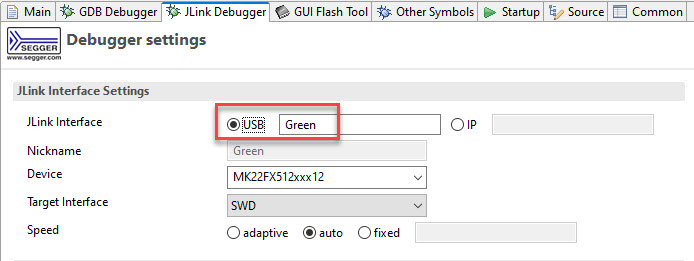
That’s it: simple and it works. Now I can fully manage probe connections by nickname instead of other identification. Of if I have to replace a debug probe in the test farm, I don’t have to change anything as long as I give the new probe the same nickname. Nice 🙂
Happy naming 🙂
Links
- Assigning Nicknames to Debug Probes
- J-Link -select option: https://wiki.segger.com/J-Link_GDB_Server#-select
 MCU on Eclipse