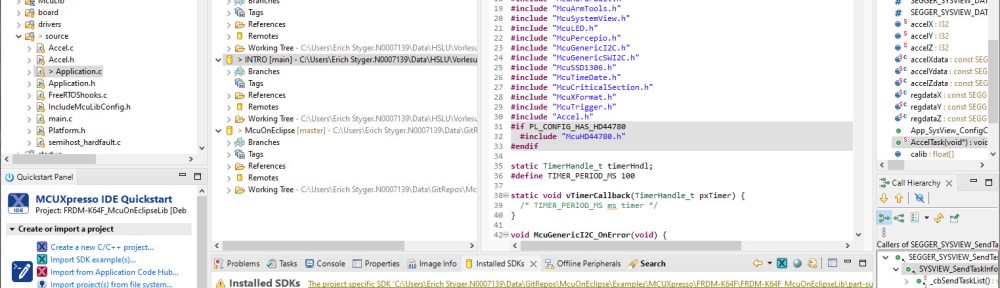
In my Eclipse workspace I have many projects, from multiple git repositories.

How can I share a list of projects, say in a development team? As we all should know: the Eclipse workspace (.metadata folder) should not be shared. So how can I share it? There is a cool feature in Eclipse which does exactly that. It shares a configurable set of workspace projects, even if they are on different git repositories.
Outline
The use case is this: I have an Eclipse workspace with multiple git projects. To make things more complex: my workspace has projects from multiple git repositories. And the projects are a subset and buried inside the repositories.
I want to share that workspace, or replicate this into another workspace.
To do this manually: clone the repositories, and then drag&drop the different projects into the Eclipse workspace. But this can be complex and time consuming.
Team Project Set
Eclipse has a solution for this: the Team Project Set.
The process is in two steps:
- I can export selected projects into an XML description file. That XML file includes all the necessary information with the repository information and the project location inside the repositories.
- Import the content with the XML description file into the workspace. This clones the repositories and adds the project to the workspace.
In the next sections I show the process with screenshots.
Export Team Project Set
Use the menu File > Export:

Then select the ‘Team Project Set’:

Select the projects to export:

Press Next. I can save the description file as a file outside the workspace (option ‘File’) or store it inside my workspace (option ‘Workspace’):

The file includes all the information needed to get the projects from git: the path to the repository plus the project(s), for example:
<?xml version="1.0" encoding="UTF-8"?>
<psf version="2.0">
<provider id="org.eclipse.egit.core.GitProvider">
<project reference="1.0,git@gitlab.switch.ch:hslu/edu/bachelor-engineering-and-architecture/adis/adis.git,master,Projects/MCUXpressoIDE/MK22FX512xxx12_SumoV2"/>
<project reference="1.0,ssh://git@github.com/ErichStyger/mcuoneclipse,master,Examples/MCUXpresso/FRDM-K64F/FRDM-K64F_Demo"/>
</provider>
</psf>
Importing Team Project Set
Now on the ‘receiving’ side, all what I have to do is to import that exported description file. How to share that file is up to you, it can be shared with git or on a web site.
In Eclipse (for example in a new or existing workspace), use File > Import and select Team Project Set:

From here select the file to be used: Below I’m using a path to the file on a GitHub repository:

💡 If using a file from the web (URL), make sure you use the ‘raw’ link to it.
This will clone the repositories (if not already cloned) and add the projects to the workspace.
In my case it had projects from two repositories in it:

Summary
Sharing multiple projects can be a challenge. Eclipse offers the Team Project Set to make it easy. I export the project set as a file. Then I can share it, for example on web page or GitHub. The other side used the Import. Import clones the repositories as needed and adds the set of project to the workspace. That makes it really easy to share projects with a Eclipse workspace.
Not that this does not share the workspace settings itself. If you are interested in that, check out my other article: Copy my workspace settings or Eclipse Workspace Tips. Another cool way to organize projects are ‘working sets’. I have you covered here: Grouping Eclipse Projects with Working Sets.
Happy sharing 🙂
Links
- Tutorial: Git with Eclipse
- Eclipse Project Set Files: https://wiki.eclipse.org/Project_Set_File
- Copy Workspace Settings: https://mcuoneclipse.com/2012/04/04/copy-my-workspace-settings/
 MCU on Eclipse
Erich,
Thanks for this; I was interested in this as we have many Eclipse projects, albeit all from the same repo, that make up our software. One thing I noticed, though, is that when you’re on a branch and do this, the content `reference` for each project references:
a version
the URL
the branch
the project location
While that doesn’t make it useless, the branch being included in that file could be a slight issue, since, e.g. it would need to be something that lived forever, really.
Is there a way round that (I guess, without the branch, a lot of the actual benefit of the feature may be lost) or do you have ways of managing changing branches etc?
To be fair, this may only be an issue because of the way I think it would be of use to me 🙂
Thanks
John
LikeLike
Hi John,
I need to think about your case more, but right now I don’t see an easy solution. I think if the branch does not live forever, you would have to update the description file with a new version.
LikeLike