
Eclipse includes many ways to build a project. One of it is the built-in builder which makes it super easy. And for more complex building needs I can use an external make (see Tutorial: Makefile Projects with Eclipse) or cmake or combination of multiple ways (see Building a Triumvirate: From Eclipse CDT to CMake, CMD and Visual Studio Code).
There is yet another use case how to easily tweak the build process in Eclipse: using a script file in the project to be used as the ‘compiler’:
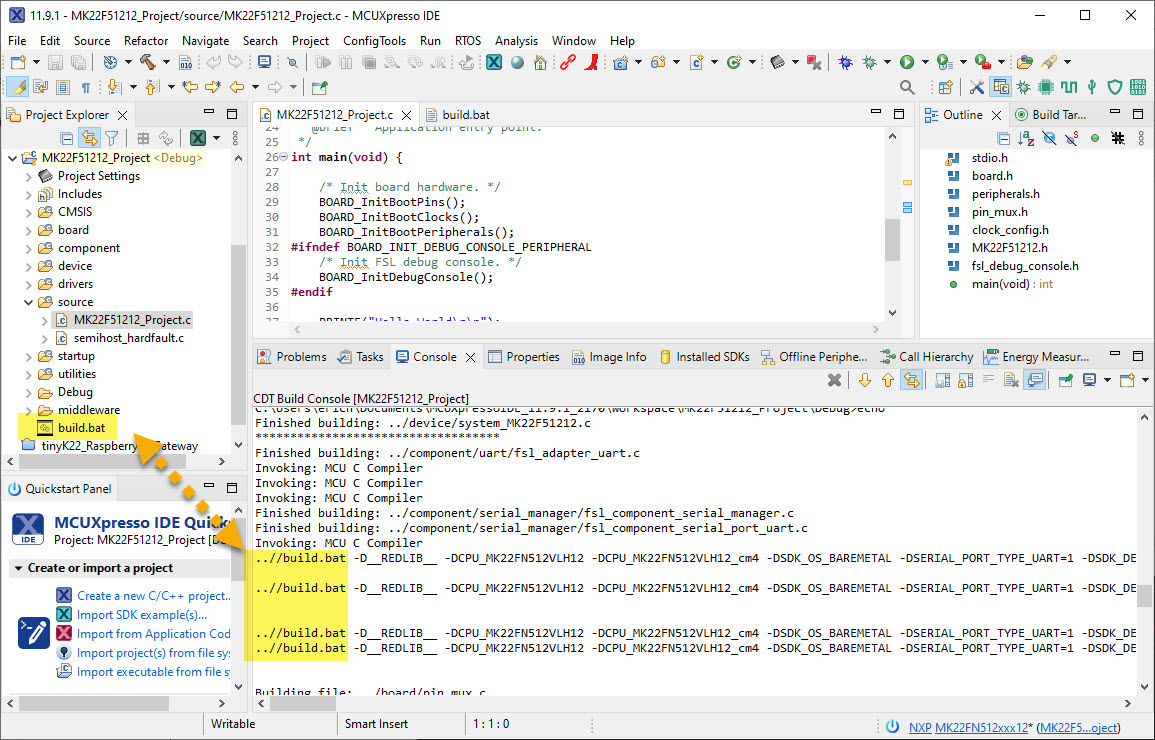
That way I can do all kind of custom steps (analysis, re-formatting, static checkers, …) for each file compiled.
To enable this, I set the C/C++ Build settings to ‘External Builder’ using the make command:

Make is here is the driver of the build, and what I want to call instead of the compiler is my custom script which I place into the project folder, something like this:
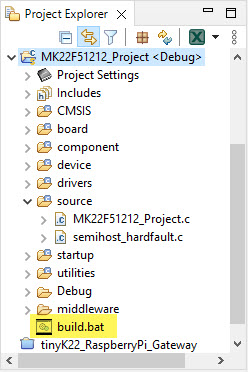
This script or batch file then will be called in place of the compiler. In the script file, I can do whatever I like to do, including calling the compiler.
💡 Because the script file is not portable between Windows/Linux/Mac: use different script files if you need to use the project on different host machines.
To call my script, I change the compiler (arm-none-eabi-gcc) command to call my script file instead:
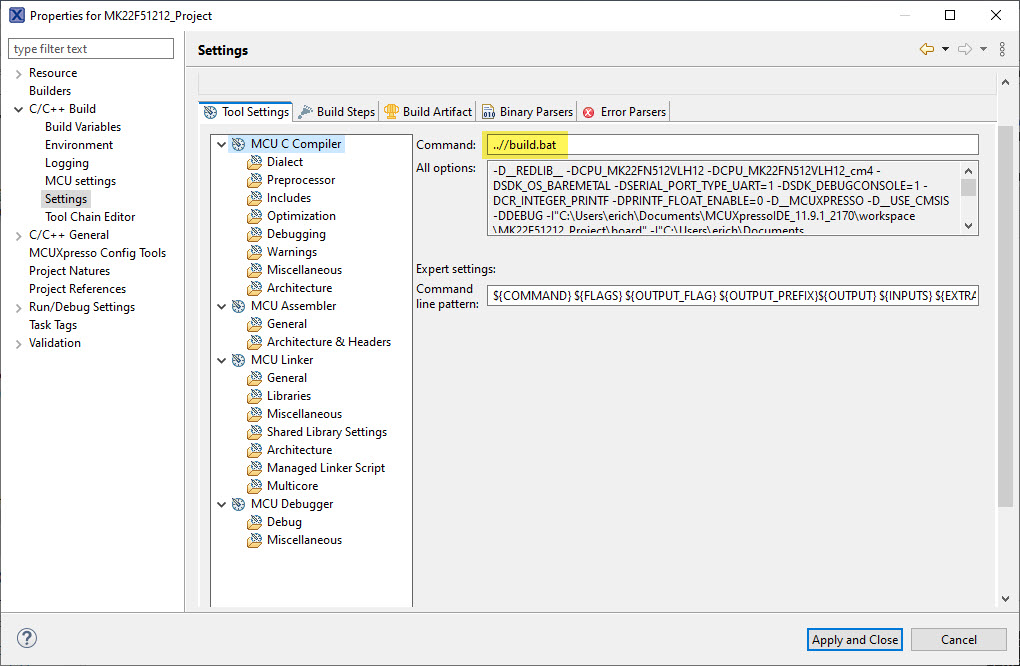
Because the ‘current directory’ of tools called in Eclipse is the build output folder, I’m using a relative path.
Building the project now is using my script file instead of calling directly the compiler:

It is possible to build selected file only:
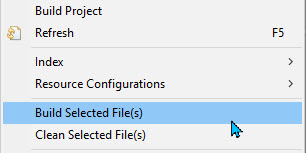
But that might fail with an error message like
The system cannot find the file specified.

One might think it is about the script file not found, but that’s a red herring.
Instead, in most cases it is probably something in the command line confusing the shell script running on the host. In many cases it is something like a ‘<‘ (redirection character) in the command line, as the ‘<‘ below:

One solution is to escape such characters. Or what I do in that particular case is simply removing that option from my project settings as I don’t need it (see assert(), __FILE__, Path and other cool GNU gcc Tricks to be aware of).

Note that this is only necessary if I want to build individual files.
With this, I can build the project and individual files with my script.
Happy building 🙂
 MCU on Eclipse