
Some times, especially after making some clock/timing changes in Processor Expert, I have an error showing up in the Processor Expert components:

Processor Expert Components with Errors
Many times Processor Expert is right. But not always: It is possible that Processor Expert is stuck on the error, and there seems no way out. But there is a trick to resolve it….
Typically the problem happens to me after changing the internal clock timings of the microcontroller. Then this has an impact on other components in the project:
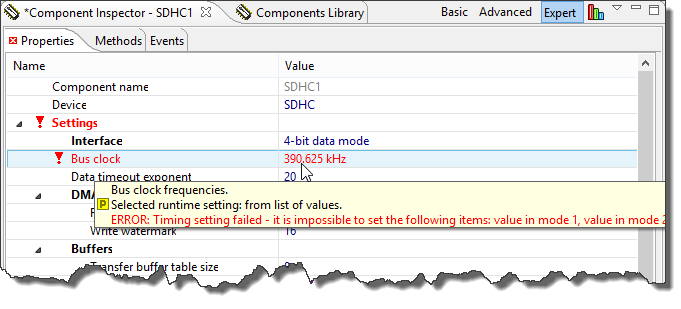
Error about timing?
In my case here, inspecting the chosen values show that everything is perfectly ok:
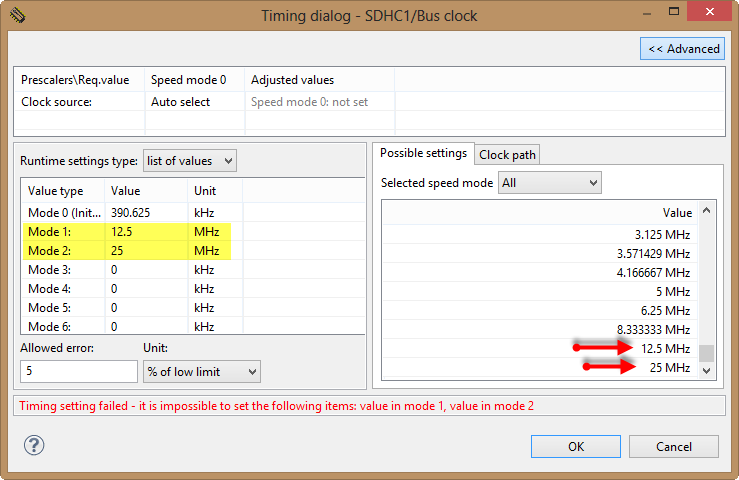
Bogus Error in Timing Settings
It does not happen always, but enough, and if it happens, it gets painful. Students in my class typically report me these kind of problems with ‘it went away when I restarted Eclipse’. There is a simpler workaround.
The trick is that Processor Expert can be forced to redo the setting verification. This happens when I
- open the project (this happens a well with opening a workspace (thus restarting Eclipse))
- enable the component in the project
So if I believe it is one of these bogus errors, I simple select the component and disable it with the context menu:

Disabling Component
And then re-enable it again:
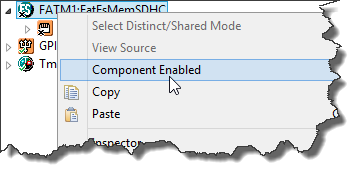
Re-Enabling Component Again
And voilà, the error disappeared:
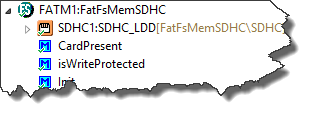
Error disappeared
If that does not help, then there is probably an error across multiple components. Then the easiest way is to close the project (menu Project > Close Project) and then re-open it again with the menu Project > Open Project.
Summary
While it is not good that Processor Expert seems to be stuck on a false/bogus error, at least closing and re-opening the component or project is an easy workaround (once I know about it). Without that, it would be necessary to switch the workspace or even restart Eclipse (which I avoid as takes some more time).
That particular problem has been reported. Until it gets fixed, the above workaround should do it.
Happy Fixing 🙂
 MCU on Eclipse
Hey, great blog! I just got a FRDM-KL05Z board and this blog helped me a lot in getting started. I have one problem with processor expert: when I define my clock source as fast internal (4MHz) with a clock divider of 2, resulting a clock speed of 2MHz, the UART component generates the baud wrong. Two times wrong, as if the clock was 2MHz. If I manually set the correct baud rate, it works fine. Is there something I’m doing wrong, or do you have any tip?
I am also wondering how can I create new components for processor expert? I couldn’t find any info on this.
Thanks
LikeLike
Hello Andrei,
yes, I run into the same problem with the KL25Z while developing a component for an UART Bluetooth module. The problem is confirmed as a bug in Processor Expert, see freescale community thread/303343. For me I had to set in Processor Expert say 2*38400 to get an effective baud of 38400.
For creating Processor Expert components: I have published mine on GitHub (see https://mcuoneclipse.com/2013/01/06/mcuoneclipse-goes-git/) with a Wiki to get started. I know that it lacks a tutorial, will see if I find some time soon on this. But at least you can check out how this would look like.
LikeLike
I just fixed it using a divider of 1 on clock source settings and a divider of 2 on clock configuration. I can’t set the baud rate to double because I have 2 clock configurations and for the 1st one, the baud is correct.
Great news. I’ll check if out.
Thanks
LikeLike